– 78 –
6-2-10. Copying a pattern
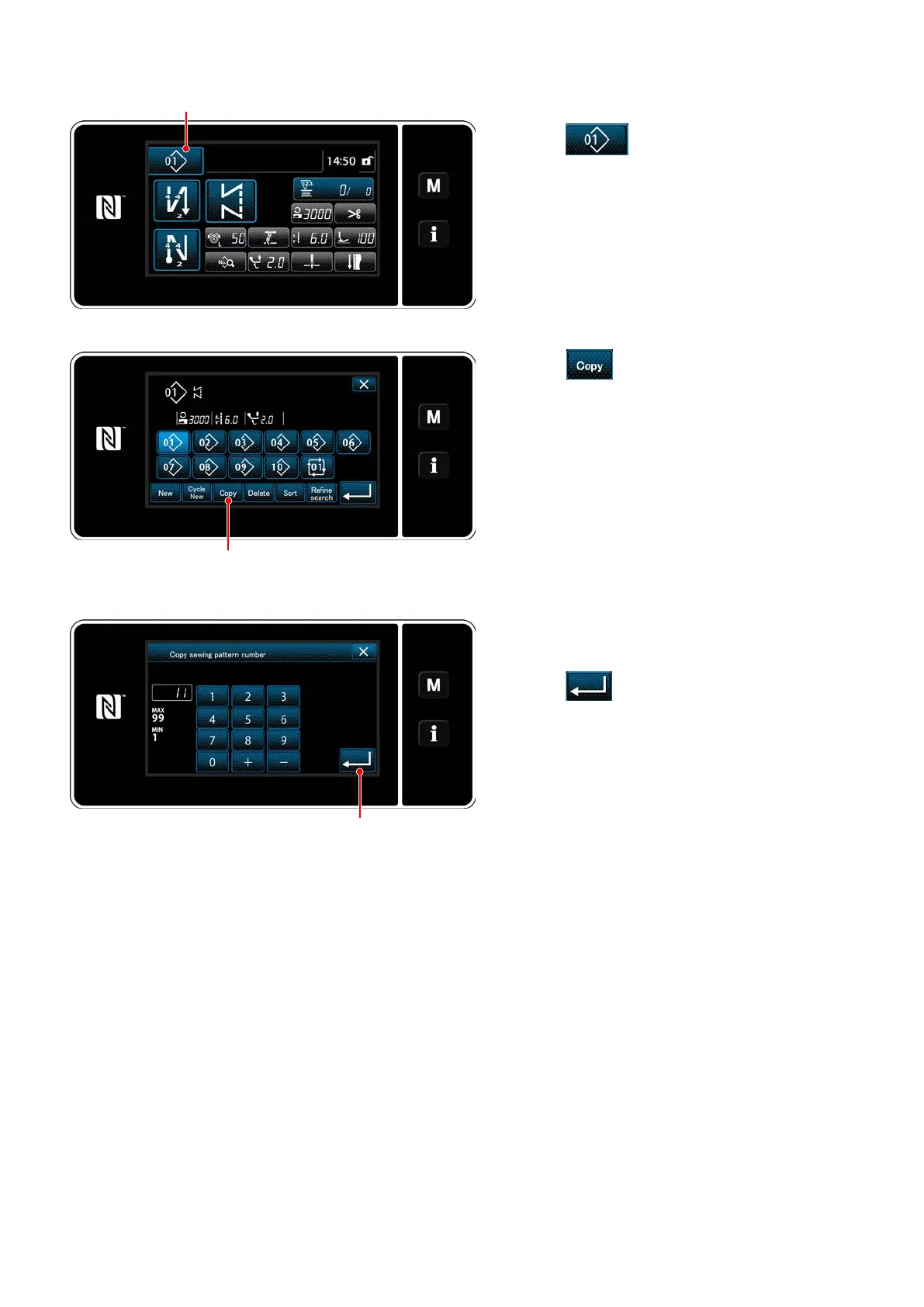
1) Press
❶
to display the sewing pat-
tern management screen.
<Sewing pattern management screen>
2) Press
❷
.
3) Input a copy pattern number with the numeric
keypad.
4) Press
❹
to conrm the pattern number
you have entered.
The sewing pattern management screen is
displayed.
❶
❷
❹


 To Next Page