– 35 –
4-6. Adjusting the alternating vertical movement amount
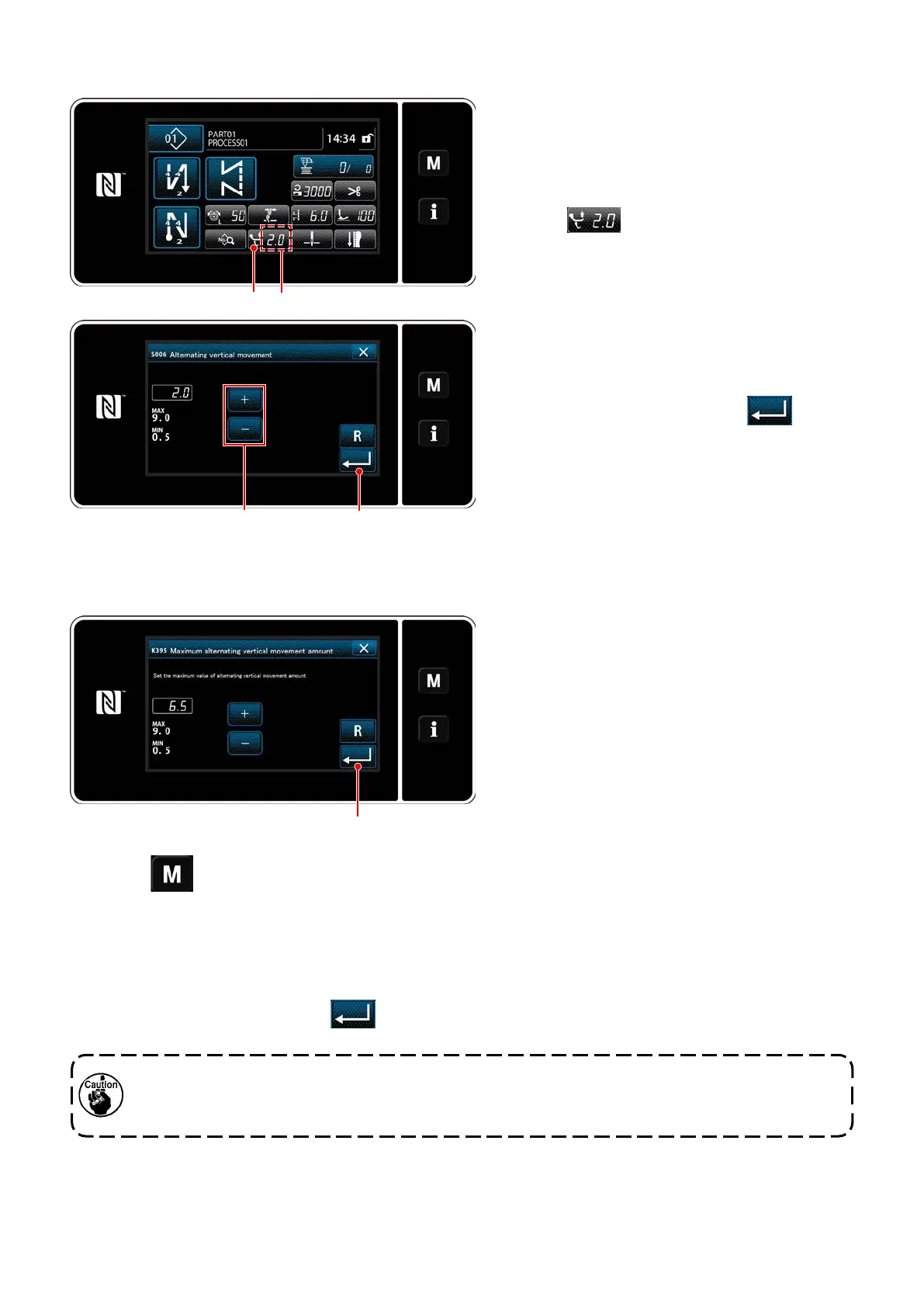
❶ A
❷ ❸
The alternating vertical movement amount is dis-
played in section A on the operation panel.
(Example of display : 2.0 mm)
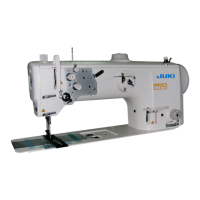
[How to adjust]
1) When
❶
is pressed, the alternating
vertical movement amount input screen is
displayed.
2) Change the alternating vertical movement
amount by pressing numeric keypad
❷
. (Input
unit: 0.5 mm; Input range: 0.5 to 9.0 mm)
3) Conrm your entry by pressing
❸
.
Then, the sewing screen is displayed.
[Setting the amount of the alternating vertical
movement of the walking foot and presser
foot]
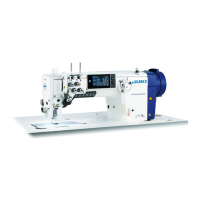
1) Press . Select "1. Memory switch" from the menu list.
2) Select "K395 Maximum amount of the alternating vertical movement of the walking foot and presser
foot" from "1. Display all".
3) Set the amount of the alternating vertical movement of the walking foot and presser foot.
(Factory-set value: 6.5)
4) Conrm your entry by pressing
❶
. Then, the sewing screen is displayed.
❶
The amount of the alternating vertical movement of
the walking foot and presser foot has been facto-
ry-limited to 6.5 mm at the time of shipment. If you
want to cancel the limit, change the setting of the
following item as described below.
When cancelling the limit, the presser foot and walking foot may interfere with each other. The press-
er foot may also interfere with the needle bar in the case of using a heavy-weight material. Check to
make sure that there is no interference between the above before using the sewing machine.


 To Next Page