Maintenance
30
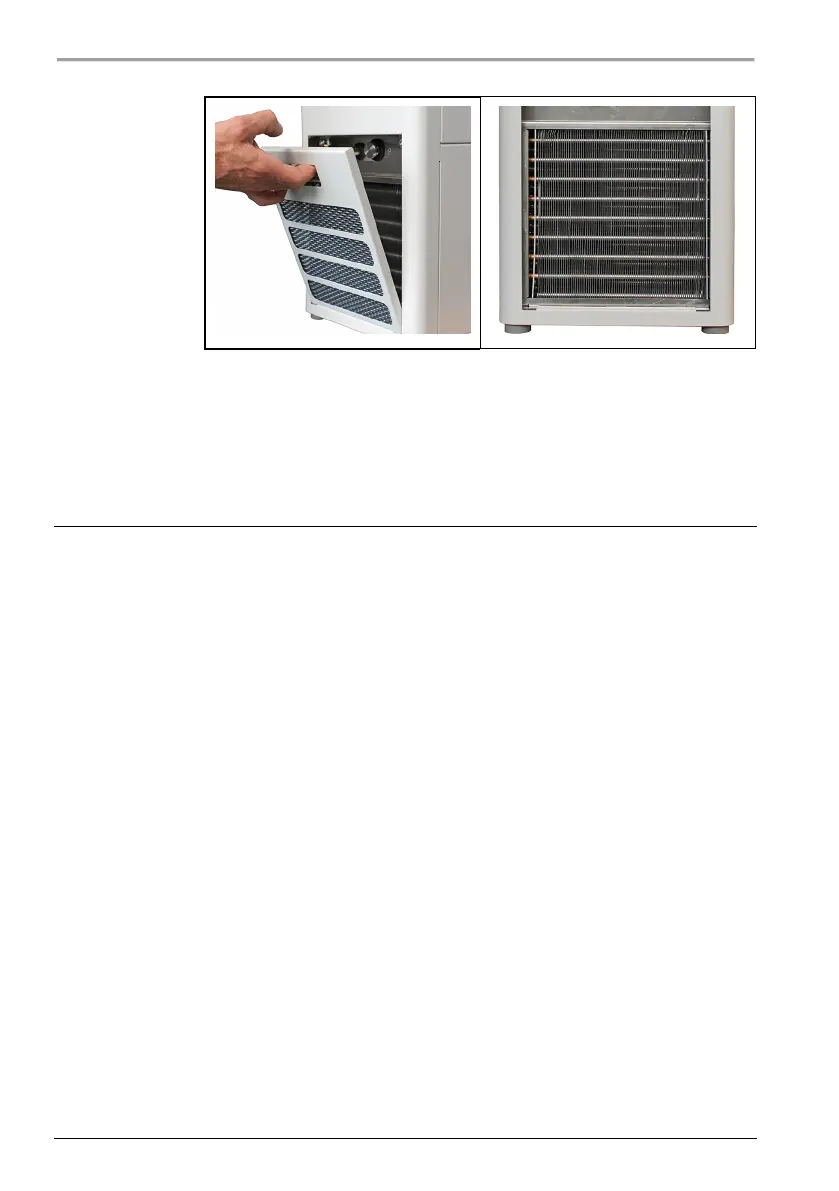
3. Use a vacuum cleaner to carefully vacuum the dirt off the condenser.
Make sure that the fins of the condenser are not damaged.
4. Place the venting grid back on.
The condenser is cleaned.
7.6 Device storage
Take your device out of operation if you have not used it for a long time or, for
example, it is to be sent to Technical Service for repair. Follow the procedure
described to ensure that your device continues to function reliably even after
being stored for a long period.
The device is switched off and disconnected from the mains voltage.
1. Empty all system components completely.
2. Clean the device.
3. Carefully dry the device and all its system components, e.g. with
compressed air.
4. Close all connections.
5. Store the device in a dust-free, dry and frost-free location.
The device is protected and can be safely stored there. It can be put into
operation again as needed.


 To Next Page