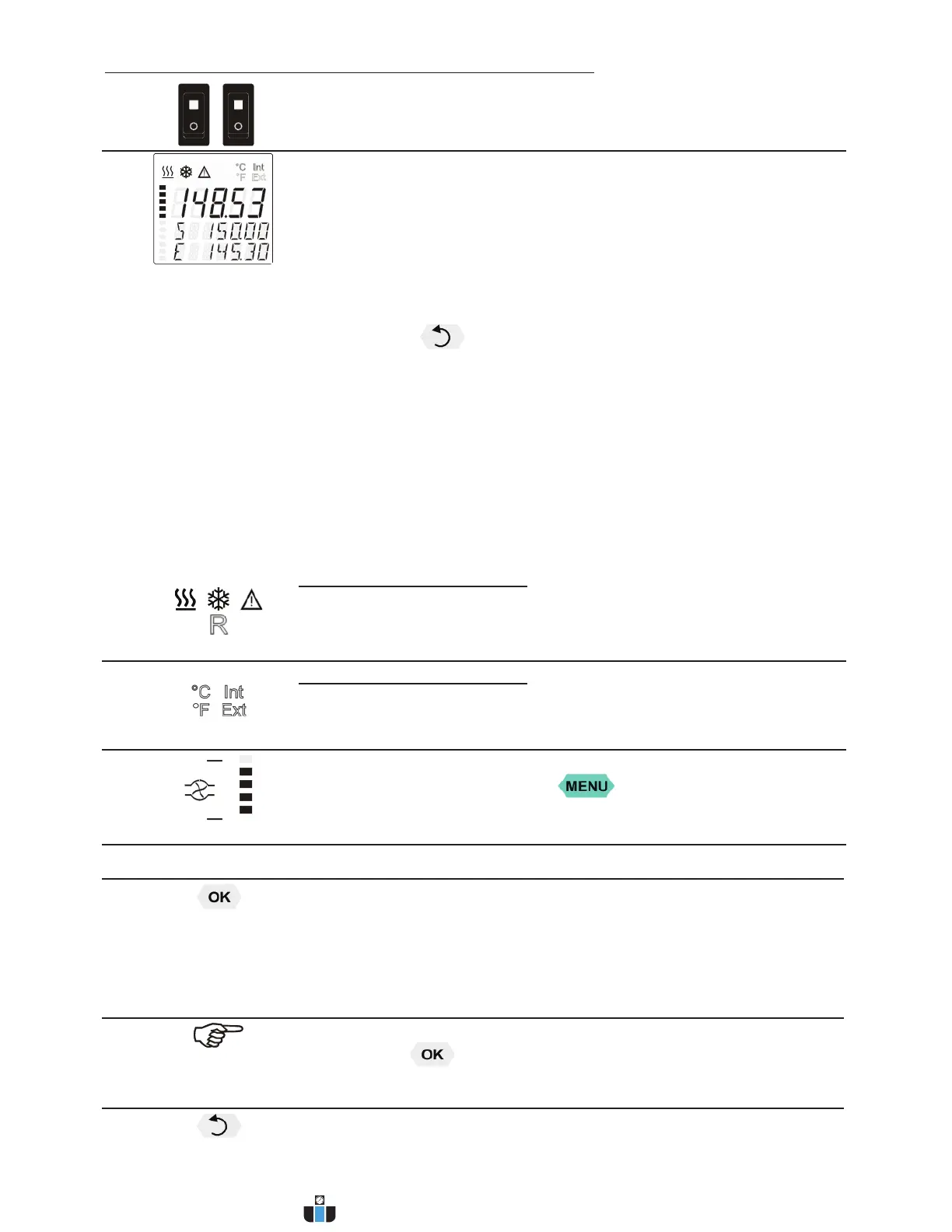
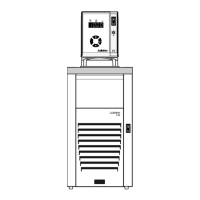
Operating controls and functional elements
24
1a
1b
Mains power switch, illuminated for circulator
Mains power switch, illuminated for cooling machine
2
VFD COMFORT-DISPLAY
Header: Control indicators
Line 1: Actual value internal or external
The display is depending on the selected control mode in the
menu > Control < (internal or external).
Line 2: Working temp. setpoint, constantly S xxx.xx
Line 3: Actual value (E = external or I = internal)
Alternating with the display in line 1
Use the keys to indicate further values in line 3
PI Capacity in % - with manipulated variable set to >control<*
PS Capacity in % - with manipulated variable set to >serial<* or
>eprog<*
H Heater capacity in Watts
U Mains voltage Volts
F Flow rate in liters/minute
(providing EPROG input set to >Flowrate<)
*refer to >MENU/CONFIG< Î >CONFIG/ACTVAR>
2.1
Control indicators in the header:
Heating/Cooling/Alarm /
Remote control
2.2
Control indicators in the header:
Temperature indication Internal or External actual value
Temperature indication in °C (°F not possible on this unit)
2.3
Display of set pump pressure stage
Four stages, can be set via the key , under >MENU - PUMP<.
4
Navigation keys
4.1 1. Key: >OK< Start/Stop (pump/heater)
2. >OK< in the menu Menu item/select submenu for setting
Save set value
Save selected parameter
A beep signals the end of setting
After the actions Start, Stop and change from VFD Display to standard
display the key is locked for a short time.
The above graph “front side” shows an example for standard display.
4.2 1. Key: >Return<Stop (pump/heater)
www.calcert.com sales@calcert.com1.888.610.7664
0
5
10
15
20
25
30



 To Next Page