Setting of temperatures
36
7.2. Direct setting of temperatures
The circulator uses the setpoint of SETPNT 1 or 2 or 3 for temperature
control
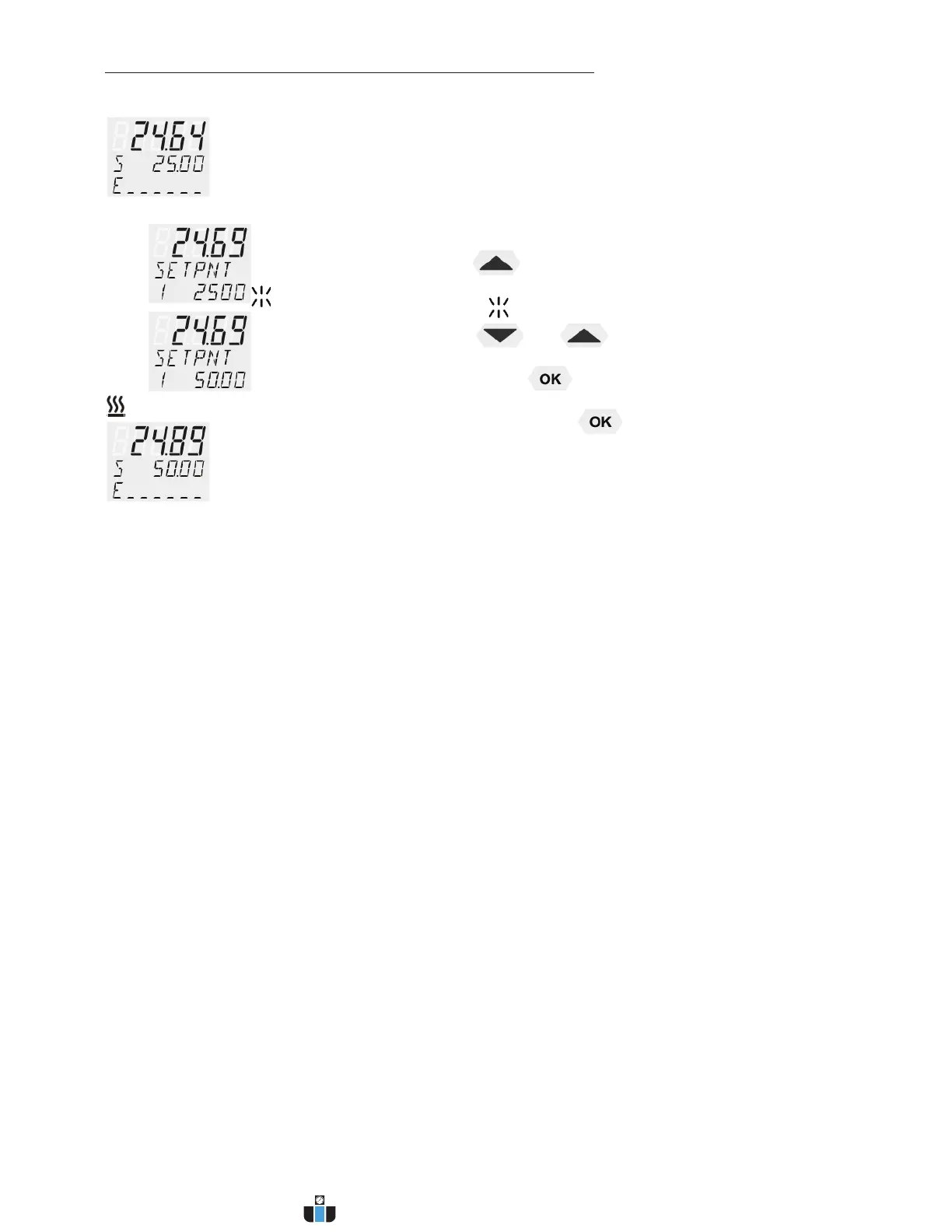
The indicated setpoint temperature can be changed directly any time.
Example: change 25.00 °C to 50.00 °C
1. By pressing the key the circulator switches to the active
SETPOINT< example on the left: >SETPNT/1 25.00°C<.
The integer digits flash (example: <25>).
2. By pressing the keys and
the value is changed to
50.00 °C and
is confirmed by pressing the key.
The decimal digits flash and can be adjusted if desired.
Confirm once more by pressing the key.
L The circulator uses the new working temperature value for temperature
control.
L The temperatures can be set in start or stop mode.
www.calcert.com sales@calcert.com1.888.610.7664
0
5
10
15
20
25
30



 To Next Page