HE
79
11. Electrical connections
Notice:
Use shielded cables only.
The shield of the connecting cable is electrically connected to the plug housing.
The unit ensures safe operation if connecting cables with a maximum length of 3 m
are used. The use of longer cables does not affect proper performance of the unit,
however external interferences may have a negative impact on safe operation (e.g.
cellular phones).
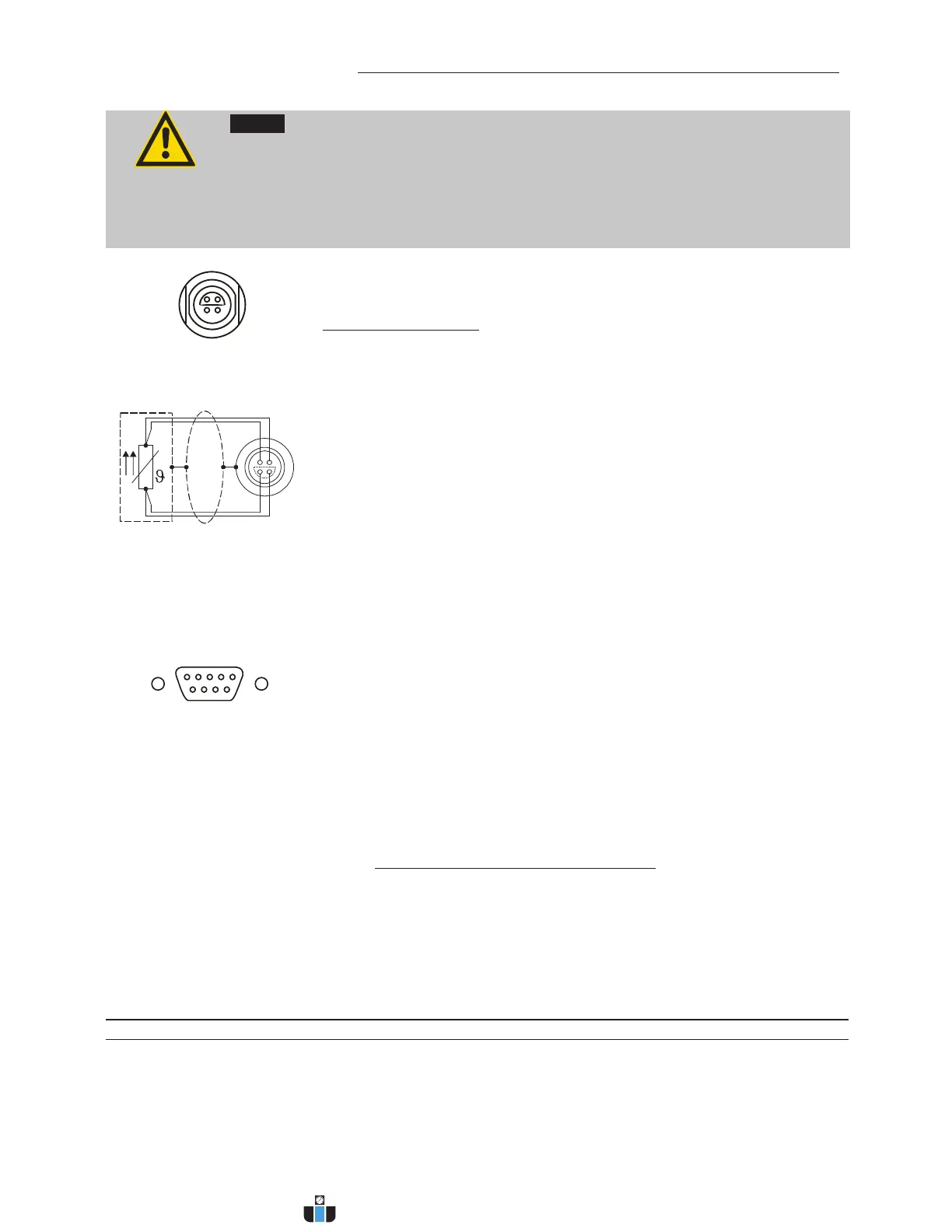
ext. Pt100
1
4
2
3
Shield Plug
Look on
soldering side.
Pt100
Socket for external Pt100 sensor
Pin assignment:
Pin Signal
1 I+
2 U+
3 U-
4 I-
The shield of the connecting cable is electrically connected to the plug
housing and the sensor tube.
RS232 serial interface
This port can be used to connect a computer with an RS232 cable for
remote control of the circulator.
RS232C
Pin assignments RS232:
Pin 2 RxD Receive Data
Pin 3 TxD Transmit Data
Pin 5 0 V Signal GND
Pin 7 RTS Request to send
Pin 8 CTS Clear to send
Pin 1; 4; 6, 9 Reserved - do not use!
RS232 interface cable
Circulator (9-pol) PC (9-pol)
Pin 2 RxD Pin 3 TxD
Pin 3 TxD Pin 2 RxD
Pin 5 GND Pin 5 GND
Pin 7 RTS Pin 8 CTS
Pin 8 CTS Pin 7 RTS
Accessories: Order No. Description
8 980 073 RS232 interface cable 9-pol./9-pol. , 2,5 m
8 900 110 USB interface adapter cable
4
1
3
2
1
www.calcert.com sales@calcert.com1.888.610.7664
0
5
10
15
20
25
30



 To Next Page