Menu functions
72
9.9.2. Input of the connector - REG+E-PROG
CHANNEL 1
CHANNEL 3
CHANNEL 2
REG+E-PROG
EPROG
Setting needs to be carried out, if
1. setpoint programming is to be made via an external voltage or
current source or programmer.
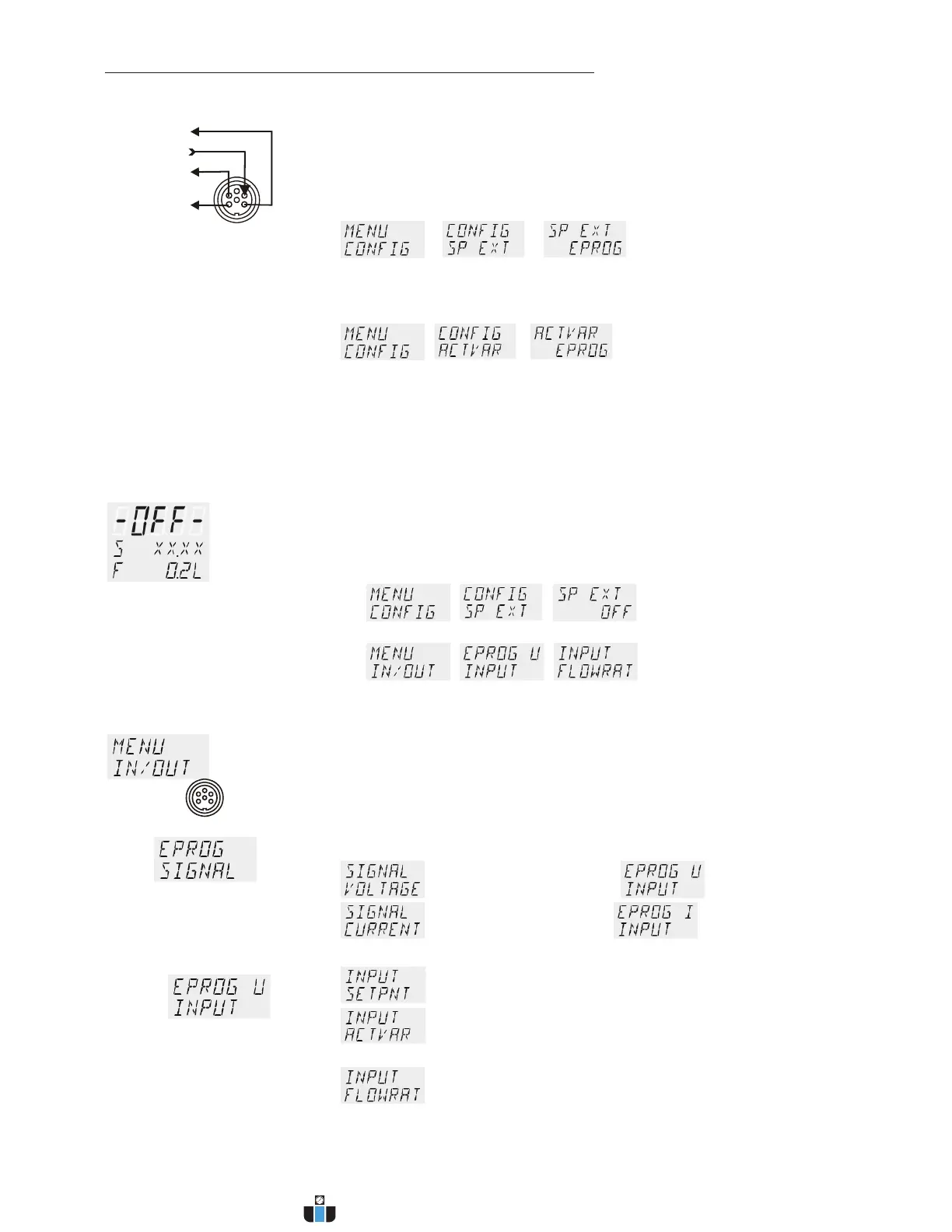
For this, in the menu > MENU/CONFIG < first set
the menu item > SETP < to >EPROG<.
> >
2. the heater variable should be controlled via an external control pulse.
For this, in the menu > MENU/CONFIG < set
the menu item >ACTVAR< to >EPROG<.
> > (refer to page 51).
3. the signal of an external flow meter should be registered.
>FLOWRAT< see below.
>FLOWRAT<
Indication on display
L FLOWRAT
The E-Prog input can only be used either under menu item >CONFIG
-SP EXT< < or under menu item >CONFIG ACTVAR<
If the input is neither occupied by > SP EXT < or > ACTVAR <, the
signal of a flow meter can be connected.
L First set >MENU CONFIG<
>>
then >MENU IN/OUT<
>>
Beispiel:
Settings on input - E-PROG
1. Connect the external voltage or current source or programmer to
socket REG+E-PROG of the circulator.
2. Selecting the signal:
The programmer (E-PROG) input of the circulator can be matched to
the output signal of the external voltage or current source.
voltage input = U
current input = I
3. Define the input variable:
Setpoint programmed by external voltage or current
Manipulated (ACTuated) variable for the heater
with an external control pulse
Signal of an external flow sensor
www.calcert.com sales@calcert.com1.888.610.7664
0
5
10
15
20
25
30



 To Next Page