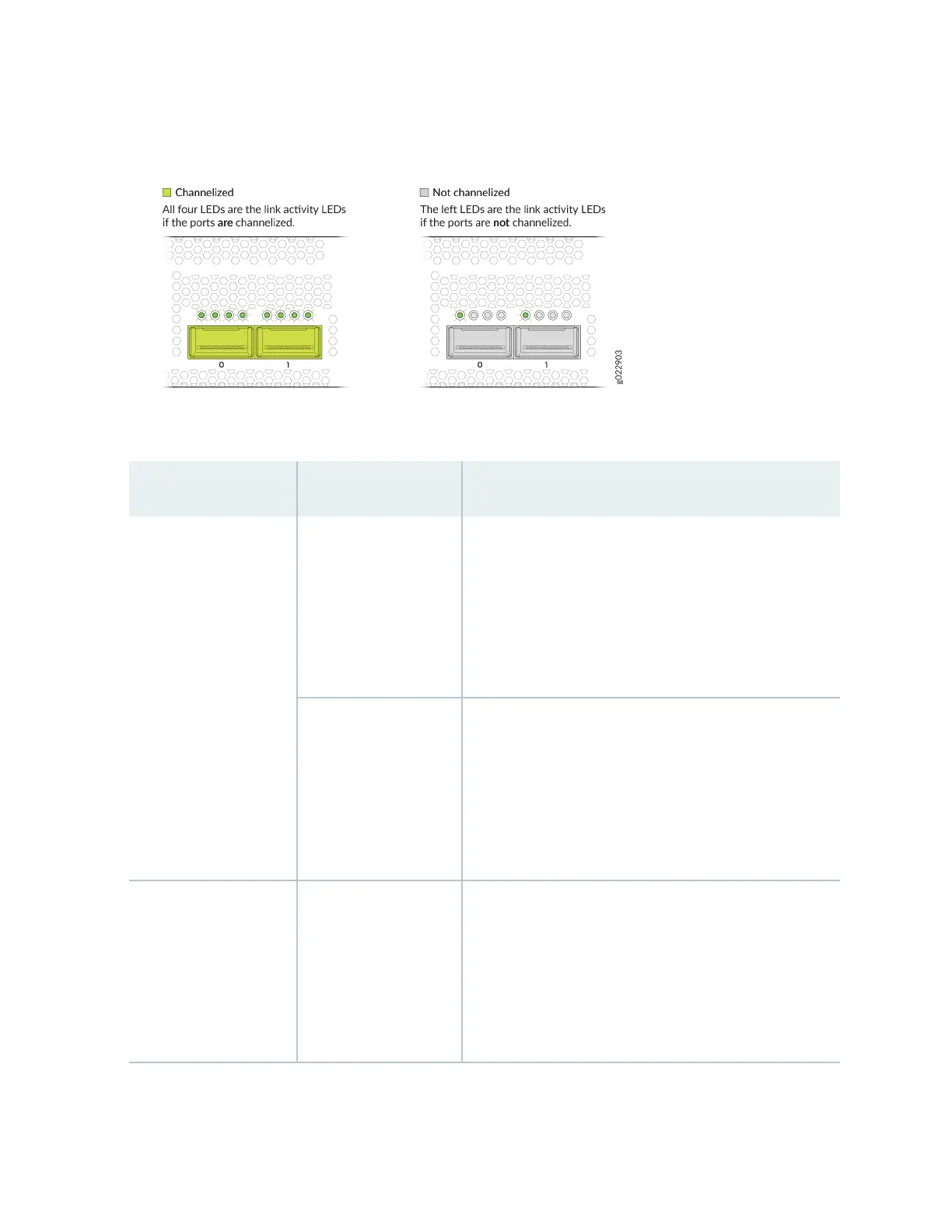
Figure 55: Link Acvity LEDs for the QSFP28 Ports on the EX4400-24X Model
Table 38: Link Acvity LED on the QSFP28 Ports
LED Color State and Descripon
Link acvity (non-
channelized ports)
Green
• On steadily—A 100-Gbps link is established, but there
is no link acvity.
• Blinking—A 100-Gbps link is established, and there is
link acvity.
• O—There is no link.
Amber
NOTE: The support for
40-Gbps
nonchannelized speed
is available from Junos
OS Release 22.1R1.
• On steadily—A 40-Gbps link is established, but there is
no link acvity.
• Blinking—A 40-Gbps link is established, and there is
link acvity.
• O—There is no link.
All four LEDs
(channelized ports). The
LEDs correspond to the
four channels.
Green
• On steadily—A 4x25-Gbps channelized link is
established, but there is no link acvity.
• Blinking—A 4x25-Gbps channelized link is established,
and there is link acvity.
• O—There is no link.
74














 To Next Page