Multinode Functionality
As your network expands with new devices, services, and users, you can add Junos Space
appliances to handle the increased workload. When you install and configure the first
appliance, Junos Space automatically creates a fabric with one node. For each additional
appliance you install and configure, you must add a node to logically represent the
appliance in the fabric. Each node that you add to the fabric increases the resource pool
for the node functions to meet the scalability and availability requirements of your network.
By default, Junos Space automatically enables node functionality across the nodes in
the fabric to distribute workload. The nodes in the fabric work together to provide a
virtualized resource pool for each of the node functions: load balancer, database, and
application logic.
The Junos Space node functions distribute workload across operating nodes according
to the following load-distribution rules:
•
Load Balancer— When a node that functions as the active load balancer server is down,
all HTTP requests are automatically routed to the standby load balancer server that
is running on a separate node.
•
Database— When a node that functions as the active database server is down, all
database requests (create, read, update, and delete) are routed to the node that
functions as the standby database server.
•
Application Logic (DML and business logic)— Device connections and user requests
are distributed among the nodes, and device-related operations are routed to the node
to which the device is connected.
Junos Space uses the following algorithm to ensure that the number of devices
connected to a node does not exceed the threshold limit for each node:
Threshold Limit = [ (number of devices in database) / (number of nodes running) ] + 2
The following workflow describes how the node functions are enabled across the fabric
as nodes are added:
•
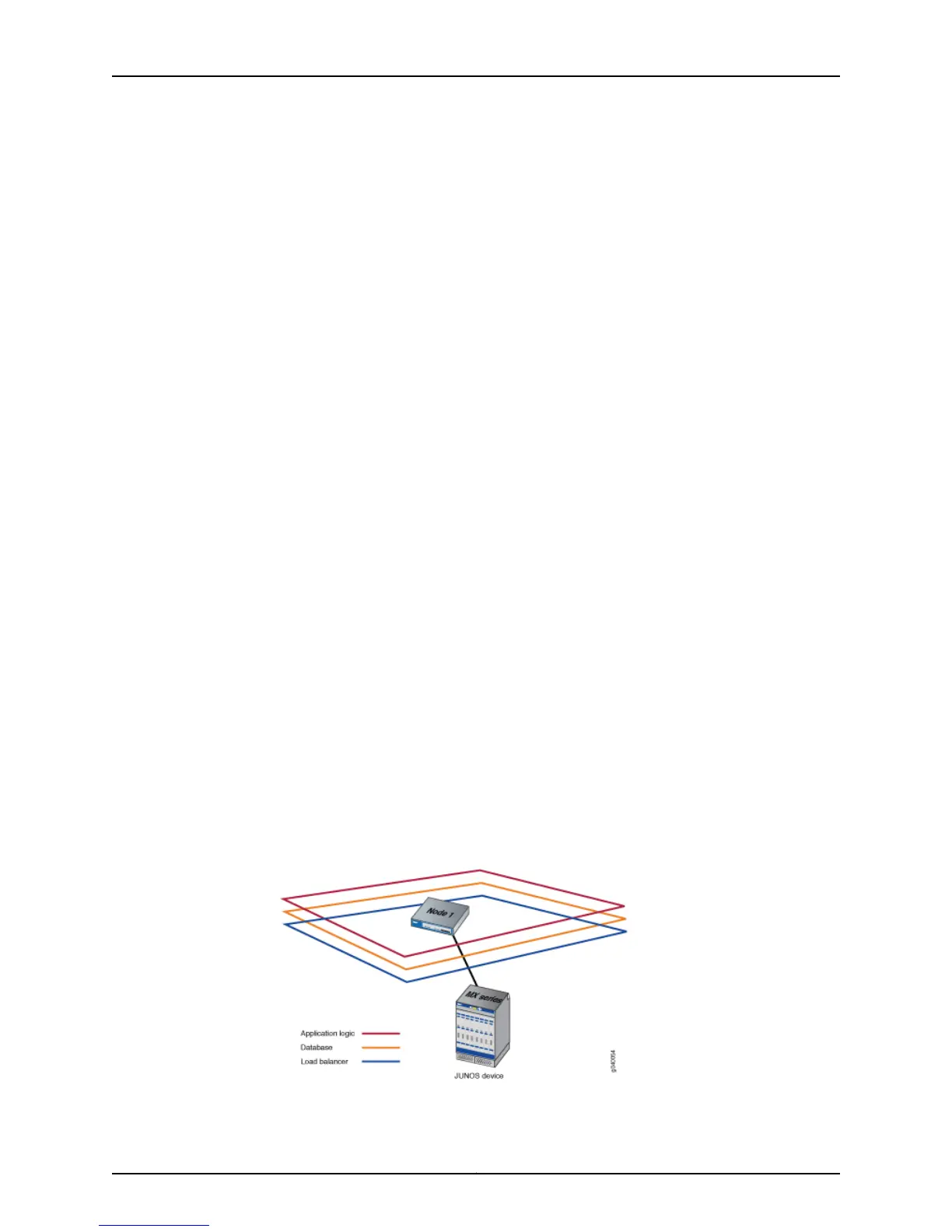
First node up: The load balancer, database, and application logic functions are enabled
on the node. Each node function provides both scalability and high availability. The
following illustration shows all functions enabled on fabric comprising one node.
7Copyright © 2010, Juniper Networks, Inc.
Chapter 1: Installation Overview



 To Next Page