60 Mesa Rugged Notepad Owner’s Manual
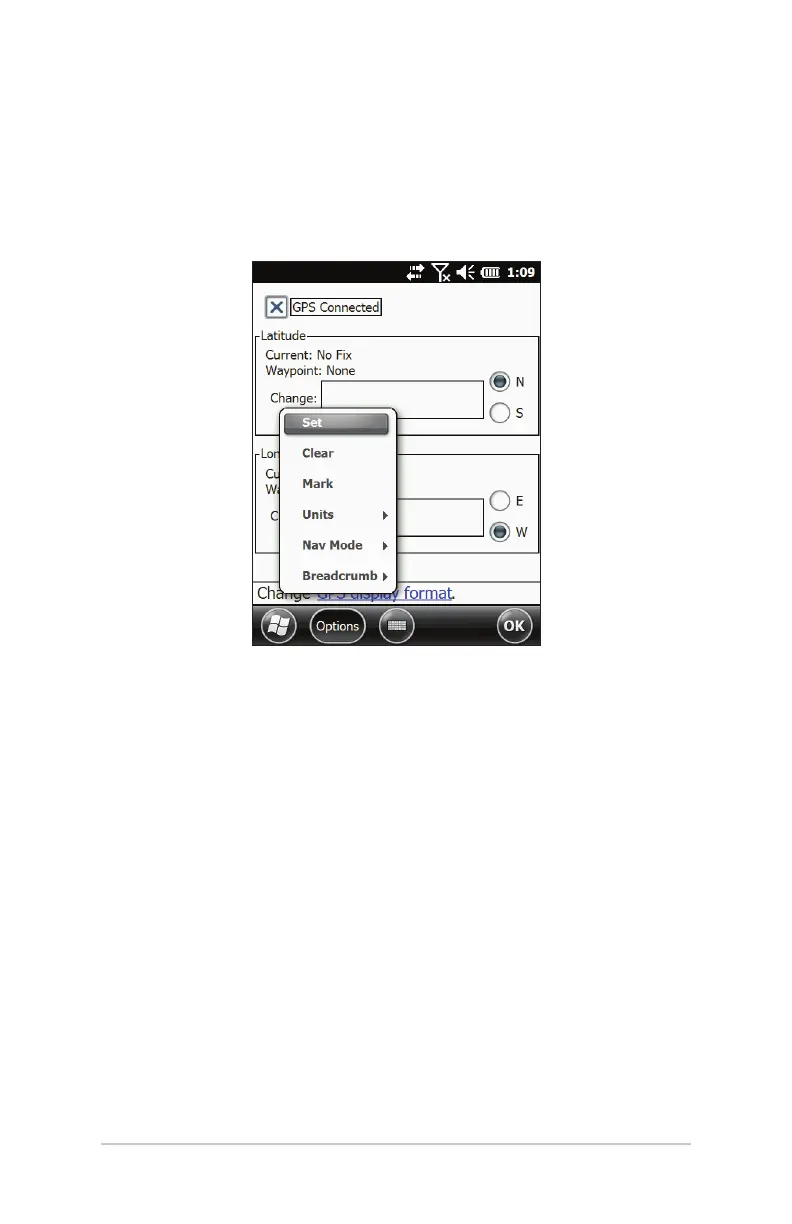
Navigation Options
Select the Options so key to set, clear, or mark a waypoint, set
up a breadcrumb trail, change the units of measurement, or turn
the power on or o.
Set: Take the coordinates in the “Change” boxes and set
these as the new waypoint.
Clear: Clear the waypoint (goes back to the blue ag).
Mark: Take the current GPS coordinate and set this as the
new waypoint.
Units: Displays units in either feet/miles for U.S. or meters/
km for metric.
Nav Mode:
Bearing – The arrow icon and angle displayed are
referenced o of North. Position the top of the device
toward North and the arrow will point in the direction to
travel to get to the waypoint. When in this mode an ‘N’ is
displayed before the angle.
Heading – The arrow icon and angle displayed show the
direction to travel to get to the waypoint relative to the



 To Next Page