current direction of travel. This is a GPS Compass and
movement is needed to obtain direction information. If
movement is too slow, this data cannot be determined
and the stationary icon is displayed.
Breadcrumb: This is an independent function from
everything else in this gadget. Seing this logs points at
specic time intervals into the GPSTrack.gpx le.
There are three les created, 2 for waypoints and 1 for the
breadcrumbing. Waypoint information is saved in both the
GPSLoc.gpx and GPSLoc.csv. Both les contain the same
information, but in dierent formats. The breadcrumb data
is stored in the GPSTrack.gpx le. These les can be used in
programs like Google Earth
™
.
Camera
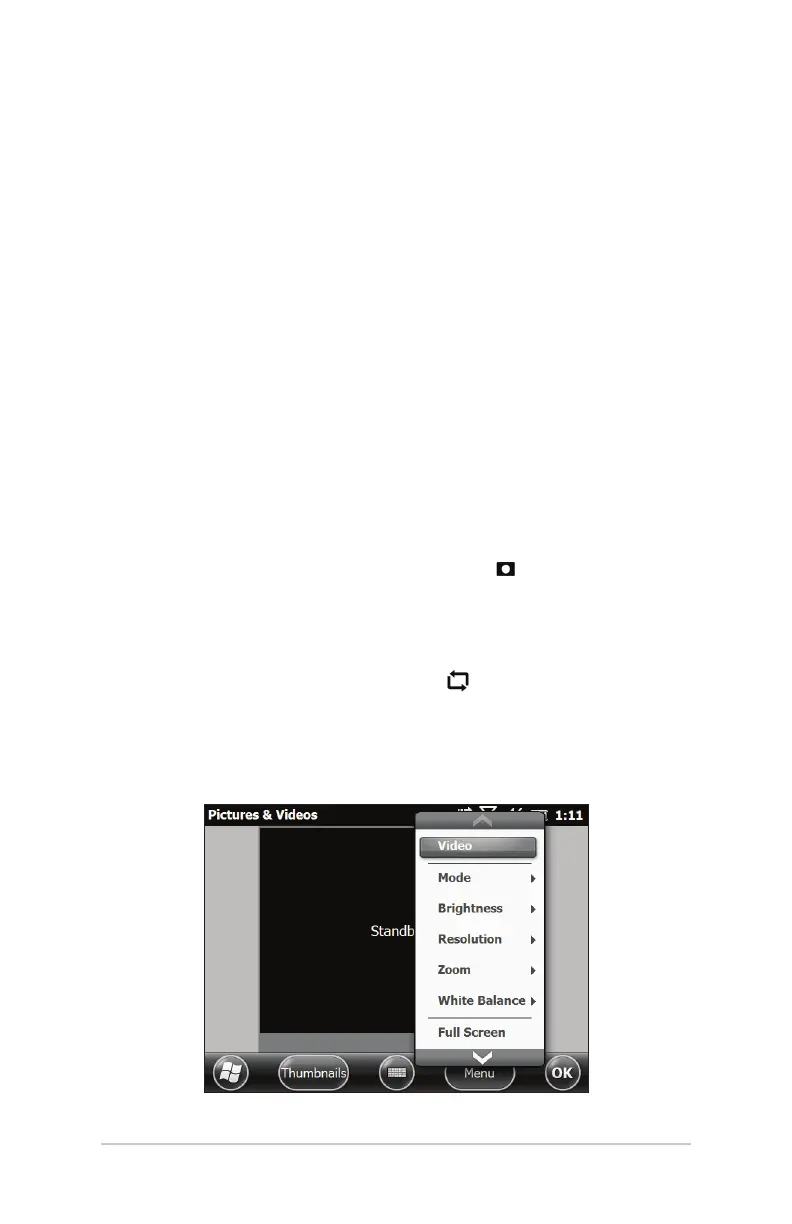
To use the camera, press the camera buon . The camera turns
on and the Pictures and Videos application opens.
Still images are recorded and stored in the same orientation as
the Mesa screen (landscape or portrait, the default). To change
the orientation press the rotate screen
buon.
Select the Menu so key for a pull-down list of options. You
can view or change the default seings including video or still
photo, brightness, resolution, type of le, autofocus option, etc.
Ch 6 Geo Models 61



 To Next Page