Geotagging
When pictures are geotagged, the date, time, latitude, longitude,
le name, and notes can be included with the pictures with the
emboss and embed options. Follow these steps:
1. Turn on GPS by tapping the GPS gadget
on the Home
screen and waiting for a x.
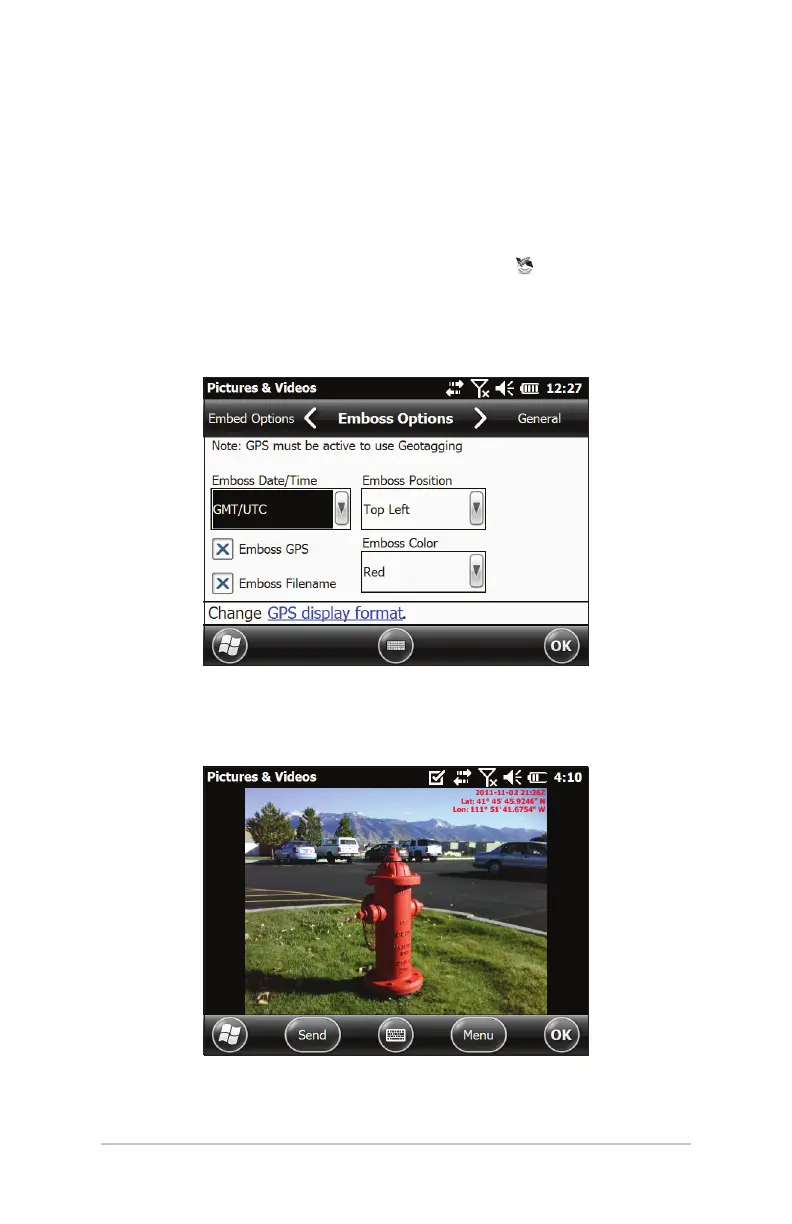
2. Select the Menu so key Select Geotag from the menu. The
following Emboss Options screen is shown:
Select the information you want to emboss, the position,
and the color. This information is embossed on the picture,
making it part of the image.
Ch 6 Geo Models 63



 To Next Page