Ch 1 Getting Started 7
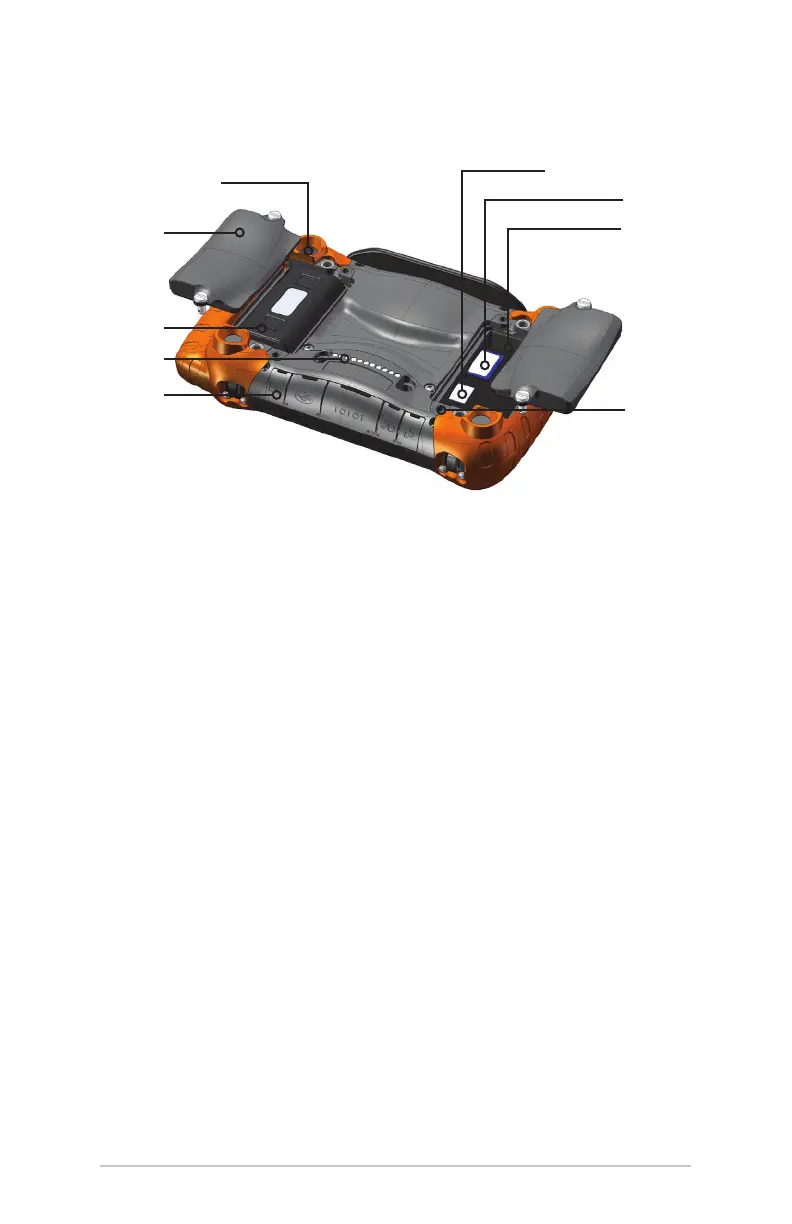
Mesa Back View: Battery Compartments, Card Slots
1
2
3
4
5
6
7
8
9
1 Camera lens (Geo model)
2 Battery door with quarter turn latches
3 Battery compartment #2 (battery pack installed)
4 Mobile Dock connections
5 Connector protector
6 SIM card slot
7 SD card slot
8 Battery compartment #1
9 External accessory mount (4 on back)



 To Next Page