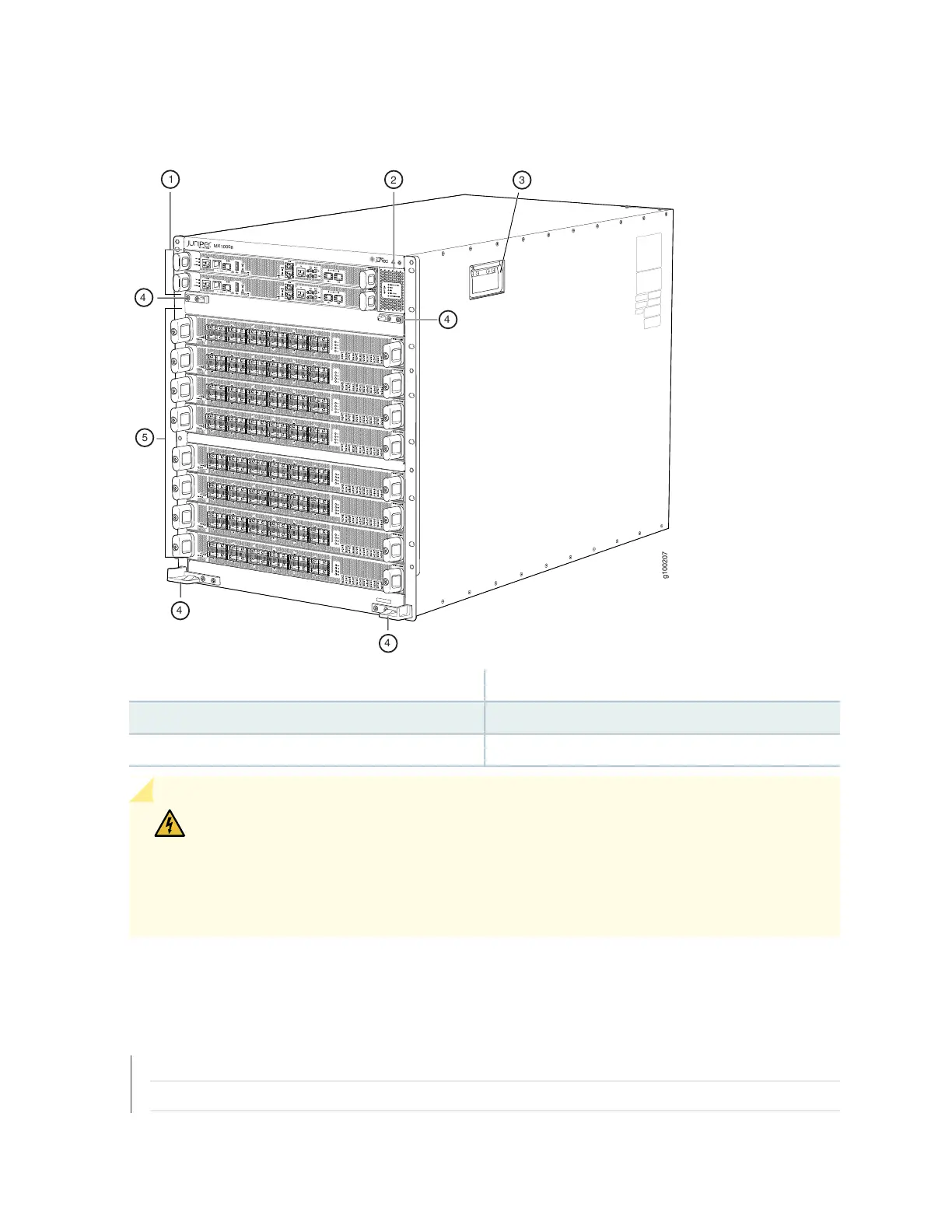
Figure 13: Front View of MX10008
4—1— Mounting holes for front panelRouting and Control boards
5—2— Line cardsStatus panel
3—Handles
WARNING: The handles on each side of the chassis facilitate the fine-tune positioning
of the chassis on the mounting brackets. Do not use the handles to lift the chassis, even
when the chassis is empty. See “Mounting an MX10008 in a 4-Post Rack Using a
Mechanical Lift” on page 143 or “Manually Mounting an MX10008 in a 4-Post Rack” on
page 147 for instructions for properly moving a loaded chassis.
SEE ALSO
MX10008 Rack Requirements | 96
MX10008 Components and Configurations | 31
37



 To Next Page