NetScreen-5XP v
Preface
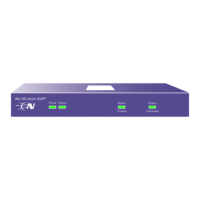
The NetScreen-5XP device provides IPSec VPN and firewall services for a broadband
telecommuter, a branch office, or a retail outlet. While at the entry level of the NetScreen
appliance product line, the NetScreen-5XP device uses the same firewall, VPN, and traffic
management technology as Juniper’s high-end central site products.
Juniper offers two versions of the NetScreen-5XP device:
• The 10-user version supports up to 10 users
• The Elite version supports an unrestricted number of users
GUIDE ORGANIZATION
This manual has three chapters and two appendices.
Chapter 1, "Overview" provides an overview of the NetScreen-5XP device, ports, and
power requirements.
Chapter 2, "Installing the Device" details how to install the NetScreen-5XP device on a
desktop, connect the power, and connect the device to your network.
Chapter 3, "Configuring the Device" details how to establish a Console session, set an IP
address for managing the NetScreen-5XP device, and access the device using the WebUI.
Appendix A, "Specifications" provides a list of physical specifications about the
NetScreen-5XP device.












 To Next Page