Status LEDs
NetScreen-5XP 3
STATUS LEDS
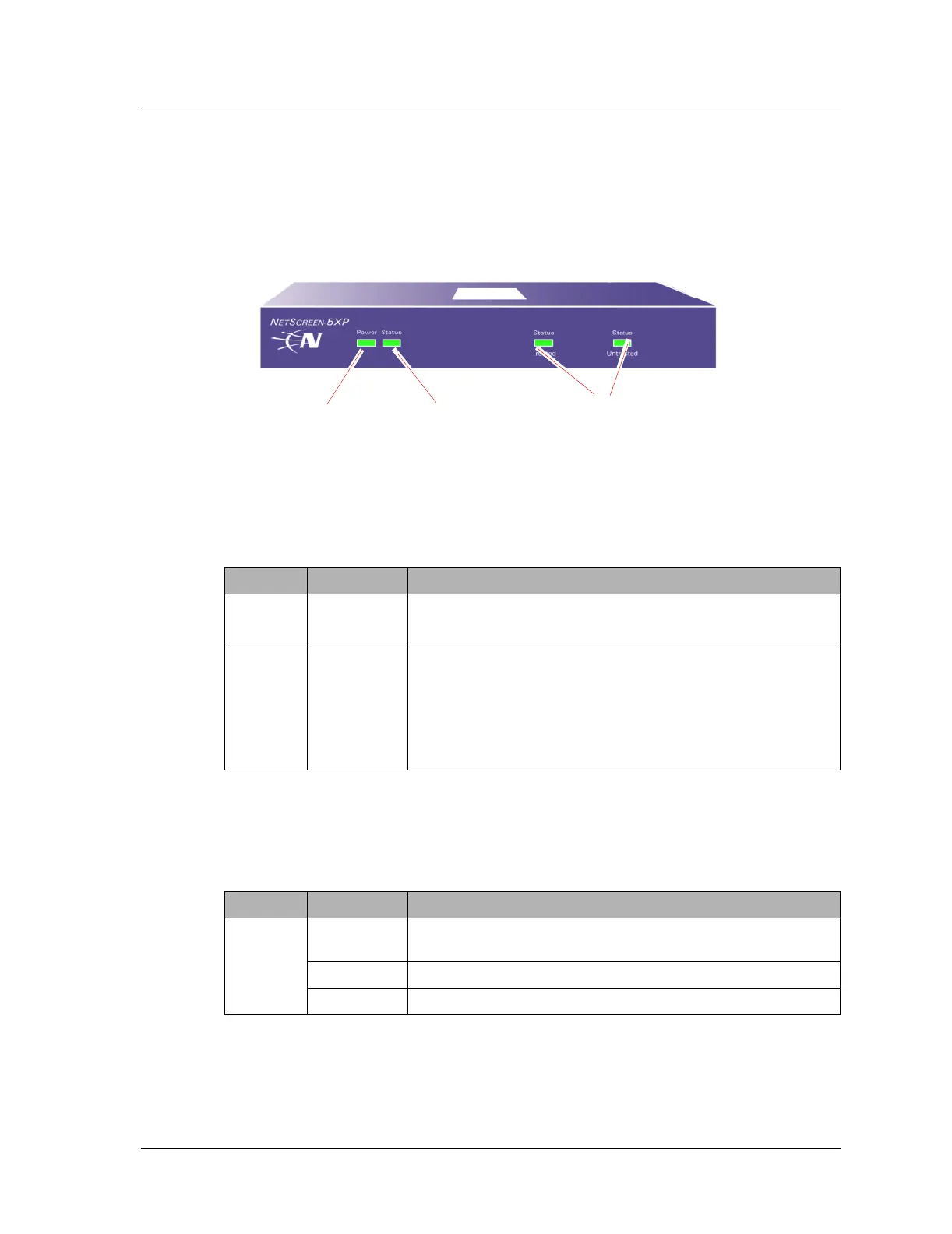
The front panel of the NetScreen-5XP device has power and status LEDs for the device,
and link status LEDs for the Trusted and Untrusted interfaces.
Interpreting Status LEDs for the Device
The device status LEDs indicate whether the device is operating properly. The following
table describes the status possibilities for each.
Interpreting Link Status LEDs
The link status LEDs indicate whether the ports on the modules are operating properly.
The following table describes the status possibilities for the Trusted and Untrusted ports.
LED LED Color Meaning of the LED
POWER green Indicates the system is receiving power.
off Indicates the system is not receiving power.
STATUS amber Indicates the module is starting up.
blinking
green
Indicates the module is functioning.
blinking red Indicates a diagnostics or system initialization error.
Off Indicates the module is not operational.
LED LED Color Meaning of the LED
Trusted or
Untrusted
blinking
green
Indicates the device detects Ethernet traffic for the port.
off Indicates the port has not established a link with another device.
green Indicates the port has established a link with another device.
Power LED Link Status
LEDs
Status LED












 To Next Page