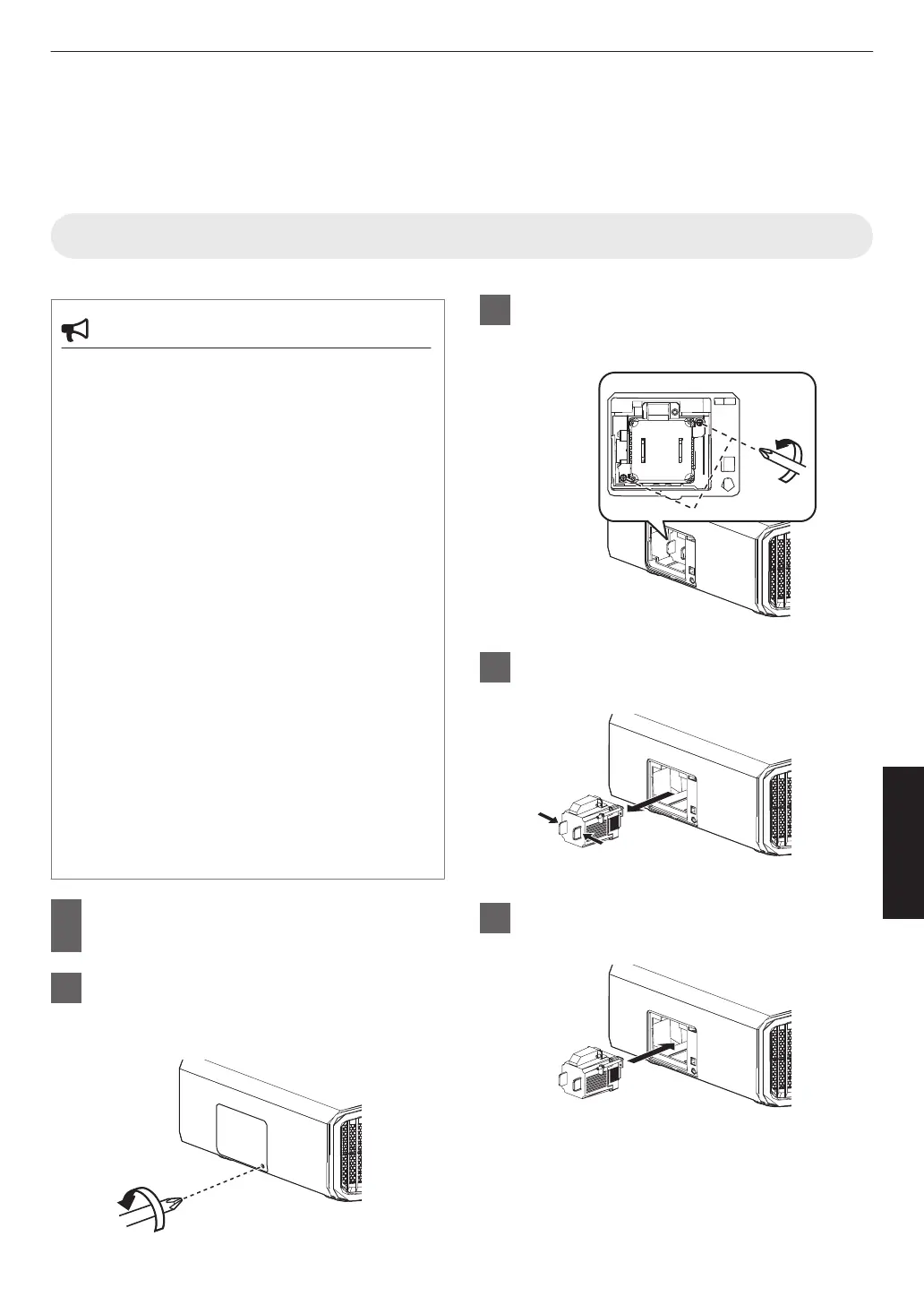
Replacing the Lamp 4 8
The lamp is a consumable item. If the image appears dark or the lamp goes out, replace the lamp unit.
0
When the lamp replacement time approaches, the user is notified with a message displayed on the screen and by
the indicator. (P. 114)
Lamp Replacement Procedure
CAUTION
0
Do not insert your hands into the lamp
compartment. This could cause significant
deterioration in the performance of the
equipment, or lead to injury and electric shock.
0
Do
not
replace the lamp immediately after the unit
has been used. Allow a cooling period of at least
one hour before replacement. The temperature of
the lamp is still high, and may cause burn injuries.
0
Do not subject the lamp unit to shock. Doing so
may cause lamp blowout.
0
Do not use a flammable air duster to clean the
internal
parts
of the unit. Doing so may cause fire.
0
Use only
genuine replacement parts for the lamp
unit. Also, never attempt to reuse an old lamp unit.
Doing so may shorten the lamp life and cause a
malfunction.
0
Do not
touch the surface of a new lamp. Doing so
may shorten the lamp life and cause lamp
blowout.
0
When replacing
the lamp, be careful not to injure
yourself as the lamp may be broken.
0
When replacing the lamp of a projector
suspended from the ceiling, work at height is
required. This is a dangerous operation. Please
consult our service center.
1
Remove the power plug from the
outlet
2
Remove the lamp cover
0
Remove the screw with a t screwdriver
3
Loosen the screws of the lamp unit
0
Loosen the screws with a t screwdriver.
4
Pull out the lamp unit
5
Install the new lamp unit
91
Maintenance



 To Next Page