Installation
Installation Mode
Collectively manages the setting values of “Lens Control”, “Pixel Adjust”, “Mask”, “Anamorphic”, “Screen Setting”,
“Installation Style”, “Keystone” and “Aspect”.
* The lens position may be shifted slightly with respect to the position that was saved.
Mode Select
For selecting the group to save and retrieve the setting values.
0
Setting values: Mode 1 to Mode 10
* The name of the setting value can be changed using “Name Edit”.
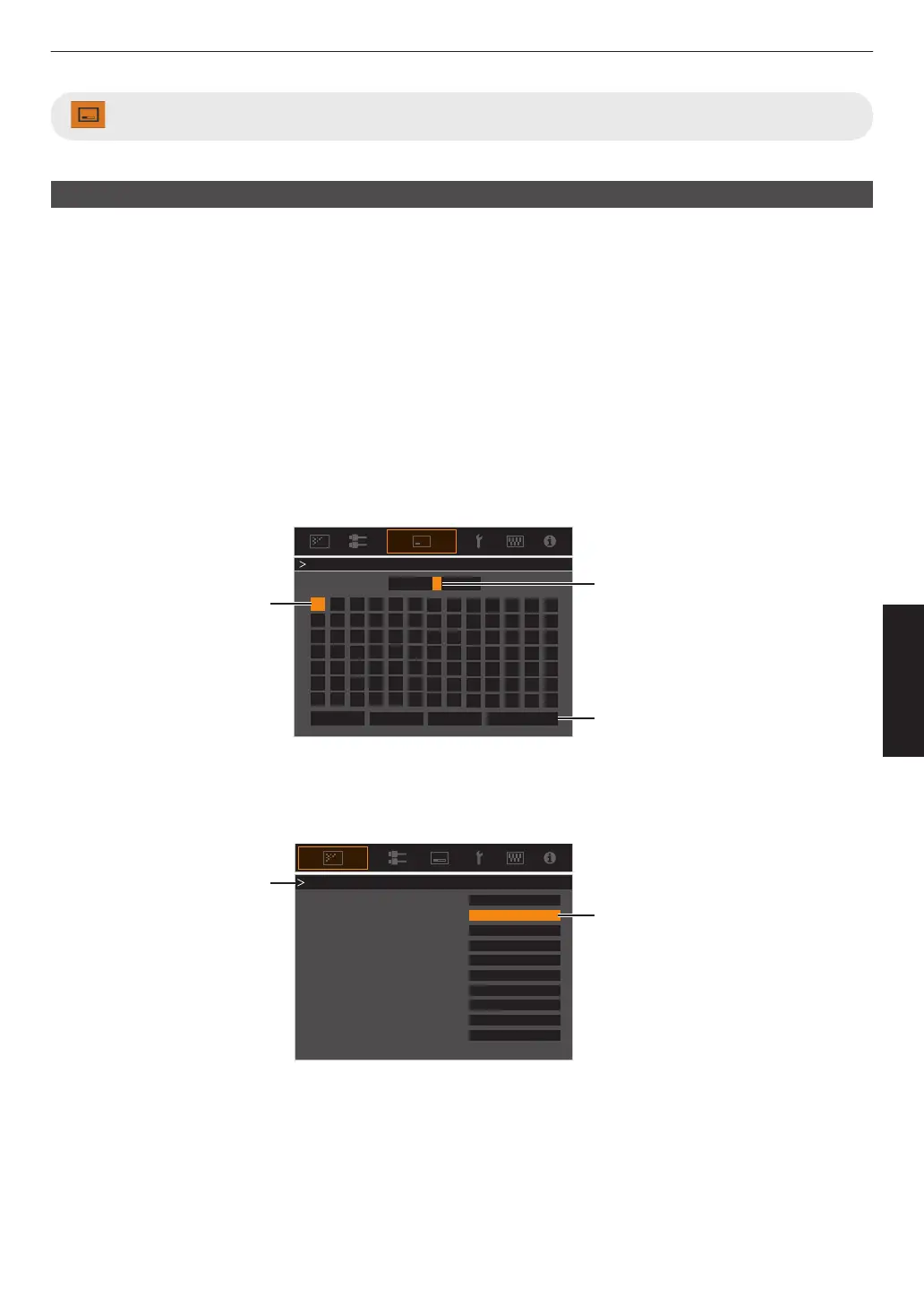
Name Edit
For editing the name of Installation Mode.
0
Characters
that
are usable include alphabets (upper or lower case), numeric characters, symbols and blank (space)
character. (However, blank (space) cannot be used for the first and last characters.)
0
Enter not more than 10 characters.
}
?
.
y
l
Y
L
{
_
,
x
k
X
K
]
/
0
w
j
W
J
[
-
9
v
i
V
I
>
+
8
y
h
U
H
<
*
7
t
g
T
G
)
&
6
s
f
S
F
(
%
5
r
e
R
E
~
$
4
q
d
Q
D
|
#
3
p
c
P
C
;
"
2
o
b
O
B
\
^
z
M
Z
m
@
:
!
1
n
a
N
A
Name Mode 1
After entry is complete, select
“OK” and press the [OK] button
Selection Cursor
Input Cursor
OKAll ClearClear
Space
Name Edit
Mode Copy
For copying the setting values managed by the current Installation Mode to another mode.
Copy 16:9
16:9
16:9
Select the mode to copy to and
press the [OK] button.
Current Mode
Set
Set
Set
Set
Set
Set
Set
Set
Set
SetMode 10
Mode 9
Mode 8
Mode 7
Mode 6
Mode 5
Mode 4
Mode 3
77
Adjust/Set



 To Next Page
 Loading...







