34
Home Screen: Browser
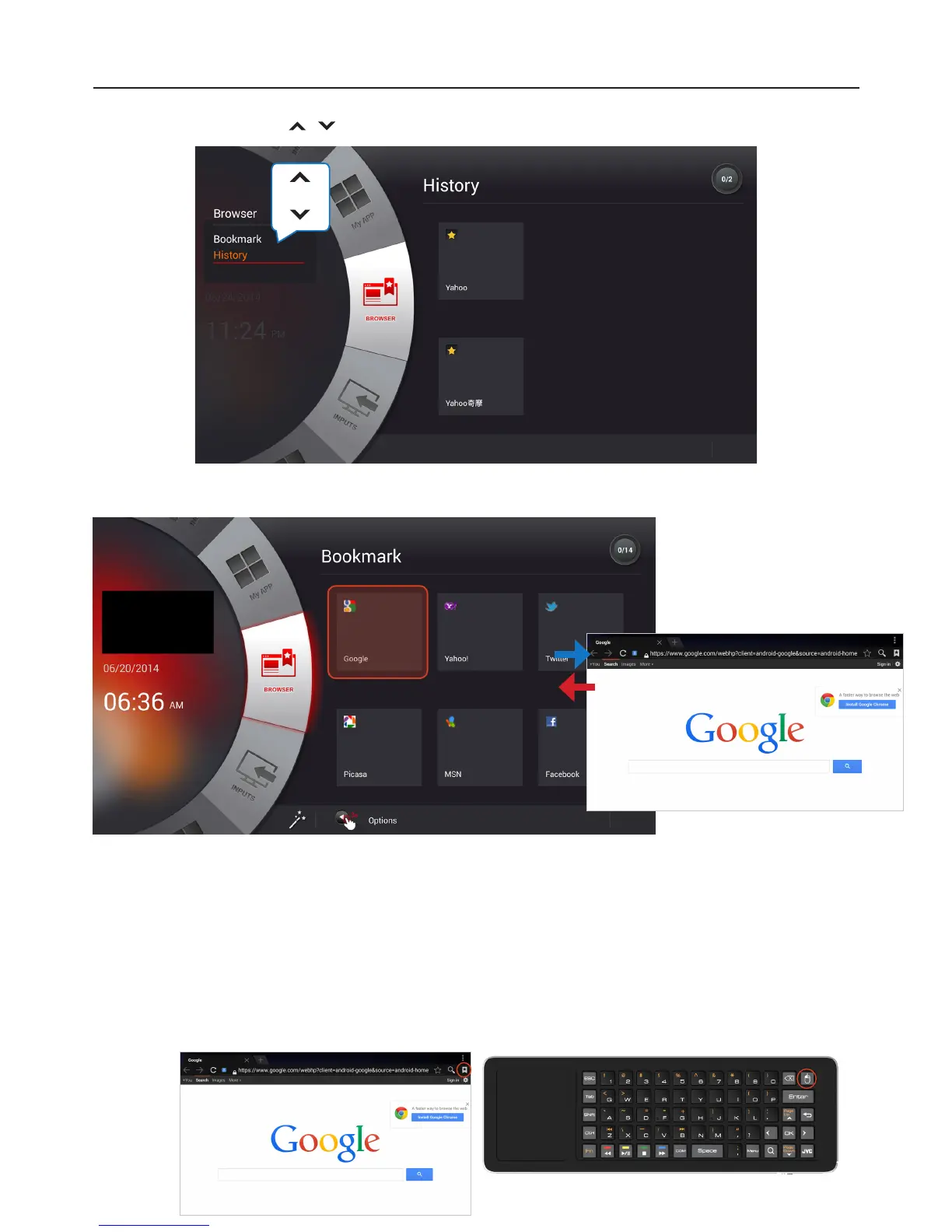
1 Press Up/Down buttons / to navigate between History/Bookmarks mode.
2 Choose a Bookmark or History, then press OK button to start browsing the selected website.
To manage “History” or “Bookmarks” in browser.
1 Open the browser.
2 Use touchpad to move cursor and click on “Favorite” icon on the top-right corner of the browser.
3 Choose “Bookmarks” or “History” page.
4 Manage “Bookmark” or “History” on the control page by choosing the Bookmark or History of your
choice then press and hold the “Left mouse button” located on top right of the
Qwerty Keyboard.


 To Next Page