35
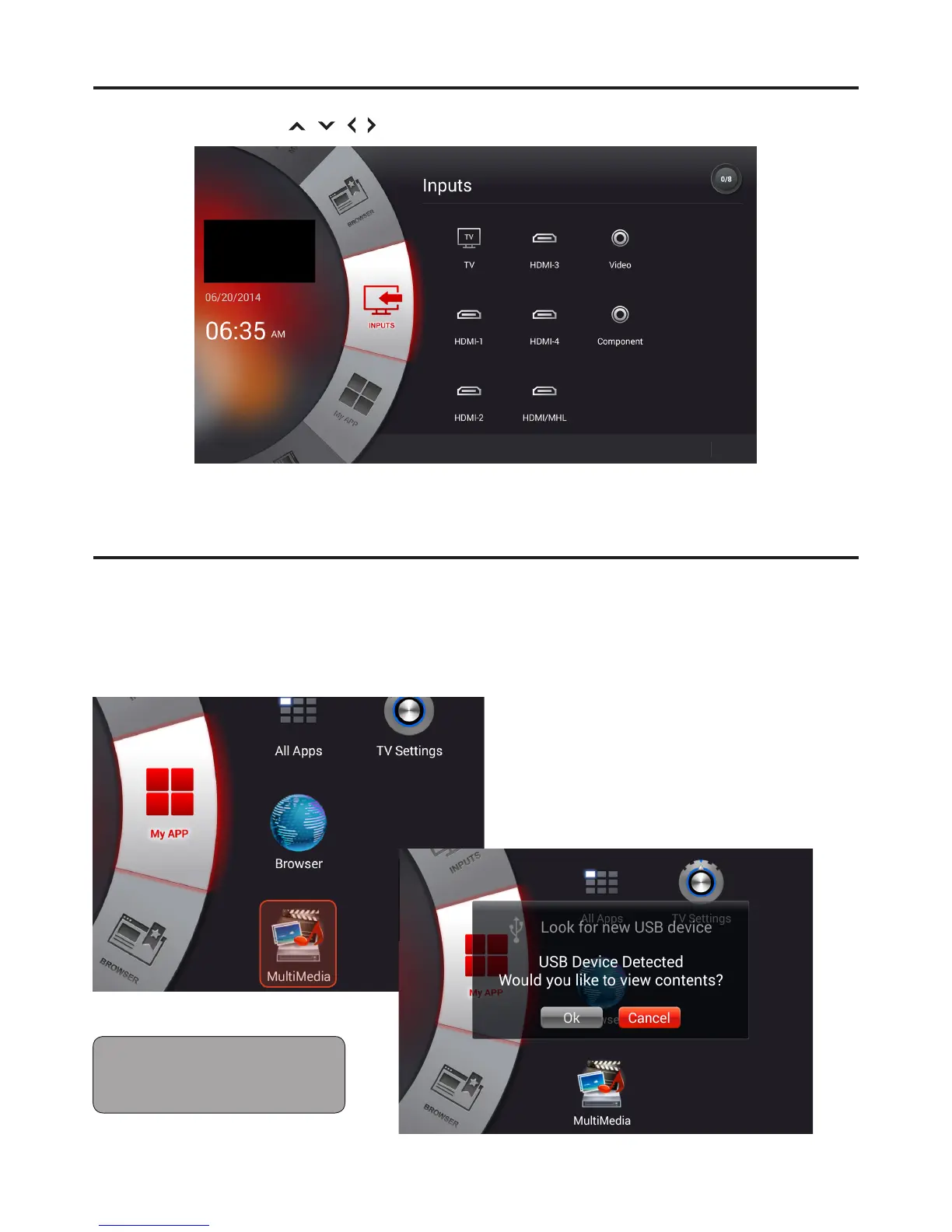
Home Screen: Input
1 Use Directional buttons / / / or touchpad to choose TV input source.
MMP (Multimedia Player)
There are two ways to enter MMP mode:
1 Select MMP App from “My APP” home page.
2 Plug in USB stick and click “OK” when Auto device detection window pops up.
Note: Due to the wide variety of
multimedia le formats some formats
may not be supported.


 To Next Page