ADD/DELETE
1
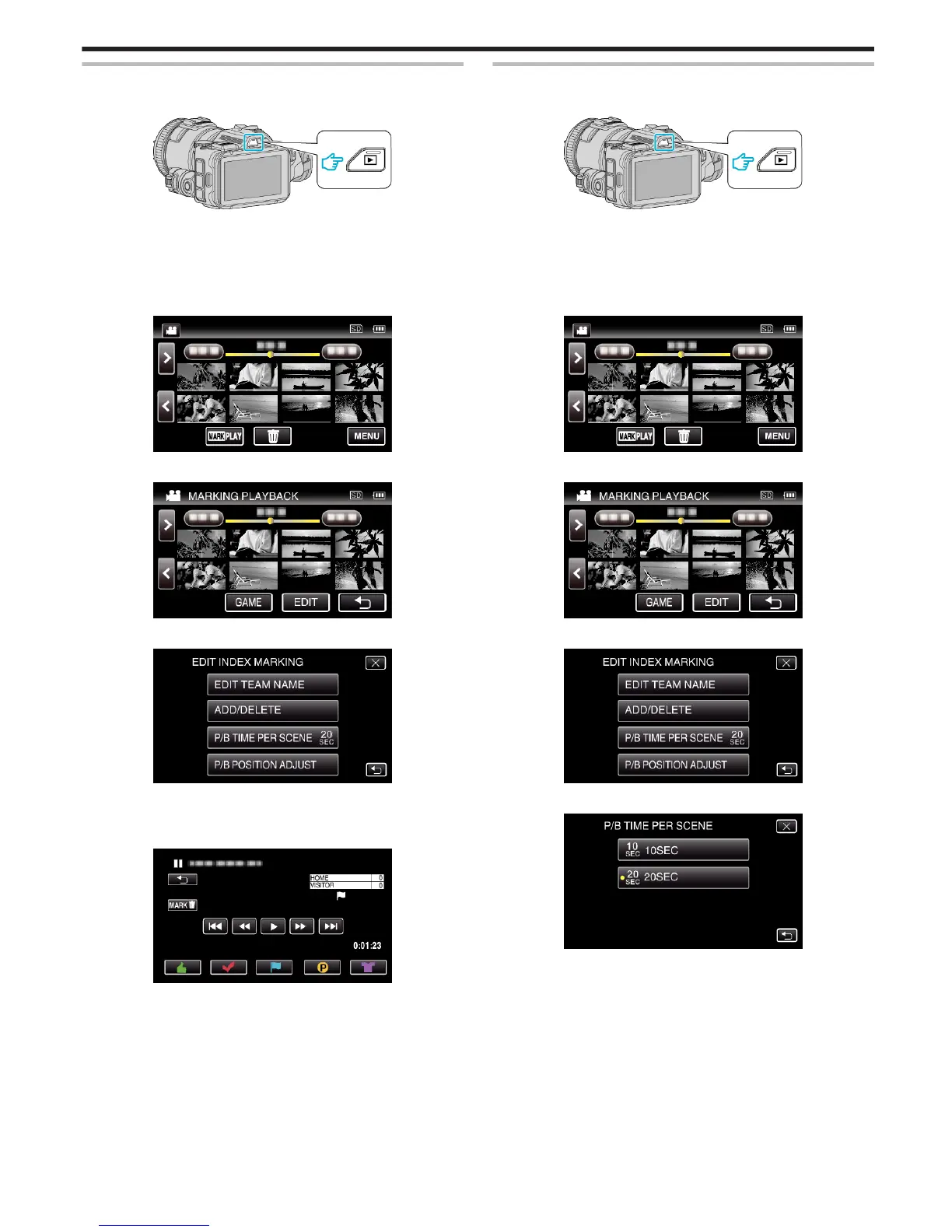
Press the L button to select the playback mode.
.
0
Check if the playback mode is A.
0
If the mode is B still image, tap B on the playback screen to display
the mode switching screen.
Tap A to switch the mode to video. (You can also use the A/B button
on this unit.)
2
Tap “MARK PLAY” to open the mark playback mode.
.
3
Tap “EDIT”.
.
4
Tap “ADD/DELETE”.
.
0
Tap J to return to the previous screen.
0
Tap L to exit the mark editing menu.
5
Tap L to start playback.
.
0
Tap the desired mark button at the scene you want to add a mark.
0
To delete a mark, tap the “MARKR” button while the “MARKR” is
displayed.
0
1 or x cannot be set for video files other than game.
0
Marks can be added/deleted only in the last scene of a recorded
video.
P/B TIME PER SCENE
1
Press the L button to select the playback mode.
.
0
Check if the playback mode is A.
0
If the mode is B still image, tap B on the playback screen to display
the mode switching screen.
Tap A to switch the mode to video. (You can also use the A/B button
on this unit.)
2
Tap “MARK PLAY” to open the mark playback mode.
.
3
Tap “EDIT”.
.
4
Tap “P/B TIME PER SCENE”.
.
5
Select the playback time per scene.
.
0
Tap J to return to the previous screen.
0
Tap L to exit the menu.
Playback
59


 To Next Page
 Loading...