Masterpage:Right-FullCol
EN 17
Filename [HM-100U_Eng_05Index.fm]
NOTE:
When you set “TIME ZONE” and “D.S.T” manually, they are
used as the setting for EPG (
A page 51).
Setting clock manually
— Manual Clock Set
First follow steps A to B on page 15, then go to the
following steps.
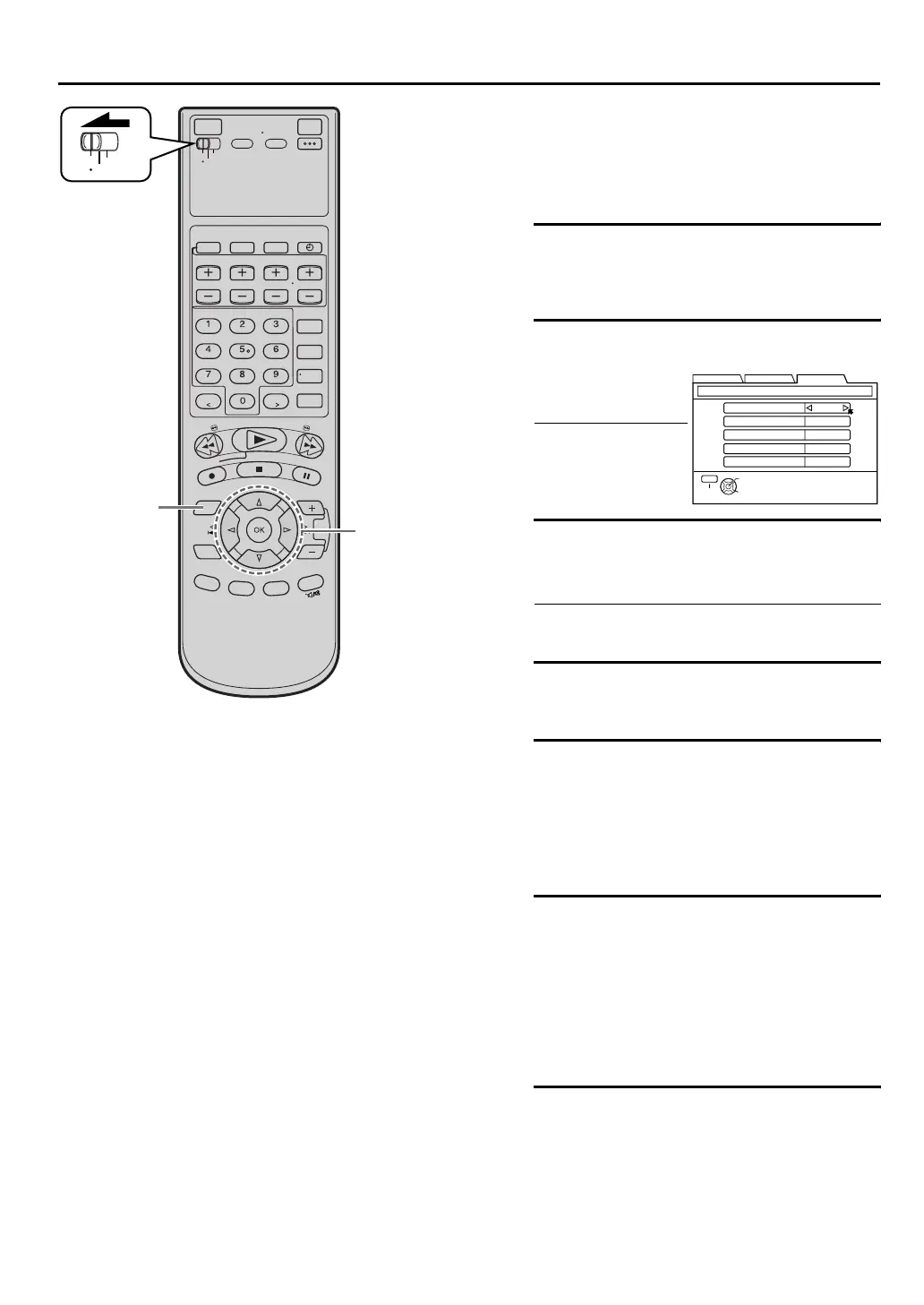
C Access Manual Clock Set screen
Press [FG] to move the arrow to “MANUAL
CLOCK SET”, then press [OK].
D Set time
E Set date
Press [D E] until the desired date appears, then
press [G].
•Holding [D E] changes the date in 15-day
intervals.
F Set year
Press [D E] until the desired year appears.
G Select D.S.T. mode
Press [FG] to move the highlight bar to “D.S.T.”,
then press [D E] to select “ON” or “OFF”.
“ON”– Adjustment will be made by the built-in
clock itself.
“OFF”– Select when Daylight Saving Time does
not apply to you.
H Select time zone
Press [FG] to move the arrow to “TIME ZONE”,
press [D E] repeatedly until the desired time zone
is selected.
Each time you press the button, the time zone
changes as follows:
U “ATLANTIC” U “EASTERN” U “CENTRAL”
U “MOUNTAIN” U “PACIFIC” U “ALASKA”
U “HAWAII” U (back to the beginning)
I Start clock
Press [MENU] and normal screen appears.
To make corrections any time during the process
Press [FG] to select the item you want to change, then
press [D E].
H
C - G
VCR
TV
CABLE
/DBS
Press [D E] until the
desired time appears,
then press [G].
•Holding [D E]
changes the time in
30-minute intervals.
THEN PRESS [OK]
TIME --:--
1/1 (THU)
2004
D.S.T OFF
YEAR
DATE
TIME ZONE
MANUAL CLOCK SET
SELECT WITH ARROW KEYS
SELECT
OK
EXIT
MENU
ATLANTIC
FUNCTION SET UP
INITIAL SET UPTUNER SET UP
HM-DH100U_Eng.book Page 17 Thursday, August 5, 2004 1:54 PM



 To Next Page
 Loading...