Masterpage:Right-FullCol
EN 23
Filename [HM-100U_Eng_05Index.fm]
Setting cable box input channel &
brand
After installation, set the cable box input channel and its
brand correctly; otherwise, the Controller cannot work
correctly.
A Turn on cable box
Select a channel other than channel 9 on your
cable box.
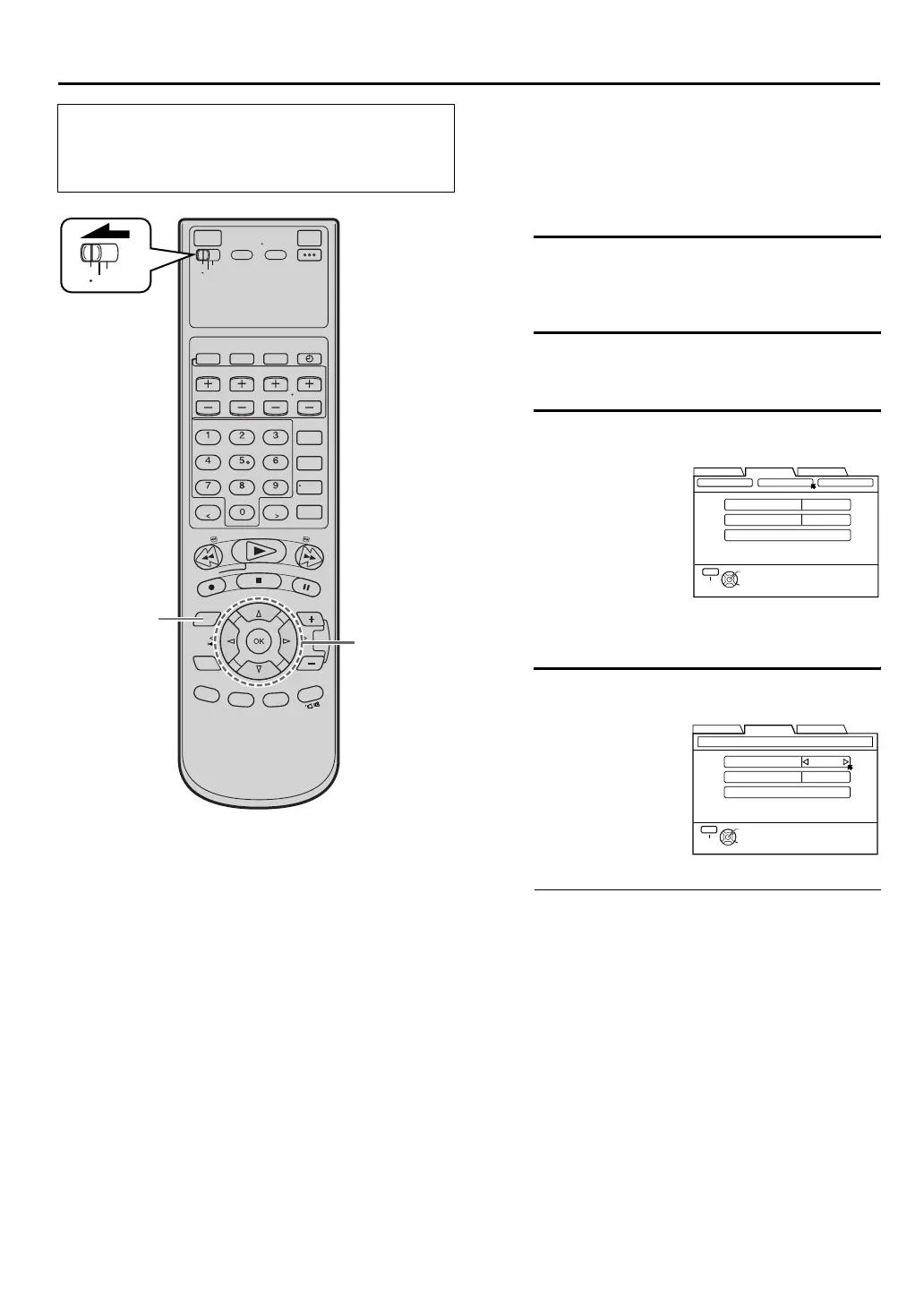
B Access Main Menu screen on VCR
Press [MENU].
C Access Cable Set Up screen
D Select cable box input channel
•If your cable box is connected to your VCR’s
[ANTENNA IN] terminal on the rear panel
Press [D E] until the channel number
representing the cable box’s output (“ON CH2 –
ON CH9”) appears on the screen.
•If your cable box is connected to your VCR’s
[AUDIO/VIDEO] input connectors on the front
panel
Press [D E] until “ON F-1” appears on the
screen.
•If your cable box is connected to your VCR’s
[AUDIO/VIDEO INPUT (L-1)] or [AUDIO/
VIDEO INPUT (L-2)] connectors on the rear
panel
Press [D E] until “ON L-1” or “ON L-2”
appears on the screen.
•If you do not use a cable box
Press [D E] until “OFF” appears on the screen.
•Turn on the VCR and the TV, and select the AV
mode on the TV.
•Set the [VCR/TV/CABLE/DBS] selector on the
Remote to [VCR].
B G
C - F
VCR
TV
CABLE
/DBS
A Press [D E] to
move the arrow to
“TUNER SET UP”,
then press [G] or
[OK].
B Press [D E] to
move the arrow to
“CABLE SET UP”,
then press [G] or
[OK].
Press [FG] to move
the arrow to “INPUT
CH”.
Your selection
depends on how your
cable box is
connected to your
VCR.
DBS SET UP
INPUT CH
BRAND 1
TEST MODE
OFF
TUNER SET CABLE SET UP
THEN PRESS [OK]
SELECT WITH ARROW KEYS
SELECT
OK
EXIT
MENU
FUNCTION SET UP
INITIAL SET UPTUNER SET UP
THEN PRESS [OK]
INPUT CH
BRAND 1
TEST MODE
OFF
SELECT WITH ARROW KEYS
SELECT
OK
EXIT
MENU
CABLE SET UP
FUNCTION SET UP
INITIAL SET UPTUNER SET UP
HM-DH100U_Eng.book Page 23 Thursday, August 5, 2004 1:54 PM



 To Next Page
 Loading...