EN 13
Pla yba ck
Fea tures
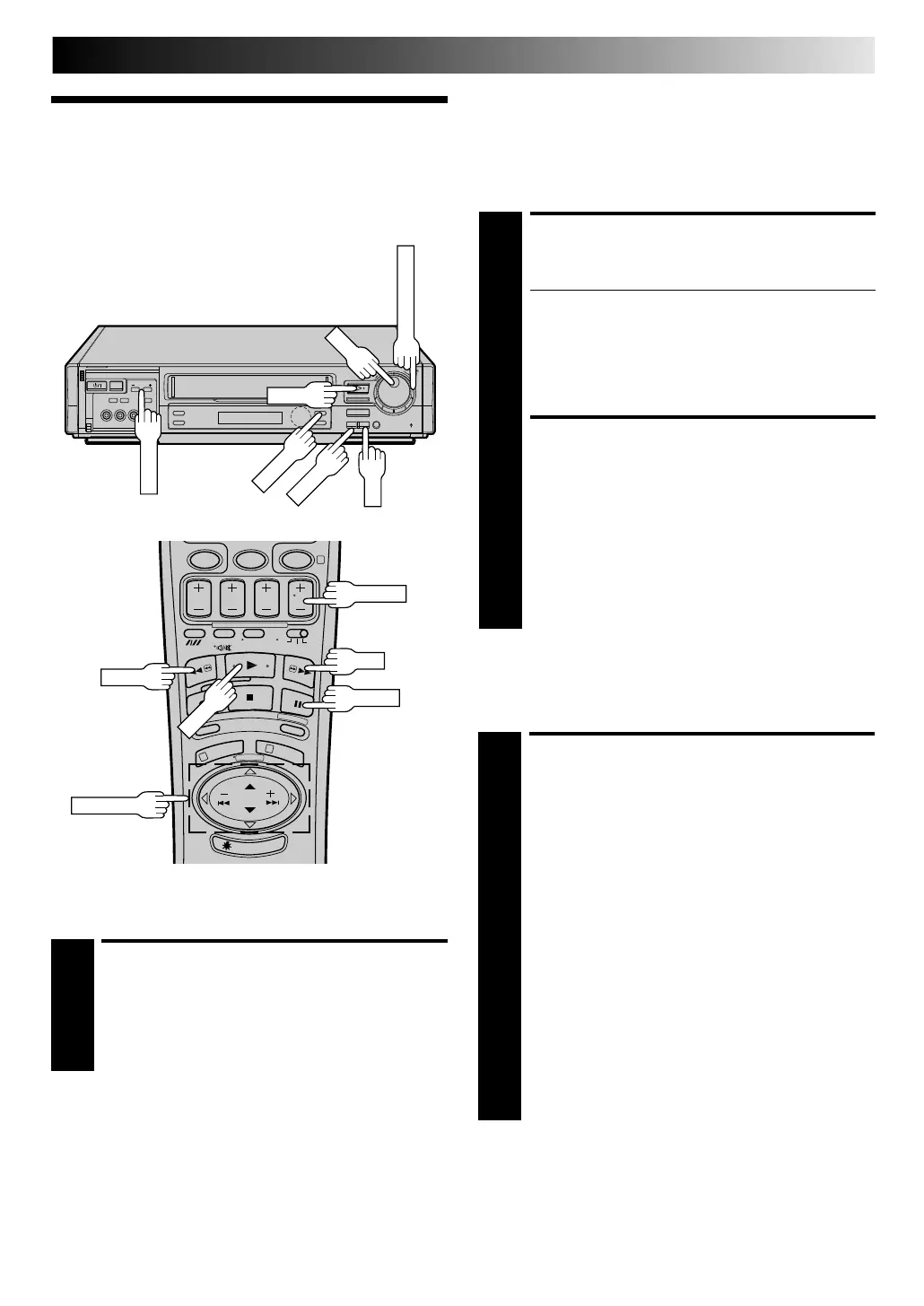
High-Speed (Turbo) Sea rch
ACTIVATE HIGH-SPEED
SEARCH
1
During playback or still picture, press FF for forward
high-speed search, or REW for reverse high-speed
search.
To resume normal playback, press PLAY.
N OTES:
●
For short searches, press and hold FF or REW for over 2
seconds. When released, normal playback resumes.
●
Picture may not appear during search with an LP-recorded
tape.
●
In the search, still, or frame by frame playback mode, the
picture may be distorted, and there may be a loss of colour.
Still Picture/ Fra me-By-Fra me
Playba ck
PAUSE DURING PLAYBACK
1
Press PAU SE. If there is vertical jitter, use the TV PRO G.
buttons to correct the picture.
● During still picture, the sound from the previous
3 seconds (approx.) will be played back repeatedly
(provided there was at least 6 seconds of normal
playback prior to engaging the still picture mode).
However, the TIME SCAN indicator will not light.
● "TIME SCAN AUDIO" must be set to "ON", or the
sound will not be heard. (Z pg. 20)
ACTIVATE FRAME-BY-FRAME
PLAYBACK
2
Turn the JO G dial to the right for forward frame-by-
frame playback, or to the left for reverse frame-by-frame
playback.
OR
Press PAU SE.
OR
Press PUSH JO G or .
To resume normal playback, press PLAY.
%
%
Take advantage of special functions possible with the recorder’s
controls or the remote control.
Slow M otion
ACTIVATE SLOW -MOTION
PLAYBACK
1
Turn the TIM E SCAN SH U TTLE ring to the left or press
PU SH JO G during playback to decrease speed in the
forward direction. To play in reverse slow-motion (and
in reverse play mode), continue to turn the TIM E SCAN
SHU TTLE ring to the left or press PUSH JOG after
selecting all the forward direction slow-motion modes.
OR
During still picture, turn the TIM E SCAN SH U TTLE ring
to the right for forward slow motion, or to the left for
reverse slow motion.
OR
During still picture, press and hold PAUSE for 2
seconds, then release. Press and release again to return
to still picture.
OR
During still picture, press and hold PU SH JO G or .
Release to return to still picture.
To resume normal playback, press PLAY.
%
fi
%
%
5
/
8
¡
1
8
q
6
0
4
1
3
PAU SE
TV PROG.
PU SH JO G
PLAY
REW
FF
Downloaded from: https://www.usersmanualguide.com/



 To Next Page