34 EN
EDITIN G
Edit To Or
From Another
Video
Recorder
You can use your video recorder as the source player or the
recording deck.
MAKE CONNECTIONS
1
Connect the player’s 21-pin SCART (AV) connector to
the recorder’s 21-pin SCART (AV) connector as
illustrated on page 35.
When Using Your Video Recorder As The Source
Player . . .
. . . connect its AV1 IN/OUT connector to the recording
deck.
When Using Your Video Recorder As The Recording
Deck . . .
. . . . connect its AV2 IN/DECODER or AV1 IN/OUT
connector to the source player.
SET RECORDING DECK’S
INPUT MODE
2
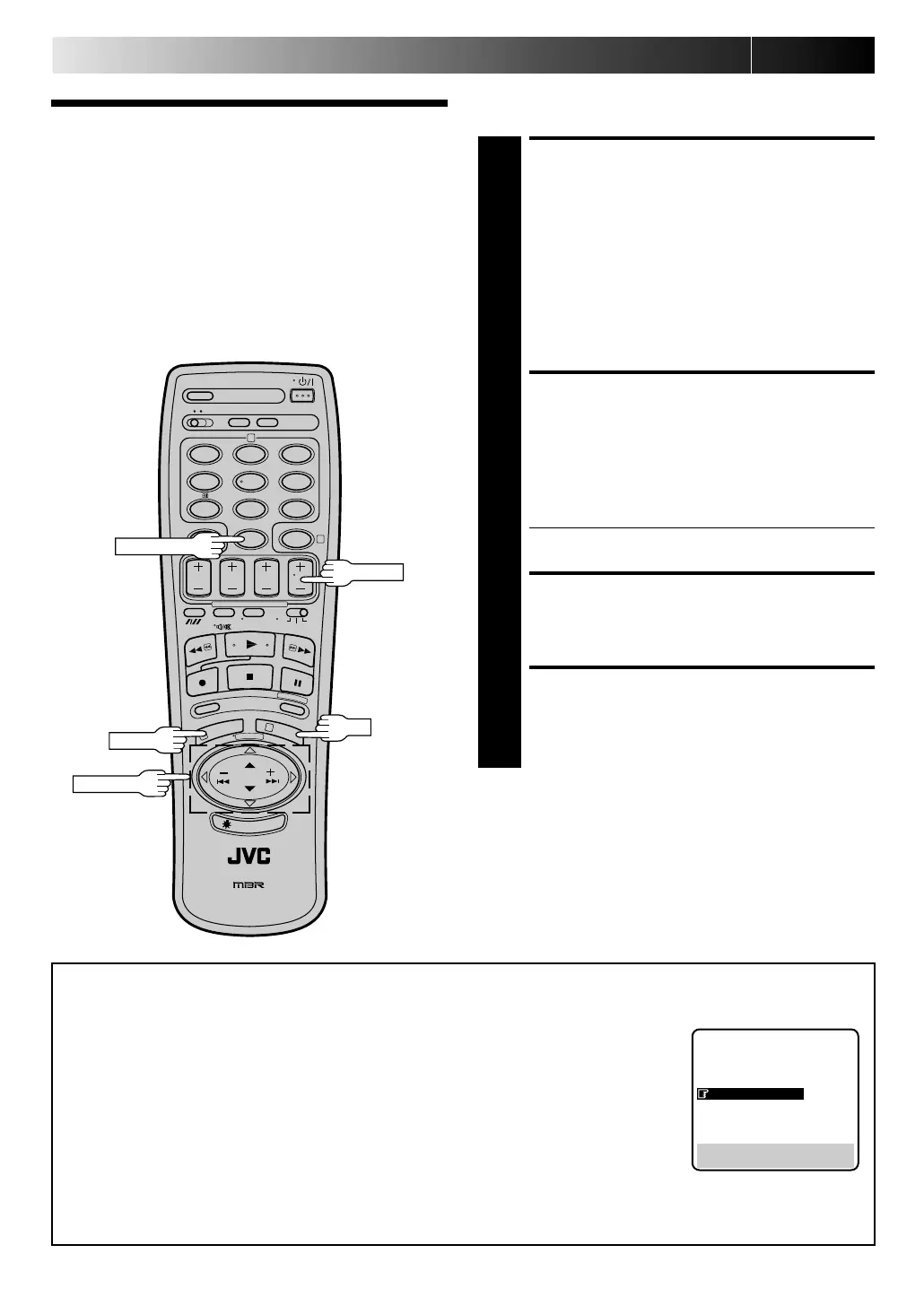
Set to AUX. With this video recorder, press N UM BER
key "0" and/or TV PROG. to select depending on the
connector being used — “AU-1” for the AV1 IN/OUT
connector, or “ AU-2” for the AV2 IN/DECODER
connector.
● When using the AV2 IN/DECODER connector, make
sure "AV2 SELECT" is set to "AV2" (see below).
START SOURCE PLAYER
3
Engage its Play mode.
START RECORDING DECK
4
Engage its Record mode.
N OTES:
●
All necessary cables can be obtained from your dealer.
●
If you use this recorder as the player for editing, be sure to
turn off 3R Picture before starting. (
Z
pg. 14)
12
45
3
6
8
0
7
9
2
4
1
3
NU M BER "0"
TV PROG.
AV2 SELECT Setting
1 Press MEN U twice to access the Main Menu screen.
2 Press PUSH JO G %fi to move the highlight bar (pointer) to "MODE SET", then press O K.
3 Press PUSH JO G %fi to move the highlight bar (pointer) to "AV2 SELECT".
4 Press PUSH JO G to move the highlight bar (pointer) to your choice:
a–AV2 : To use this recorder as the recording deck with the player connected to the
AV2 IN/DECODER connector.
b–DECODER : To use a decoder connected to the AV2 IN/DECODER connector.
5 Press MEN U to return to normal screen.
● If you have a decoder, be sure to set "AV2 SELECT" back to "DECODER" after editing.
● If you're not using a decoder, leave "AV2 SELECT" set to "AV2".
● The default setting is "AV2"; if the recorder's memory backup has expired due to a power cut or because the AC was
removed from the recorder, "AV2" will be automatically selected when the power is restored to the recorder. If you are using
a decoder, be sure to set "AV2 SELECT" back to "DECODER".
5
MODE SET
AUTO TIMER : OFF
O. S. D. : ON
B. E. S. T. : ON
AV2 SELECT : AV2
TIME SCAN : ON
AUDIO
[5
∞
] = [ ] : AV2/DECODER
[MENU] : EXIT
fi
OK
PU SH JO G
M EN U
Downloaded from: https://www.usersmanualguide.com/



 To Next Page