EN 25
Recording
Fea tures
Record One Progra mme
W hile W a tching Another
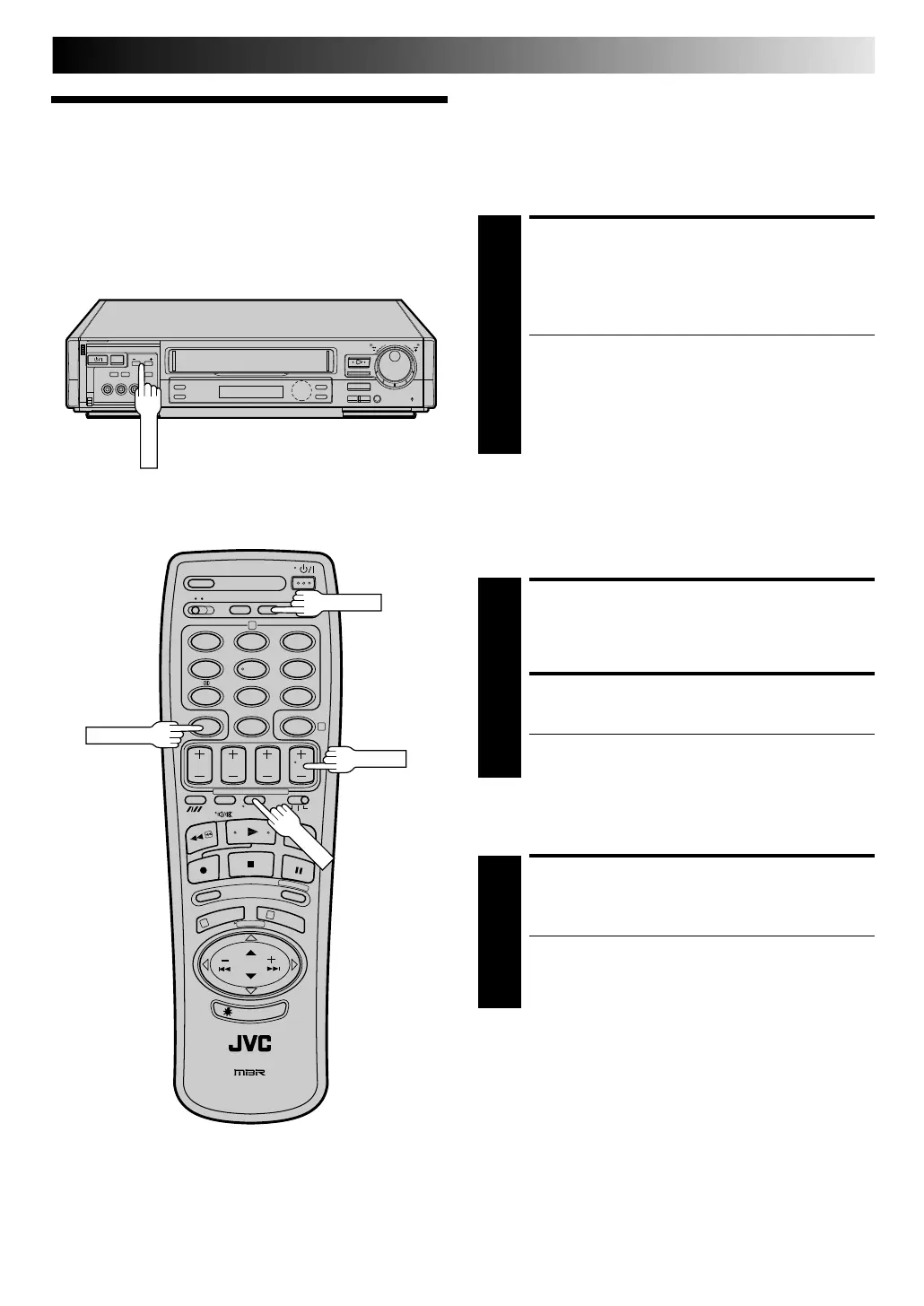
If your recorder is connected to the TV via AV connection, . . .
. . . press TV/ VCR. The recorder's VCR indicator and the TV
broadcast being recorded disappear.
SELECT CHANNEL TO
WATCH
1
Once recording is in progress, all you need to do is to
set the channel controls on the TV for the station you
wish to view.
● The programme selected with the TV’s channel
controls appears on the TV screen while the one
selected with the recorder's TV PRO G. buttons is
recorded on the tape.
● If a decoder is connected to the recorder (Z pg. 41),
you can select a scrambled channel as well with the
TV channel controls.
Ela psed Recording Time
Indica tion
You can check the exact time of a recording.
SET COUNTER DISPLAY
1
Press D ISPLAY until a counter reading appears on the
dispay panel.
RESET COUNTER
2
Press C. RESET before starting recording or playback.
● The counter is reset to “0:00:00” and shows the exact
elapsed time as the tape runs.
12
45
3
6
8
0
7
9
2
4
1
3
5
/
8
¡
1
8
q
6
DISPLAY
TV PROG.
Ta pe Remaining Time
DISPLAY REMAINING TIME
1
Press D ISPLAY until the time remaining on the tape
appears.
● By pressing the DISPLAY button, you can change the
display to show the counter reading, channel
position*, clock time or tape remaining time.
* channel position is not displayed during playback.
N OTE:
Depending on the type of tape used, there may be times when
the tape remaining time reading may not appear right away, or
is not correct. "- - : - -" may sometimes appear, or the display
may blink on occasion.
C.RESET
Downloaded from: https://www.usersmanualguide.com/



 To Next Page