26 EN
Receiving Stereo And Bilin-
gua l Progra mmes
Your recorder is equipped with a Sound-Multiplex decoder (A2) and,
if you own the HR-DD949EH, a Digital stereo sound decoder
(NICAM) as well, making reception of stereo and bilingual broad-
casts possible.
When the channel is changed, the type of broadcast being
received will be displayed on the TV screen for a few seconds.
To Record Stereo And Bilin-
gua l Progra mmes (A2 )
● Stereo programmes are automatically recorded in stereo on
the Hi-Fi audio track (with the normal audio track recording
mixed L and R channel sound).
● Bilingual programmes are automatically recorded in bilingual
on the Hi-Fi audio track. The main soundtrack will be recorded
on the normal audio track.
N OTES:
●
If the quality of stereo sound being received is poor, the
broadcast will be received in monaural with better quality.
●
Before playing back a programme recorded in stereo, or a
bilingual programme, refer to "Soundtrack Selection" (
Z
pg. 16).
12
45
3
6
8
0
7
9
2
4
1
3
RECORDING (cont.)
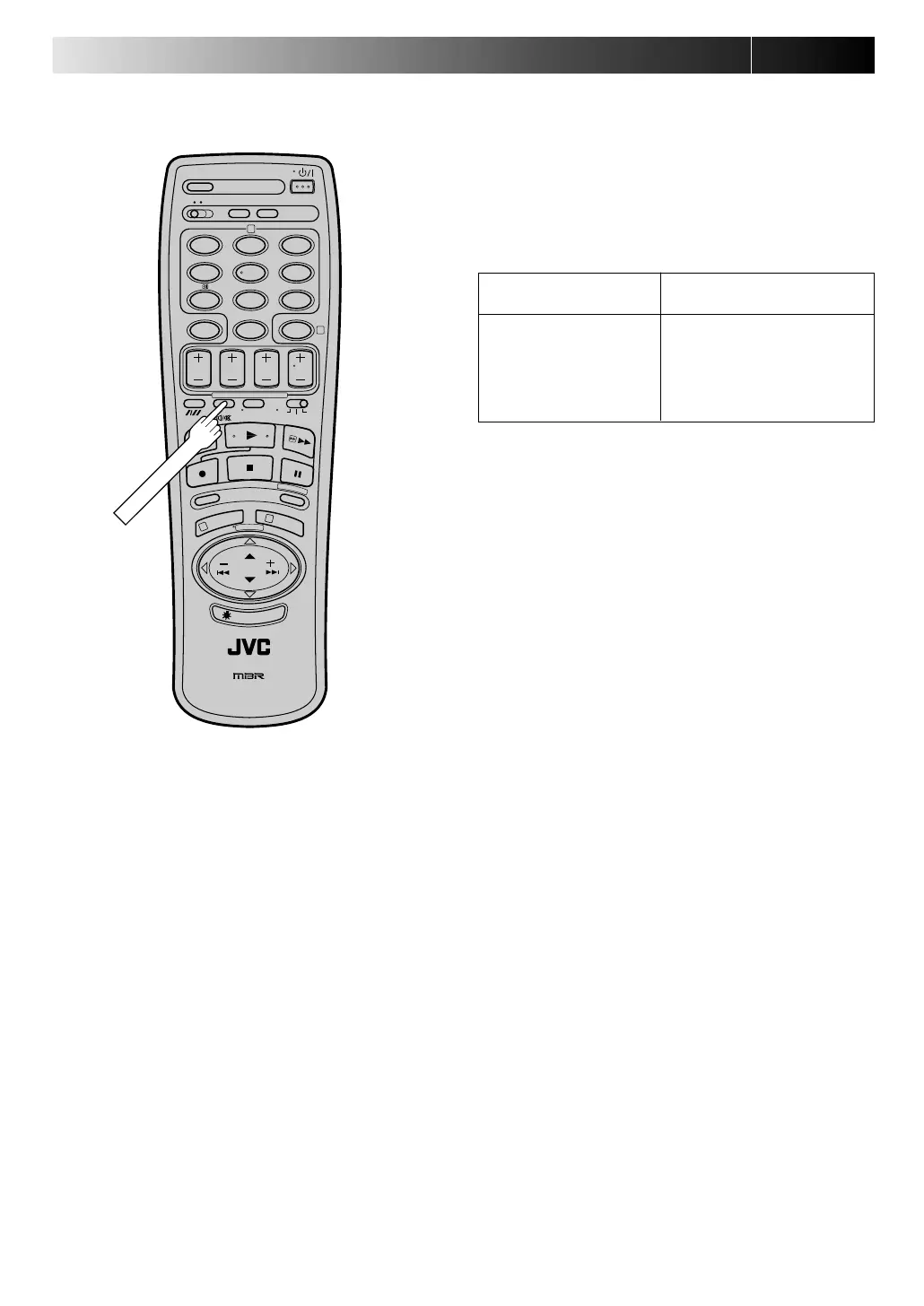
● To listen to a stereo programme, press AUD IO MO N ITOR
until "L" and "R" appear on the front display panel.
● To listen to a bilingual programme, press AUDIO MO N ITOR
until either "L" or "R" appears on the front display panel (as
required).
● To listen to the Standard (regular monaural) audio while
receiving a NICAM broadcast, press AUD IO M O N ITOR until
"NORM" appears on the front display panel. (HR-DD949EH
only)
N OTE:
"O.S.D." must be set to "ON" or the on-screen displays will not
appear (
Z
pg. 24).
Type of Broadcast
On-screen Display
Being Received
A2 Stereo ST
A2 Bilingual BIL
Regular Monaural (none)
*NICAM Stereo ST NICAM
*NICAM Bilingual BIL NICAM
*NICAM Monaural NICAM
*Available with HR-DD949EH only.
To Record N ICAM Stereo
And Bilingua l Progra mmes
(HR-DD9 4 9 EH only)
● The NICAM audio programme will be recorded on the Hi-Fi
audio track, and the Standard audio programme on the
normal audio track.
Downloaded from: https://www.usersmanualguide.com/



 To Next Page