EasyManua.ls Logo

JVC HR-DD949E - Page 20

JVC HR-DD949E
61 pages
Print Icon
To Next Page IconTo Next Page
To Previous Page IconTo Previous Page
Loading...
20 EN
TimeSca n Audio
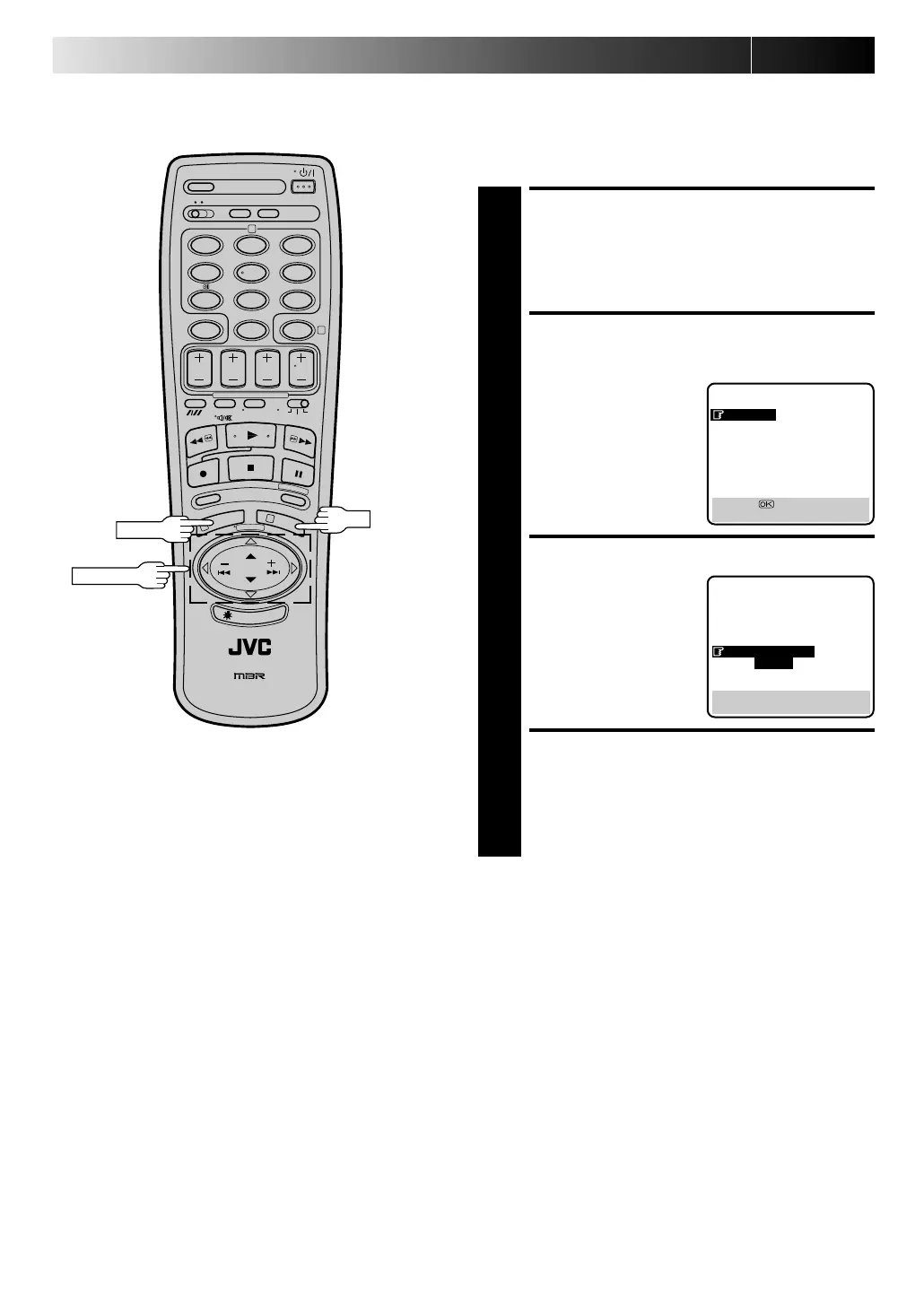
The audio output can be set ON/OFF during TimeScan. Select
ON/OFF as required.
* The default setting is "ON".
ACCESS MAIN MENU
SCREEN
1
Press M EN U twice.
ACCESS MODE SET
SCREEN
2
Move the highlight bar
(pointer) to "MODE SET"
by pressing PU SH JO G
%
, then press OK.
SELECT MODE
3
Move the highlight
(pointer) to "TIME SCAN
AUDIO" by pressing PU SH
JO G
%
, then press PU SH
JO G to select "ON" or
"OFF".
RETURN TO NORMAL
SCREEN
4
Press M EN U.
MAIN MENU
MODE SET
AUTO CH SET
MANUAL CH SET
GUIDE PROG SET
CLOCK SET
JLIP ID NO. SET
[5
] =
[MENU] : EXIT
5
12
45
3
6
8
0
7
9
2
4
1
3
PU SH JO G
OK
M EN U
%
PLAYBACK (cont.)
MODE SET
AUTO TIMER : OFF
O. S. D. : ON
B. E. S. T. : ON
AV2 SELECT : AV2
TIME SCAN : ON
AUDIO
[5
] = [ ] : ON/OFF
[MENU] : EXIT
Downloaded from:
https://www.usersmanualguide.com/

Related product manuals