EasyManua.ls Logo

JVC Instructions - User Manual

JVC Instructions
32 pages
Print Icon
To Next Page IconTo Next Page
Loading...
ENGLISH
INSTRUCTIONS
MANUAL DE INSTRUCCIONES
MANUEL D’INSTRUCTIONS
FSUN3112-631
[J]
ESPAÑOL
FRANÇAIS
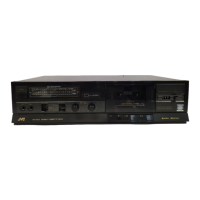
CASSETTE RECEIVER KS-FX450
RECEPTOR-REPRODUCTOR DE CASSETTE KS-FX450
RADIOCASSETTE KS-FX450
For customer Use:
Enter below the Model No. and
Serial No. which are located on
the top or bottom of the cabinet.
Retain this information for future
reference.
Model No.
Serial No.
For installation and connections, refer to the separate manual.
Para la instalación y las conexiones, refiérase al manual separado.
Pour l’installation et les raccordements, se référer au manuel séparé.
ATT
FUNC
BAND
PROG
PRESET
DISC
DISC
40Wx4
DISP
LOUD
RPT
SSM
SCM
MO
RND
789
CD
CHANGER
CONTROL
10 11 12
SCAN
CD
-CH
FM/AM
TAPE
/I
ATT
/
DOLBY B NR
EN00.KS-FX450[J] 99.11.26, 6:56 PM3


Questions and Answers

  • B
    Brian SmithAug 12, 2025
    What to do if there is no sound from my JVC Cassette Player speakers?
    • M
      Michael GarciaAug 13, 2025
      If you can't hear any sound from the speakers of your JVC Cassette Player, first, check if the volume is set to the minimum level and adjust it accordingly. Also, verify that all cords and connections are correctly connected.
  • E
    Eric NealAug 16, 2025
    Why is there static noise when listening to radio on my JVC Instructions?
    • C
      Cynthia ReyesAug 16, 2025
      If you are hearing static noise while listening to the radio on your JVC Cassette Player, make sure the antenna is firmly connected.
  • M
    Michael GrossAug 20, 2025
    What to do if sound is interrupted on JVC Cassette Player?
    • F
      floydlawrenceAug 20, 2025
      If the sound is sometimes interrupted on your JVC Cassette Player, check the cords and connections to ensure they are properly connected.
  • J
    Joshua AndersonAug 25, 2025
    How to fix low sound and degraded quality on JVC Cassette Player?
    • M
      Melissa MitchellAug 25, 2025
      If the tape sound on your JVC Cassette Player is very low and the sound quality is degraded, the tape head may be dirty. Clean it using a head cleaning tape.
  • N
    Natalie FoxAug 27, 2025
    What to do if my JVC Cassette Player does not work at all?
    • M
      Malik MillerAug 27, 2025
      If your JVC Cassette Player or the CD changer isn't working, the built-in microcomputer may be malfunctioning due to noise. To resolve this, press and hold both the SEL (Select) and (Standby/On/ATT) buttons simultaneously for a few seconds. Note that this will erase the clock setting and preset stations stored in memory.
  • W
    William WilsonAug 31, 2025
    Why SSM automatic preset does not work on JVC Cassette Player?
    • A
      anthony64Aug 31, 2025
      If the SSM (Strong-station Sequential Memory) automatic preset is not working on your JVC Cassette Player, it may be due to weak signals. Try storing the stations manually instead.
  • N
    nielsenlindaSep 4, 2025
    What to do if 'NO DISC' appears on JVC Cassette Player display?
    • A
      Amanda LopezSep 4, 2025
      If “NO DISC” appears on the display of your JVC Cassette Player, it could be because there are no CDs in the magazine or the CDs are inserted incorrectly. Make sure to insert CDs into the magazine correctly.
  • F
    fkeySep 8, 2025
    What does 'RESET 8' mean on my JVC Cassette Player display?
    • G
      gblackSep 8, 2025
      If “RESET 8” appears on the display of your JVC Cassette Player, it means that the unit is not connected to a CD changer correctly. Connect this unit and the CD changer correctly and press the reset button of the CD changer.

Summary

BASIC OPERATIONS

Power, Source, Volume, and Mute Control

Turning unit on/off, selecting sources, adjusting volume, and muting.

RADIO OPERATIONS

Listening to the Radio and Station Tuning

Instructions for selecting bands, searching for stations, and manual tuning.

Storing Radio Stations

Automatic Preset (SSM)

Procedure for automatically saving up to 6 FM stations per band.

Manual Station Presets

Step-by-step guide for manually storing stations into preset channels.

Tuning into Preset Stations

Selecting Band and Preset Number

How to recall stored radio stations using band and preset numbers.

Advanced Tuner Functions

Scanning, FM Sound, and Channel Intervals

Features like scan, mono/stereo selection, and regional channel spacing adjustments.

TAPE OPERATIONS

Listening to Tapes and Dolby NR

Inserting tapes, starting playback, and enabling Dolby Noise Reduction for improved audio.

Tape Playback Control

Stopping, Ejecting, and FF;REW

Procedures for stopping playback, ejecting cassettes, and using fast-forward/rewind functions.

Advanced Tape Functions

Finding Specific Tunes (Multi Music Scan)

Using Multi Music Scan to automatically locate specific songs on a tape.

Tape Functionality

Blank Skip, Repeat Play, and Lock

Features for skipping blanks, repeating tracks, and locking cassettes in the compartment.

SOUND ADJUSTMENTS

Adjusting Bass, Treble, Fader, and Volume

How to modify bass, treble, speaker balance, and overall volume levels.

Loudness Function

Turning Loudness On;Off

Activating or deactivating the loudness feature for enhanced low-frequency response at low volumes.

Sound Control Memory (SCM)

Selecting and Storing Sound Modes

Storing preferred sound profiles (BEAT, SOFT, POP) for different sources.

SCM Link Behavior

Configuring how sound modes are linked or applied across different playback sources.

Recalling Sound Modes

Recalling Stored Sound Settings

How to retrieve previously saved sound mode configurations for playback sources.

Storing Custom Sound Adjustments

Adjusting and Storing Own Sound Modes

Personalizing sound settings (bass, treble, loudness) and saving them as custom modes.

Resetting to Factory Settings

Procedures to return custom sound adjustments and system settings to their original defaults.

OTHER MAIN FUNCTIONS

Setting the Clock and Display Modes

Procedures for setting the unit's clock and controlling display behavior like modes.

General Settings (PSM)

Basic Procedure for PSM Settings

Step-by-step guide for accessing and modifying general system preferences via PSM.

PSM Item Configuration

SCM Link and Level Display Settings

Configuring sound memory linking and display level options within the PSM menu.

Dimmer and Input Selection

Selecting Dimmer Mode and External Input

Adjusting display dimming and choosing the external audio source.

Control Panel Detachment

Detaching, Attaching, and Connector Care

Instructions for removing, reattaching, and maintaining the control panel connectors.

REMOTE OPERATIONS

Remote Controller Usage and Installation

Guidelines for operating the unit with the remote and installing its batteries correctly.

CD CHANGER OPERATIONS

Playing CDs and Error Handling

How to play CDs from the changer and address common operational errors or messages.

CD Playback Control

Track Navigation and Disc Selection

Controlling track playback, navigating between tracks, and selecting specific discs.

CD Playback Modes

Random and Repeat Playback Options

Setting CD playback to random order or repeating specific tracks or discs.

EXTERNAL COMPONENT OPERATIONS

Playing External Audio Source

Connecting and playing audio from external devices through the unit's auxiliary input.

External Input Preparations

Necessary steps before using external components, including source selection.

MAINTENANCE

Unit Lifespan, Cleaning, and Storage

Tips for extending unit life, cleaning tape heads, and proper storage of tapes.

TROUBLESHOOTING

Common Symptoms and Remedies

Identifies common operational problems and provides solutions before contacting service.

SPECIFICATIONS

Technical Specifications Overview

Detailed technical data for amplifier, tuner, and cassette deck sections of the unit.

JVC Instructions Specifications

General IconGeneral
BrandJVC
ModelInstructions
CategoryCassette Player
LanguageEnglish

Related product manuals