12
SOUND
SOUND
ACS
ACS
SPEAKER
ILLUMINATION
/ACS
AHB PRO
AHB PRO
AHB PRO
VOLUME
VOLUME
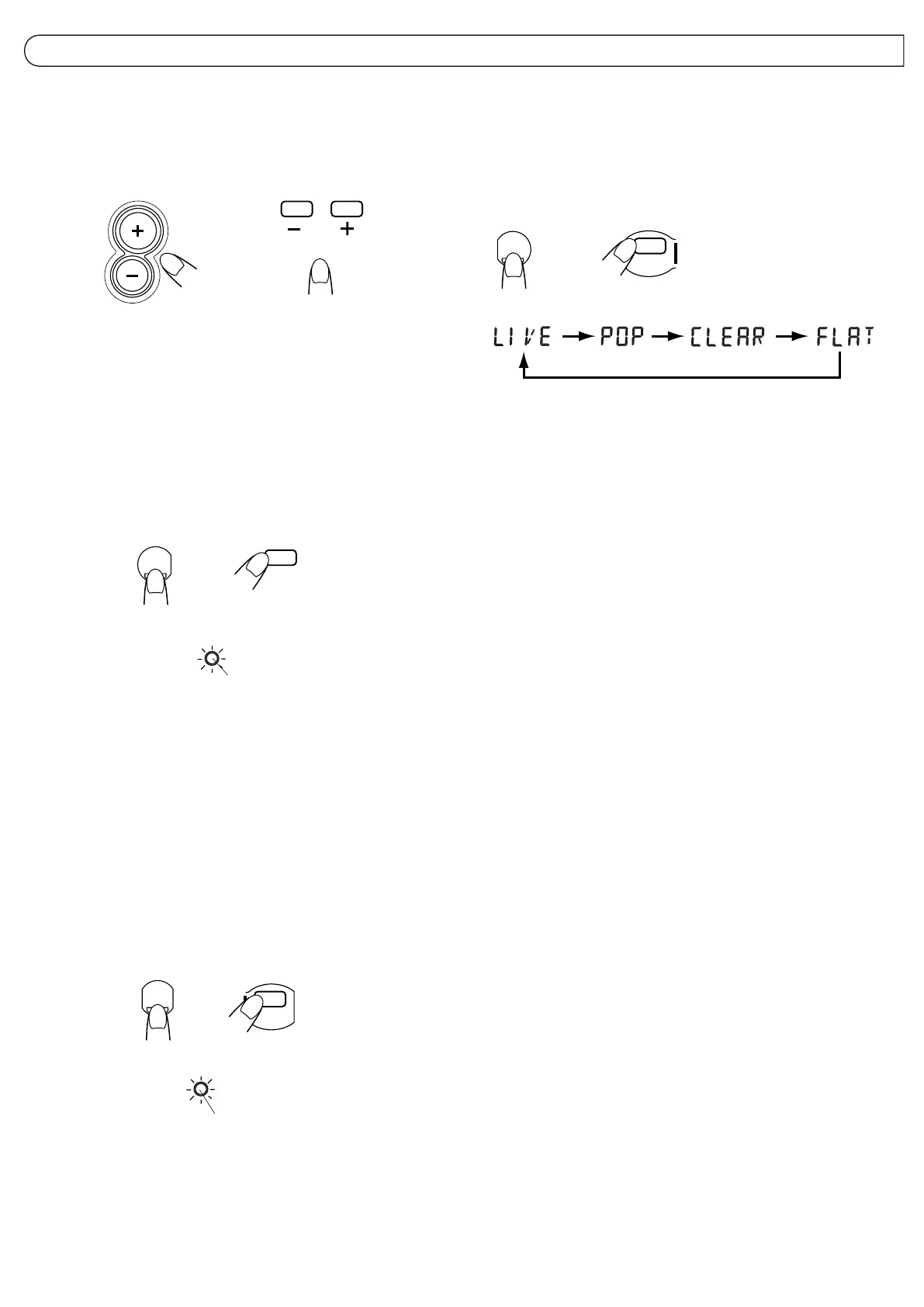
VOLUME buttons
+ : Use to increase the volume.
– : Use to decrease the volume.
(Control range from VOL 0 to VOL 50.)
Sound mode button
Sound modes can be selected to enhance the type of music being played.
÷ Press the SOUND button to select the sound mode.
÷ Each time the SOUND button is pressed the sound mode changes as
follows:
VOLUME, SOUND MODE AND OTHER CONTROLS
Main unit Remote control unit
Remote control unit
Main unit
AHB PRO indicator lights in red when
AHB PRO is set to BASS 1/BASS 2.
AHB (Active Hyper Bass*) PRO button
BASS 1: The AHB PRO indicator lights up, and a mild bass boost is added to the
sound.
BASS 2: The AHB PRO indicator lights up, and a stronger bass boost is added to
the sound.
OFF : The AHB PRO indicator goes out. Set to this position when Active Hyper
Bass Pro sound is not required.
* Active Hyper Bass (AHB) Pro
The Active Hyper Bass Pro circuit reinforces the bass sound to maintain
rich, full bass at low volumes (playback only).
Main unit Remote control unit
÷ The factory-preset is “FLAT”. Each time the SOUND button is pressed, the
display changes as shown.
Sound mode selection
LIVE:
Set to this position for heavy metal or rock music.
POP:
Set to this position for light music including popular and vocal music.
CLEAR:
Set to this position for crisp and clear sounding music with transparent
highs.
FLAT (No sound effect (flat characteristics)):
Set to this position when listening to classical music.
Note:
The selected modes only affect the sound output from the speakers or
headphones. They do not affect the sound when recording.
SPEAKER ILLUMINATION/ACS (Active Clear Sound*) button
Press this button to turn enhanced sound reproduction ON/OFF. When
on, a light in each speaker flashes.
* Active Clear Sound (ACS)
The Active Clear Sound (ACS) circuit emphasizes high-frequency sound
without lowering the signal-noise ratio, while adjusting its output according
to the input signal level. This results in a better balance between the
high-frequency sound and the low-frequency heavy bass sound.
Note:
This fuction has no effect with monaural sound sources.
Main unit
Remote control unit
Lights in green when the ACS is ON.



 To Next Page
 Loading...