SiriusXM® Satellite RadioSiriusXM® Satellite Radio
Presetting channels in the memory
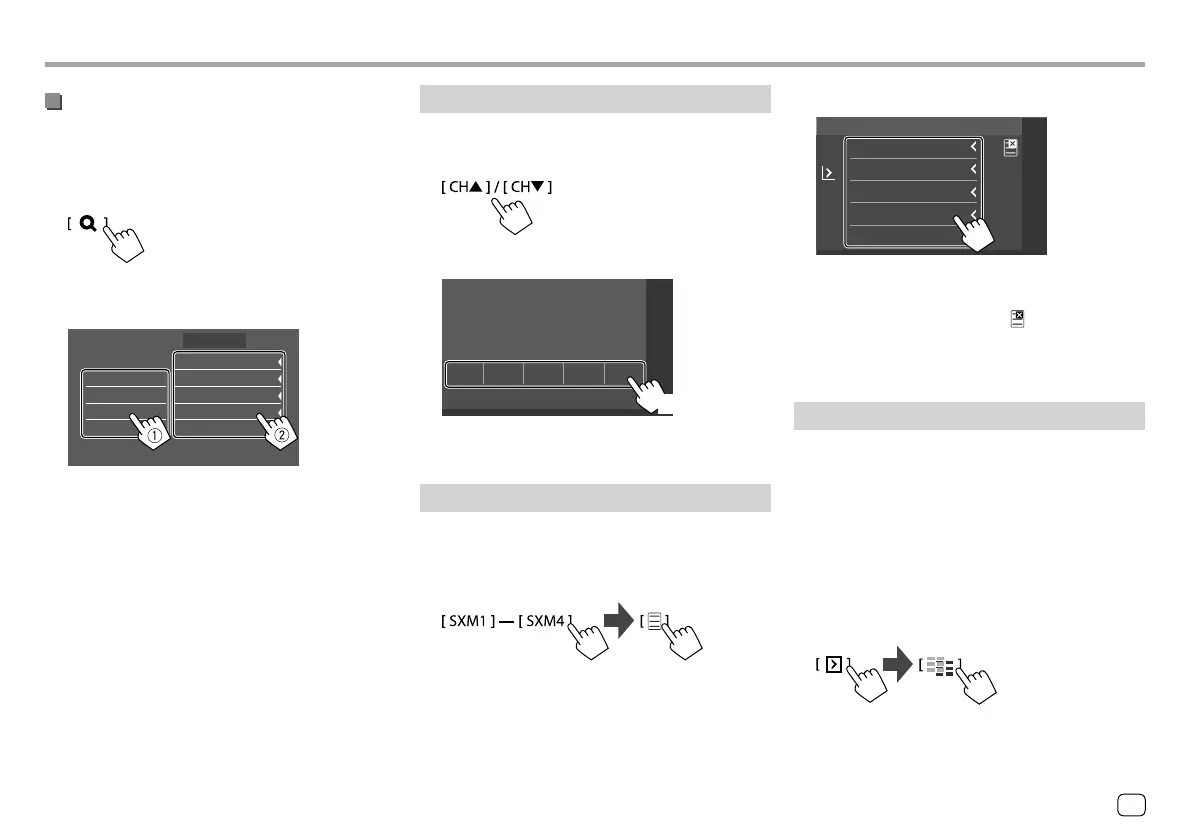
You can preset five channels for each band.
1 Tune in to a channel you want to preset.
2 Select a preset number to store into.
P5P1 P2 P3 P4
SiriusXM
(Hold)
The channel selected in step 1 is stored into the
preset number [P1] to [P5] you have selected.
Selecting a preset channel
1 Select the band, then display the preset
channel window.
On the source control screen, touch as follows:
Selecting a channel on the list
You can obtain information on channels or select a
channel to listen to.
1 Display the <Channel List> screen.
On the source control screen, touch as follows:
2 Select a category (1), and then select a
channel (
2).
All Channels
Category Name 1
Category Name 2
Category Name 3
Category Name 4
100Ch Channel Name
105Ch Channel Name
110Ch Channel Name
115Ch Channel Name
120Ch Channel Name
Channel
Channel List
• To list all the channels, touch [All Channels].
• Touch the info change key above the list
([Channel]/[Artist]/[Song Title]/[Info]) to
display other information in the following order:
Channel, Artist, Song Title, Content Info.
2 Select a preset channel.
100Ch
P1
105Ch
P2
110Ch
P3
115Ch
P4
120Ch
P5
Channel Name
Channel Name
Channel Name
Channel Name
Channel Name
SiriusXM
• You can also select a preset channel by touching
[P1] – [P5].
To hide the window: Touch [ ].
3 Select “SEEK2” as the seek mode to jump
to the selected preset channel.
Replaying content
You can pause, rewind and replay the contents from
the currently tuned channel.
• The SiriusXM Connect Vehicle Tuner continually
buffers up to 60 minutes of audio.
• If you change to another channel during playback,
the buffered contents will be lost.
• The time code is updated every second.
1 Display the operation keys for replay.
On the source control screen, touch as follows:
21ENGLISH
ENKW-V2018STKR.indb21ENKW-V2018STKR.indb21 2017/05/259:042017/05/259:04



 To Next Page