SettingsSettings
Audio settings
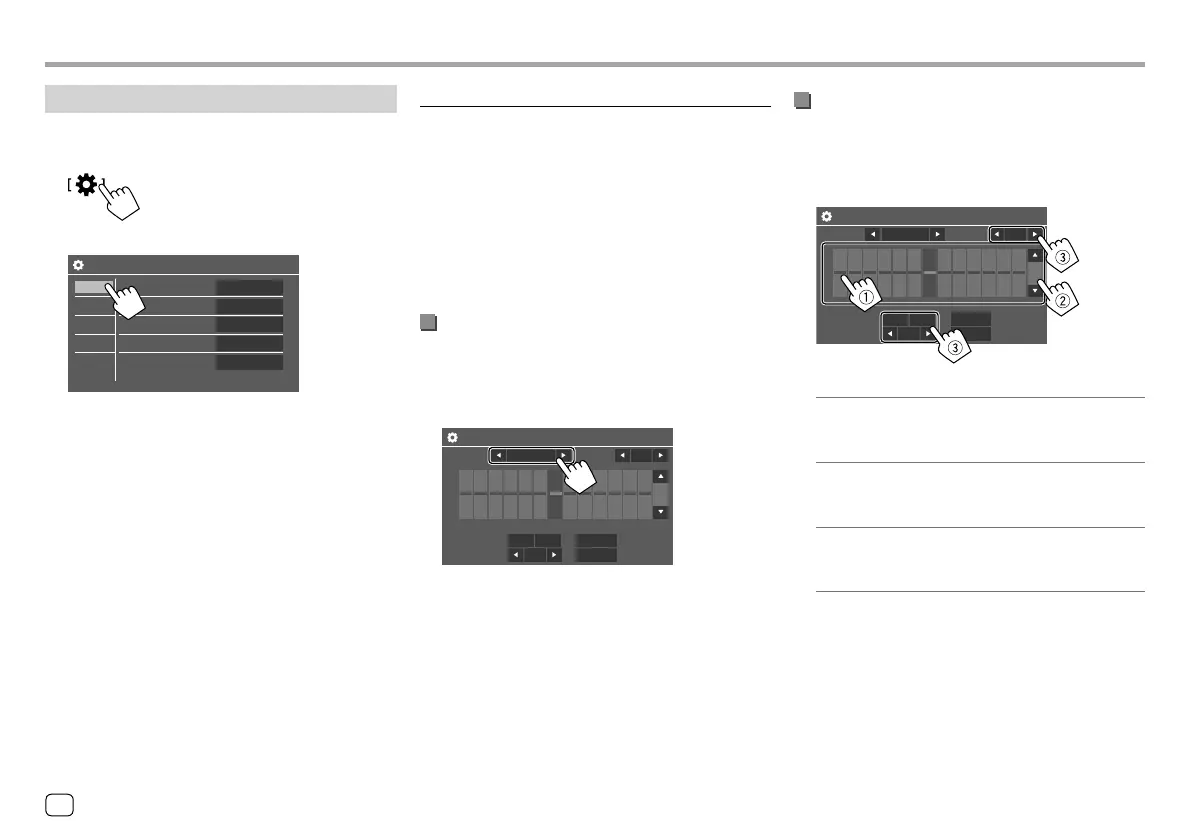
Display the <Audio> screen.
On the Home screen, touch as follows:
Then, on the <Settings> screen, touch [Audio].
Settings
Equalizer
Sound Effect
Fader / Balance
Speaker / X’over
Time Alignment
Enter
Enter
Enter
Enter
Enter
Display
Input
System
Audio
E.g. Audio settings screen for KW-V240BT
You cannot change the <Audio> screen in the
following situations:
• When the AV source is turned off.
• When the Bluetooth phone is used (making or
receiving a call, during a call, or while voice dialling).
<Equalizer>
The following adjustments are memorized for each
source until you adjust the sound again. If the source
is a disc, the adjustments are stored for each of the
following categories.
• DVD/VCD
• CD
• DivX*1/MPEG1/MPEG2/MP3/WMA/WAV/AAC/FLAC
You cannot adjust the sound when the unit is in
standby.
Selecting a preset sound mode
Select a preset sound mode on the <Equalizer>
screen.
• Flat (Initial)/Hard Rock/Pop/Hip Hop/R&B/Jazz/
Classical/drvn 3/drvn 2/drvn 1/User
Equalizer SRC Name
Preset
[dB]
0
+3
+5
+7
+9
-9
62.5 100 160 250 400 630 1k 1.6k 2.5k 4k 6.3k 10k 16k [Hz]
-7
-5
-3
Flat
Bass EXT
SW LEVEL
Q factor
1.5
0
ON OFF EQ INT
ALL SRC
• To apply the adjusted equalizer to all playback
sources, touch [ALL SRC], then touch [OK] to
confirm.
Store your own sound adjustments
1 Select a preset sound mode.
2 Select a band (1) and adjust the level (2),
then adjust the sound (
3).
Equalizer SRC Name
Preset
[dB]
0
+3
+5
+7
+9
-9
62.5 100 160 250 400 630 1k 1.6k 2.5k 4k 6.3k 10k 16k [Hz]
-7
-5
-3
Flat
Bass EXT
SW LEVEL
Q factor
1.5
0
ON OFF EQ INT
ALL SRC
Adjust the sound as follows:
<Q factor>
Adjusts the width of the frequency.
• 1.35/1.5 (Initial)/2.0
<Bass EXT>
Activates/deactivates bass.
• ON/OFF (Initial)
<SW LEVEL>
Adjusts the subwoofer level.*2
• –50 to +10 (Initial: 0)
• To clear the adjustment, touch [EQ INIT].
3 Repeat step 2 to adjust the level of other
bands.
*1 Only for KW-V240BT Region 4.
*2 Not adjustable when <None> is selected for subwoofer on the
<Speaker Select> screen. (Page 41)
40 ENGLISH
ENKW-V2018STKR.indb40ENKW-V2018STKR.indb40 2017/05/259:042017/05/259:04



 To Next Page