Bluetooth®Bluetooth®
• The status is shown as follows:
– <Connecting>: Connection is in progress.
– <Connected>: A connection has been established.
– <Connect Ready>: A connection can be
established.
– <Disconnecting>: Disconnection is in progress.
– <Disconnected>: No connection is established.
• When a Bluetooth mobile phone is connected, the
signal strength and battery level are displayed when
the information is acquired from the device.
To delete the registered device: Perform step 1,
select the device you want to delete in step 2, then
touch [Remove].
• A confirmation message appears. Touch [Yes].
Bluetooth mobile phone
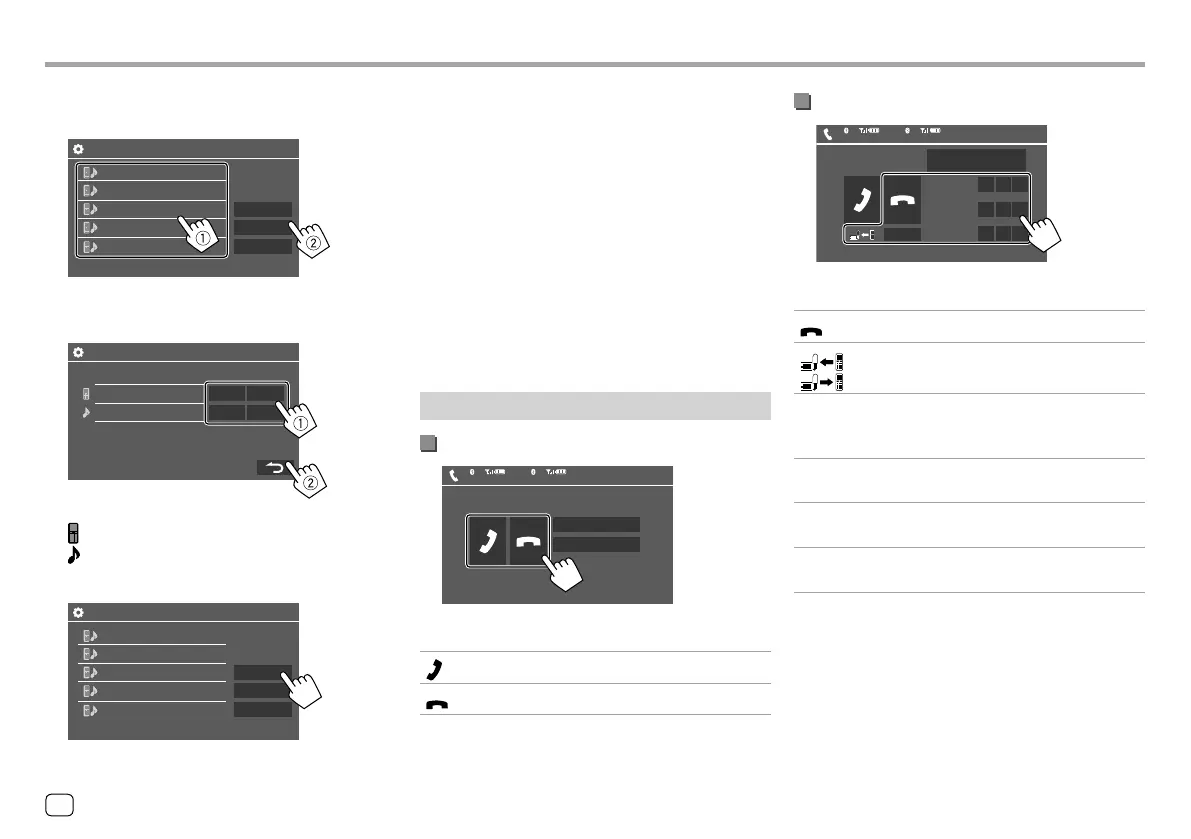
When a call comes in...
Incoming Call
Name
1234XXXXXX
Device Name 1
1
Device Name 2
2
Touching the operation keys performs the following
actions:
[ ]
Answers a call.
[
]
Rejects a call.
• Call information is displayed if acquired.
• Phone operation is not available while the picture
from the rear view camera is displayed.
During a call...
Talking...
Name
1234XXXXXX
NR LEVEL
–
+0
EC LEVEL
MIC LEVEL
Device Name 1
1
Device Name 2
2
–
+0
–
+0
DTMF
Touching the operation keys performs the following
actions:
[ ]
Ends a call.
[
]/
[ ]
Switches between handsfree mode and
phone mode.
[DTMF] Enters DTMF (Dual Tone Multi
Frequency), then sends text using the
keypad.
NR LEVEL
[–] / [+]
Adjusts the noise reduction level.
(–5 to 5, initial 0)
EC LEVEL
[–] / [+]
Adjusts the echo volume level.
(–5 to 5, initial 0)
MIC LEVEL
[–] / [+]
Adjusts the volume level of the
microphone. (–10 to 10, initial –4)
• Press + / – buttons on the monitor panel to adjust
the volume of the call or earpiece.
2 Select the device (1) you want to connect,
then select [Connection] (
2).
Device Name 1
Device Name 5
Device Name 4
Device Name 3
Device Name 2
Remove
Connection
OK
Paired Device List
3 Select the device (1) to connect, then
return to the <Paired Device List> (
2).
Device Name
Connect Ready
Connected
ON OFF
ON OFF
BT Connection Settings
Select [ON] (to connect) or [OFF] (to disconnect).
: Mobile phone
: Audio device
4 Connect the selected device.
Device Name 1
Device Name 5
Device Name 4
Device Name 3
Device Name 2
Remove
Connection
OK
Paired Device List
36 ENGLISH
ENKW-V2018STKR.indb36ENKW-V2018STKR.indb36 2017/05/259:042017/05/259:04



 To Next Page