Parental Lock channel selection
This option allows you to manually select the channels
to be locked by the parental control feature.
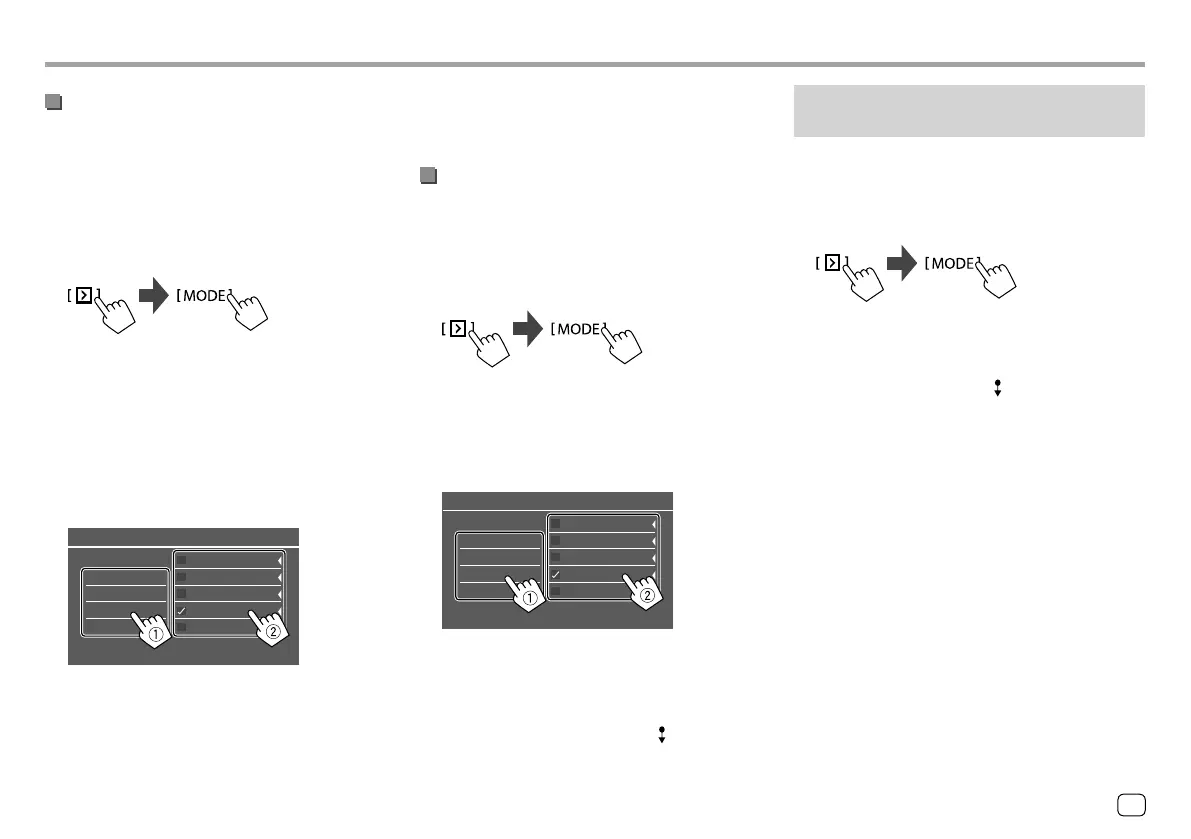
• You can only change the setting if
<ParentalControl> is set to [User].
1 Display the <Parental Lock Channel
Selection> screen.
On the source control screen, touch as follows:
Then, on the <SiriusXM Mode> screen, touch as
follows:
<Parental Lock Channel Selection> : [SET]
2 Enter the parental code.
The <Parental Lock Channel Selection> screen
appears.
3 Select a category (1), then a channel (2).
A check mark appears beside the selected channel.
All Channels
Category Name 1
Category Name 2
Category Name 3
Category Name 4
100Ch Channel Name
105Ch Channel Name
110Ch Channel Name
115Ch Channel Name
120Ch Channel Name
Parental Lock Channel Selection
• To list all the channels, select [All Channels].
4 Repeat step 3 to set the parental lock on
multiple channels.
SiriusXM® Satellite RadioSiriusXM® Satellite Radio
To deactivate parental lock for all locked channels:
Select [All Clear] for <Parental Lock Channel
Selection> in step 1, then enter the parental code.
Skipping unwanted channels
If you do not want to receive some channels, you can
skip them.
1 Display the <Skip Channel Selection>
screen.
On the source control screen, touch as follows:
Then, on the <SiriusXM Mode> screen, touch as
follows:
<Skip Channel Selection> : [SET]
2 Select a category (1), then a channel (2).
A check mark appears beside the selected channel.
All Channels
Category Name 1
Category Name 2
Category Name 3
Category Name 4
100Ch Channel Name
105Ch Channel Name
110Ch Channel Name
115Ch Channel Name
120Ch Channel Name
Skip Channel Selection
• To list all the channels, select [All Channels].
3 Repeat step 2 to skip multiple channels.
To clear the channel skipping for all skipped
channels: Touch and hold [All Clear ] for <Skip
Channel Selection> in step 1.
Resetting the SiriusXM Satellite Radio
settings
You can reset all the SiriusXM settings you made and
restore the initial settings.
1 Display the <SiriusXM Mode> screen.
On the source control screen, touch as follows:
2 Reset the setting.
On the <SiriusXM Mode> screen, touch and hold
as follows:
<SiriusXM Reset> :[Reset ]
25
ENGLISH
ENKW-V2018STKR.indb25ENKW-V2018STKR.indb25 2017/05/259:042017/05/259:04



 To Next Page