prog
ram and press “BLUE” key to swap them.
Select the program to be swapped and press “BLUE” key, the selected program will blink. Now select another
3.2.1.1 D
elete/Skip/Lock Channel
1)
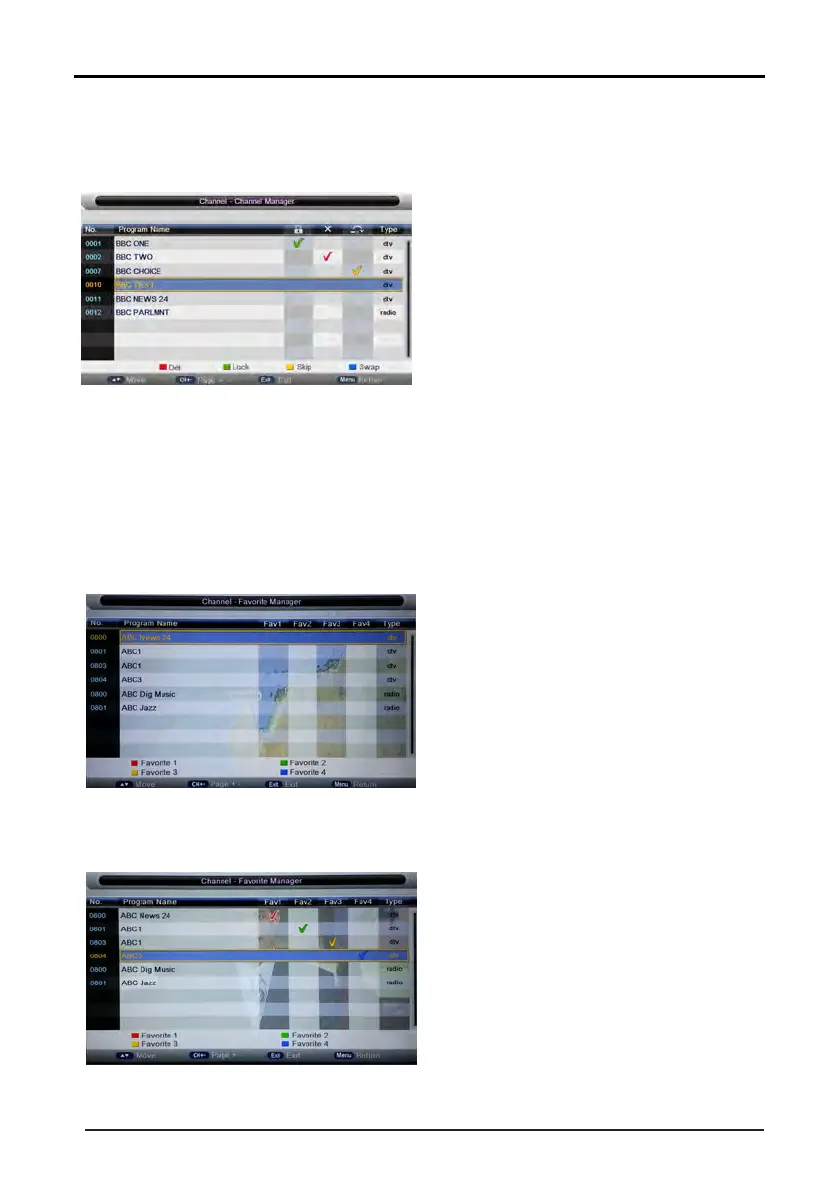
Press “UP (▲)” and “DOWN (▼)” key to select the programs to be deleted and press “RED”, “GREEN” or
2)
After marking press “MENU” key to save the result.
3.2.1.2 S
wap Channel
3.2.2 Favorite Management
1)
Press “ENTER” or “RIGHT” key on “Favorite management” of “Channel” page in ATV or DTV source. The
2)
Press “UP (▲)” and “DOWN (▼)” key to select the programs to be added into favorite list and press
16
“YELLOW” key to mark them as below:
operation interface shows as below:
“RED”,“GREEN”,”YELLOW” or ”BLUE” key to mark them as below:
3) Press “MENU”key to return to “Favorite management” page and save the result.



 To Next Page
 Loading...










