6.6
Locking Operation
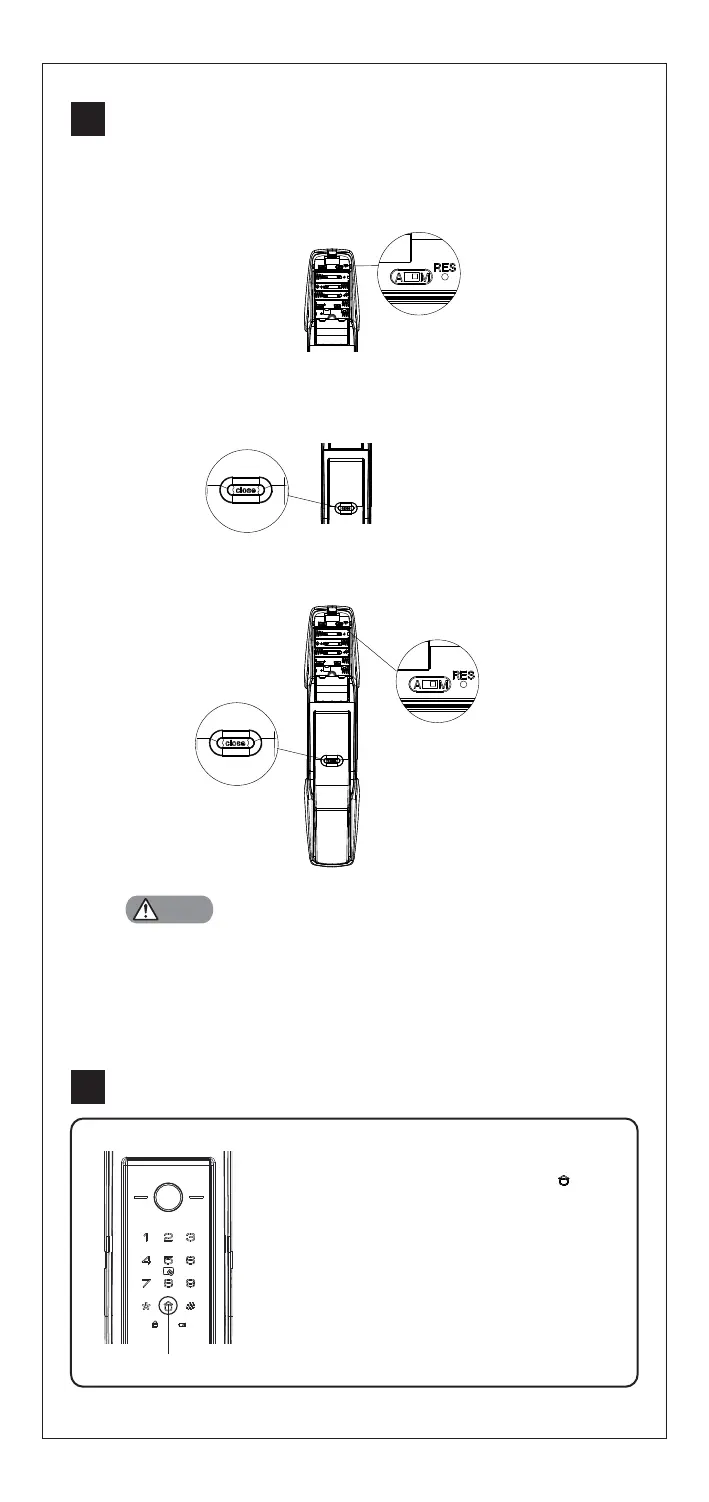
6.6.1 Auto locking
In auto mode, door will be locked automatically in 1.5 seconds
after closing. Voice prompts "door closed"
6.6.2 Manual locking
In manual mode, click [CLOSE] button to lock the door from inside
or verify user fingerprint /PIN code / card to lock the door from
outside. Voice prompts "door closed"
6.6.3 Double locking
When door is locked, long press [CLOSE] button to double lock the
door.Voice prompts “Inside deadlock enabled”
Notes
Defense Mode
1. Enable: After door is locked, press [ ]
button to enable defense mode. Voice
prompt “Defense mode enabled ”. In
this
mode,when the door is unlocked from
inside, the alarm will be triggered.
2. Disable: Once the door is opened
properly from outside, the defense mode
will be disabled.
Defense Button
6.7
If incorrect fingerprint/PIN code/card are attempted 5 times within 5 minutes, the
system will be in an invalid state for 100 seconds.


 To Next Page