9
A. PROGRAM THE ACCESS CODE LENGTH
Setting the length of Access Codes must be the first lock programmable func-
tion you perform, because all your other access codes must have the same
length. If a user enters a code of a different length, the lock will not accept it.
Longer length Access Codes permit a greater number of code possibilities, and
thus higher security. The master code must always be 8 digits
Required User Level: Master
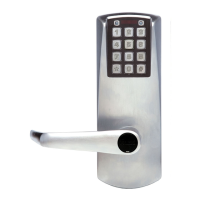
A-1 To configure the E-Plex 2000 programmable pushbutton lock, it must first
be placed in Programming Mode.
Important: This is the only programmable function that can be done
during the factory mode using the factory master code. Except for
changing from the factory code to a new master code.
A-2 Enter the E-Plex 2000 factory Master (Programming) Code
(#12345678#). The lock responds with a flashing green light. If 1-2-3-4-5-
6-7-8 does not seem to work, please follow the steps to perform a hard
reset by following the procedure in on page 7.
A-3 Enter the code 009 #LL #, where LL represents the length (number of
digits in a code). The range is from 04 to 08 digits. You can leave the
factory default Access Code length (4 digits) if you wish.
A-4 Example of Complete Entry: 009#05#.
A-5 Key in another # to indicate the end of programming.
A-6 From now on, all the Access Codes you create must be the length
specified in this step, which is 5 digits.
B. MODIFY THE MASTER USER ACCESS CODE
Required User Level: Master
B-1 To change the factory code or current Master Code, follow the next three
steps:
B-2 Put lock into Pushbutton Programming Mode.
B-3 Use the command, 000, for Master, then the new Master Code number.
B-4 You must use 8 digits between 00000000 and 99999999 as follows:
000#MMMMMMMM#, we’ll use 000#87654321# as an example.
B-5 Enter the Master Code again 87654321# for confirmation.
B-6 Example of Complete Entry: 000#87654321#87654321#.
B-7 Key in another # to indicate the end of programming.
B-8 After that, you will always use your own Master Code. Please write the code
down and keep in a safe place. The factory code is no longer valid.
Required User Level: Master



 To Next Page