KANE900 Plus Operators Manual Page 9
4.3.2 Line Scroll Mode
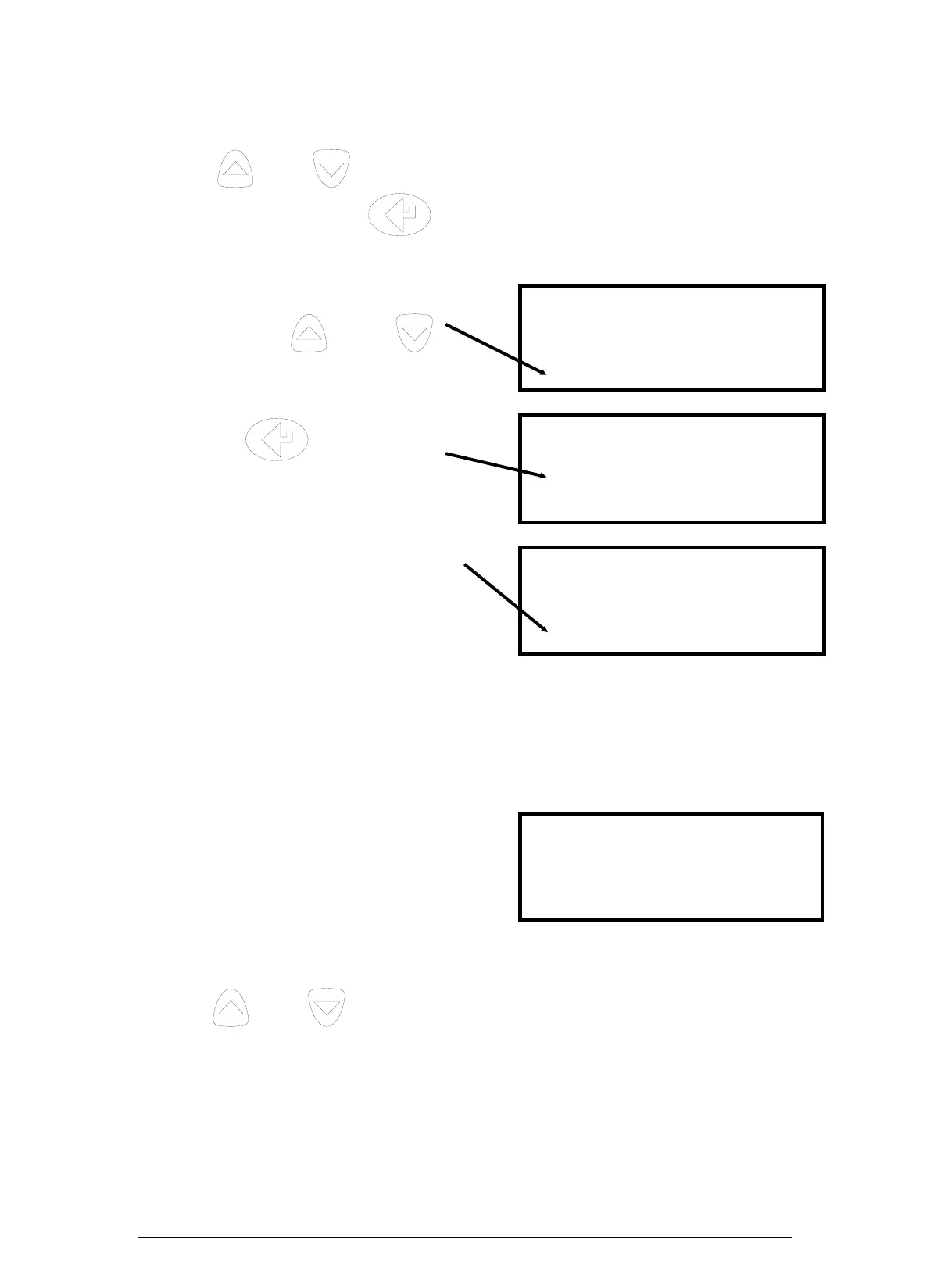
Line scroll mode allows you to customise the display.
Use the
and keys to change the bottom line of the display. Once the
correct line is displayed press
to confirm and move the line up. Select the
next parameter and repeat until all lines display the desired parameters.
Change bottom line using
and
NETT C 0.0
O2 % 20.9
CO ppm 0000
CO2 % 0.0
to select and
move parameter up
O2 % . . . 20.9
CO ppm . . 0000
CO2 % . . . 0.0
CO2 % . . . 0.0
Select next parameter.
Repeat above until
display reads desired data
O2 % . . . 20.9
CO ppm . . 0000
CO2 % . . . 0.0
CO/CO2 R . . 0.0001
4.3.3 8 Page Mode
Displays 8 parameters on the screen at one time. Symbols used in this mode are
different from those used in 4 page and line scroll modes and are detailed in Appendix
A - MAIN DISPLAY PARAMETERS.
O2
CO
PI
λ
:20.9 %
: 0ppm
:
:
CO2
Eff
∆T
Tf
:
:
: 0C
: 21C
The bottom line of the display can be changed to display other parameters.
Use the
and keys to change this line.
Keison Products www.keison.co.uk sales@keison.co.uk Tel: 01245 600560 Fax: 01245 600030



 To Next Page