15
2.2.3 Activating On-board Antivirus Protection (Windows only)
This section does not apply if you are running the Setup Wizard in Linux or Mac OS X. This section
does not apply to Enterprise Edition users. Antivirus for Enterprise Edition is activated through Kanguru
Remote Management Console (KRMC). Enterprise Edition users, please contact your administrator.
Note: Your Defender flash drive will need to be connected to a computer with internet access in order to
register for on-board antivirus protection.
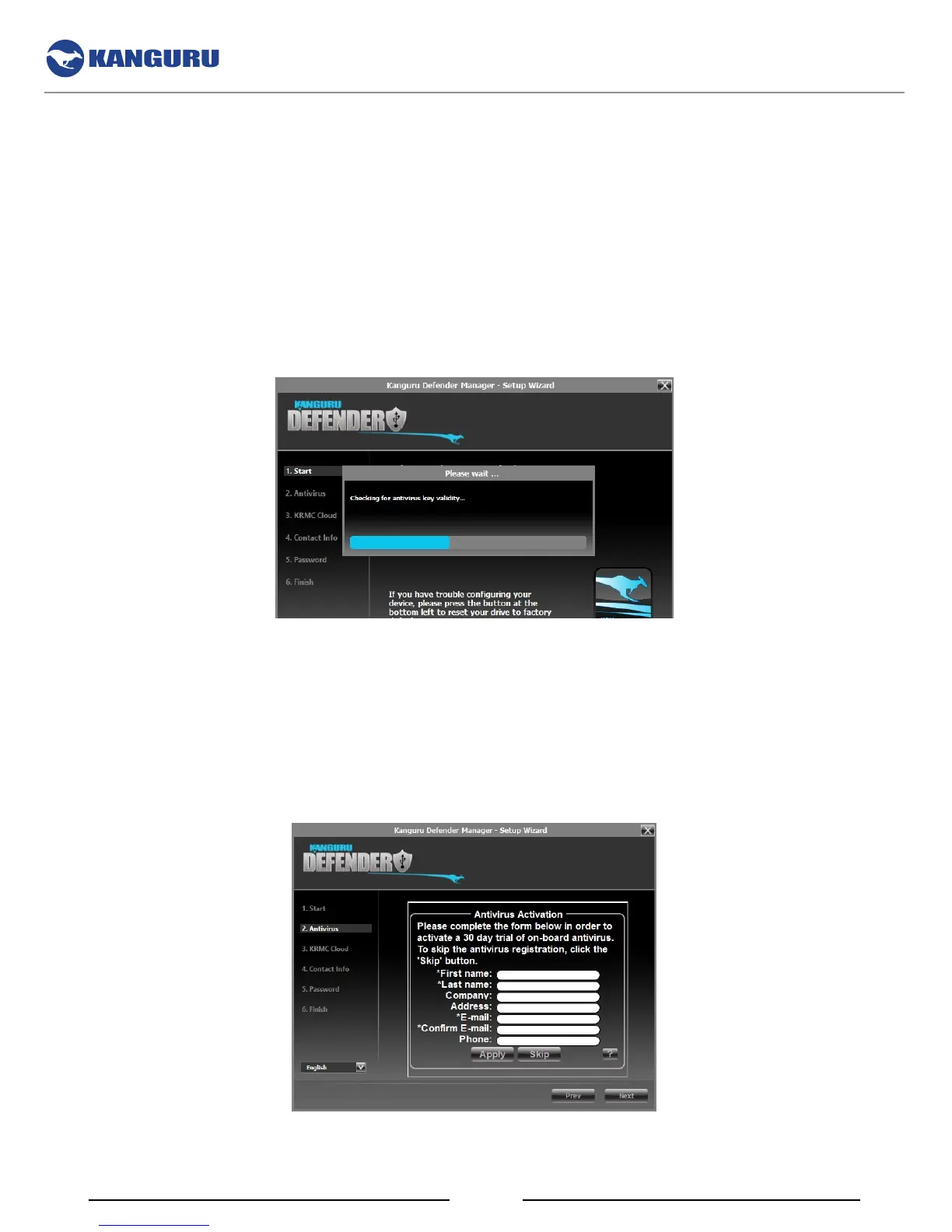
KDM will automatically check during the Setup Wizard for a valid antivirus license key.
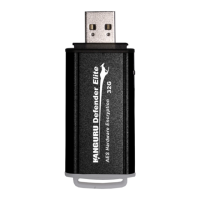
If your Defender flash drive does not already have a valid antivirus license key, then you must fill out
the registration form with the required information and then click on the Apply button to activate your
free antivirus trial.
Click on the Skip button if you do not wish to activate antivirus protection. If you decide not to activate
your antivirus at this point, you will not be able to activate it in the future without first resetting your
drive back to the factory default setting.
Click on the Next button to continue with setting up your Defender’s security password.
The Setup Wizard


 To Next Page