24
2.4 The KDM Taskbar Menu
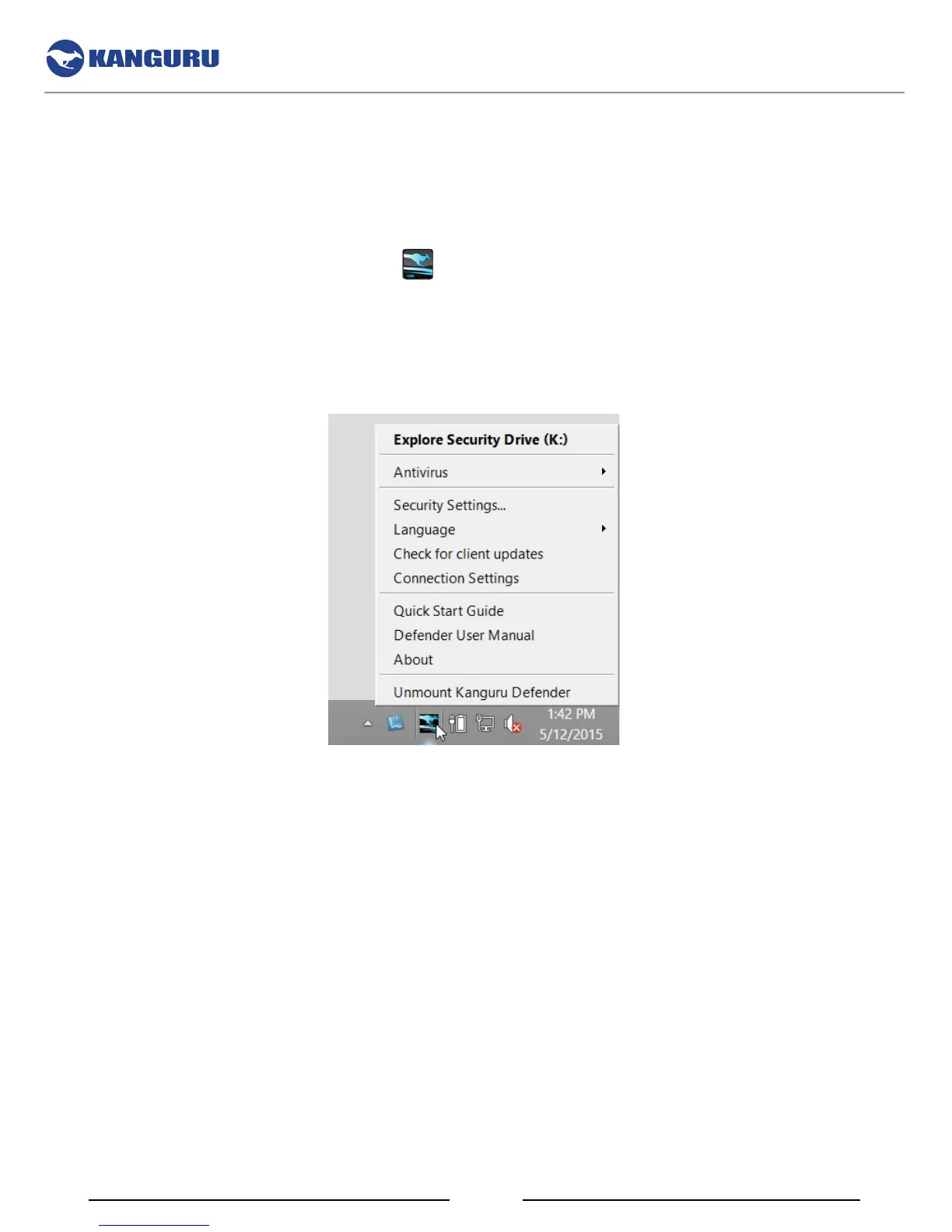
The KDM Taskbar menu provides a simple user interface that allows you to use and configure your
Defender device.
When you login to KDM, the KDM icon
appears in the taskbar area. To access the KDM Taskbar
menu, simply click on the KDM icon.
Note: Linux users must right-click on the KDM icon in the task bar.
The KDM Taskbar Menu


 To Next Page