30
2.4.3.4 Antivirus License
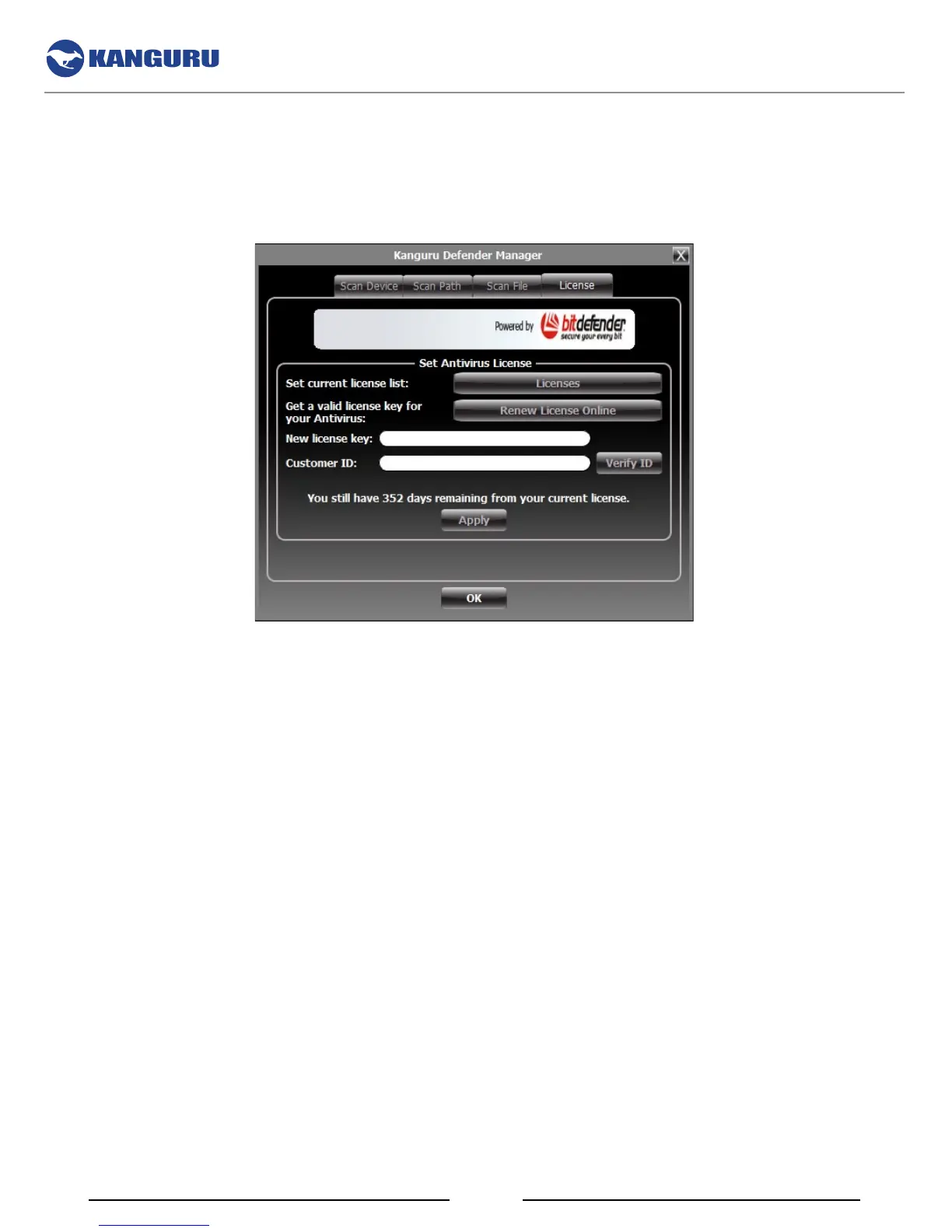
The antivirus menu allows you to view your antivirus license information and also renew your
subscription. You can view the number of days remaining on your current antivirus license
• Click on the Licenses button to see your current antivirus license number.
• Click on the Renew License Online button to purchase a one-year antivirus license subscription
from Kanguru’s online store.
Once you have purchased or renewed your antivirus license, you will receive a new antivirus license key
as well as a customer ID. Enter your new license key and customer ID in the appropriate fields and then
click on the Verify ID button.
Your antivirus license will be activated once your customer ID and antivirus license key have been
verified. Click on the OK button to close the antivirus menu.
The Antivirus Console



 To Next Page