29
2.4.3.3 File Scan
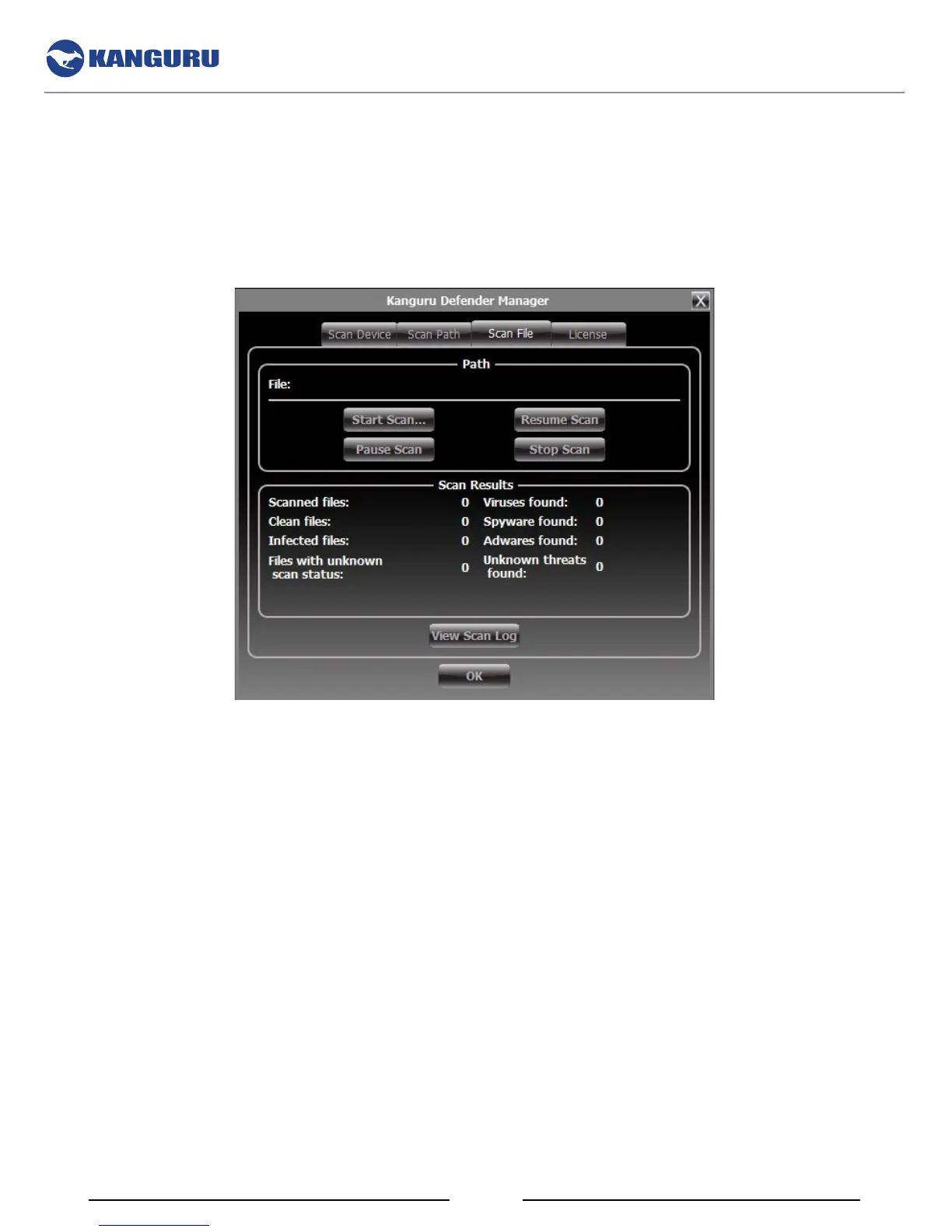
The antivirus menu allows you to scan any file on your computer for known viruses and malware.
Note: The Scan File feature can be disabled on Enterprise Edition drives. Please contact your administrator
for more information.
To scan a file:
1. Click on the Scan File tab at the top of the antivirus menu.
2. Click on the Start Scan button and then select a file to begin scanning.
3. Once the scan has started:
○ Click on the Pause Scan button to pause the scan process. Click on the Resume Scan button
to resume the scan.
○ Click on the Stop Scan button to cancel the scan process.
4. The scan results will appear in the Scan Results window.
5. Click on the View Scan Log button to view a log of the previous scan.
6. Click on the OK button to close the antivirus menu.
The Antivirus Console



 To Next Page