7
M
MM
M
M
MM
M
A
AA
A
A
AA
A
C
CC
C
C
CC
C
1
11
1
1
11
1
0
00
0
0
00
0
0
00
0
0
00
0
5
55
5-
--
-4 Position of the looper rocker
4 Position of the looper rocker4 Position of the looper rocker
4 Position of the looper rocker
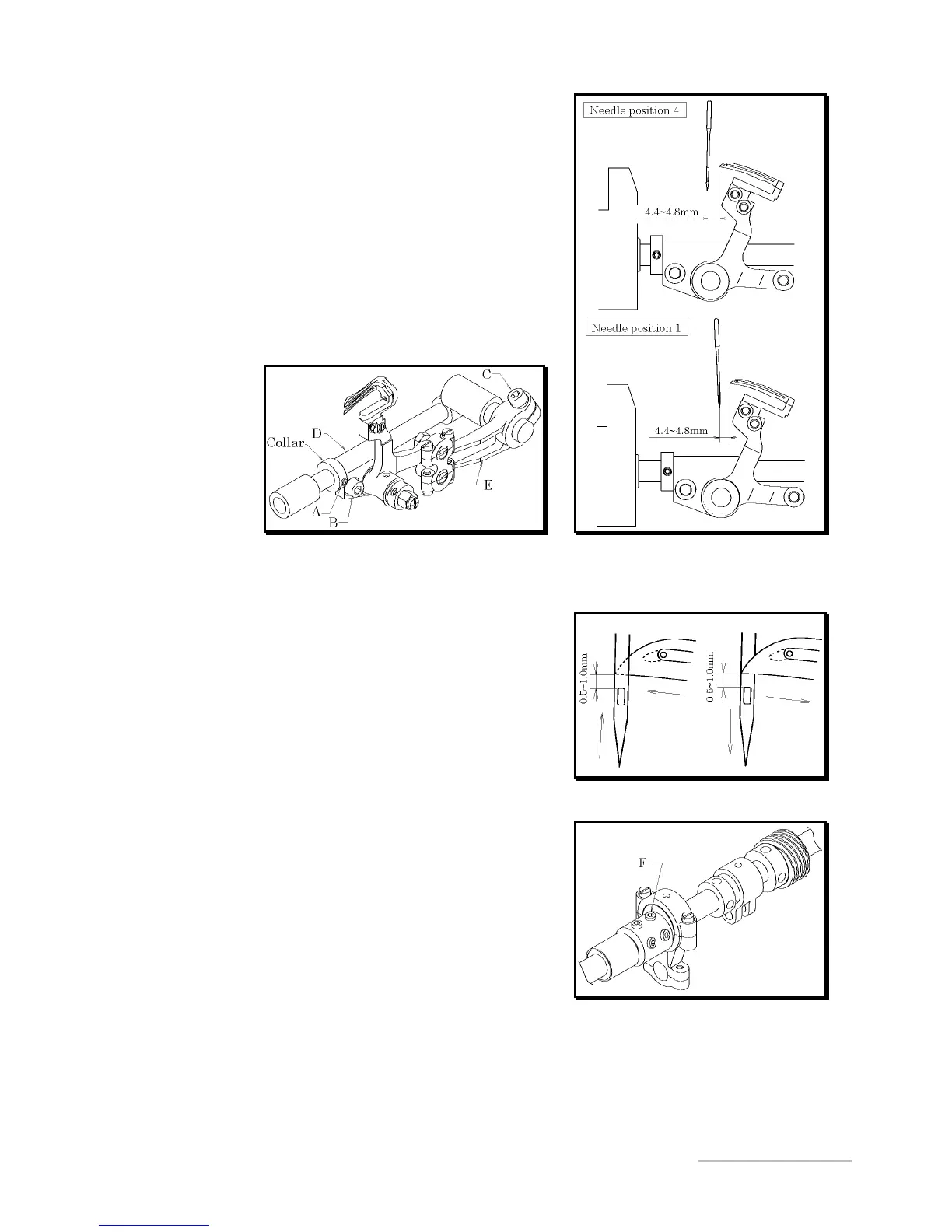
The setting distances of the looper with the needle
at position 4 and position 1 should be equal (see
5-2).
To achieve this adjustment, loosen screw A to loosen
the collar. Loosen screws B and C.
Then adjust looper rocker D and lever E.
■
Example
If the setting distance with the needle at position 4
is 4mm and the setting distance with the needle at
position 1 is 5mm, move looper rocker D
approximately 1mm to right. After the adjustment
is made, tighten screws B and C securely.
Then tighten screw A with the collar fitted onto
looper
rocker D.
5
55
5-
--
-5 Looper left
5 Looper left5 Looper left
5 Looper left-
--
-to
toto
to-
--
-right movement
right movementright movement
right movement
This adjustment should be made when the needle is
at position 1 (see 5-2). When the point of the looper,
moving to left or right position, has reached the left
side of the needle, it should be 0.5~1mm above the
top of the needle's eye. It means the timing of the
looper should be the same. (See the illustration on
the right.)
■
Adjustment is made by loosening three screws F.
After the adjustment, tighten these three screws
equally.



 To Next Page