17
M
MM
M
M
MM
M
A
AA
A
A
AA
A
C
CC
C
C
CC
C
1
11
1
1
11
1
0
00
0
0
00
0
0
00
0
0
00
0
11
1111
11-
--
-4
44
4 Operation panel
Operation panel Operation panel
Operation panel
■
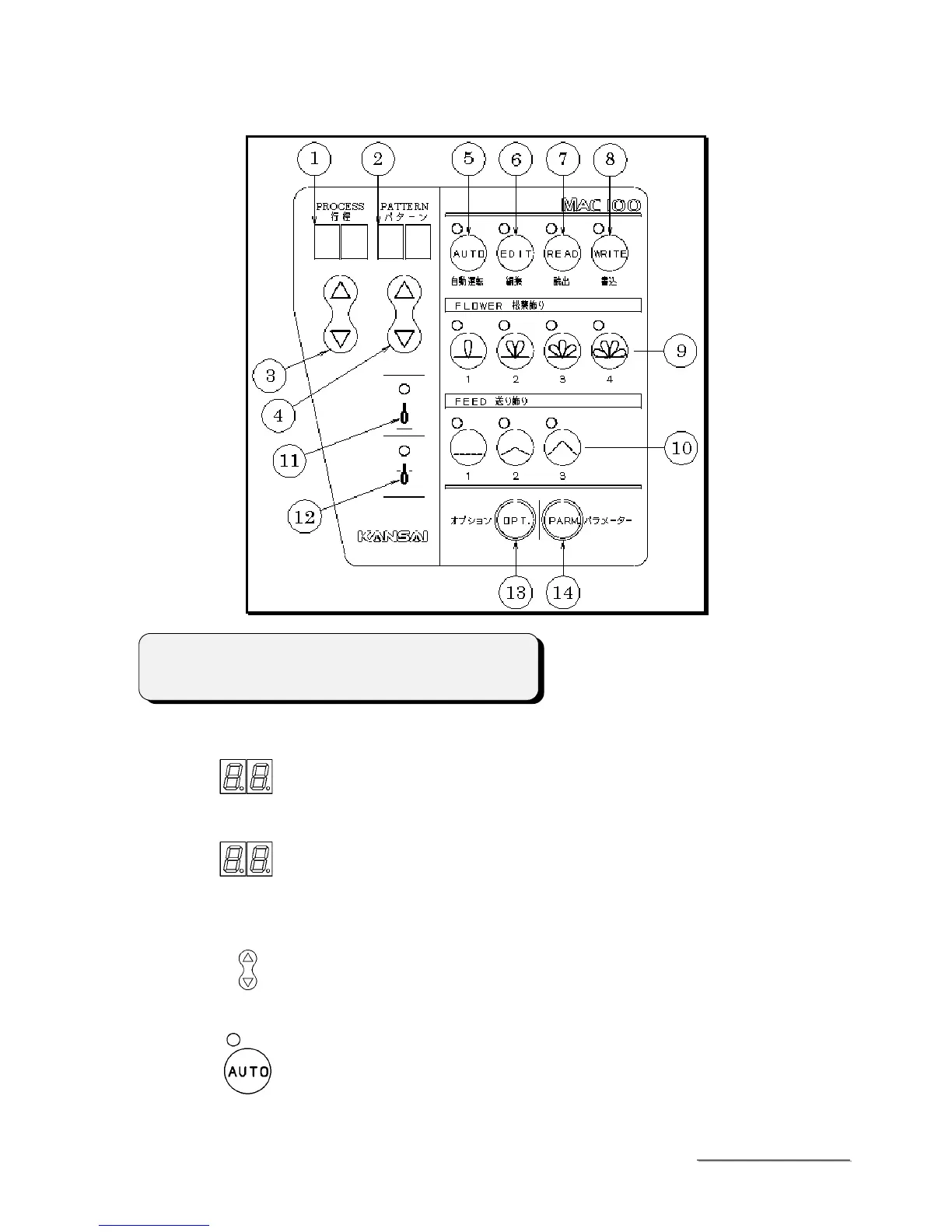
Name and function
①
LED (PROCESS)
Display the present setting process.
②
LED (PATTERN)
Display a certain stitch number from the whole decorative stitches numbers
within process.
③ △▽
(SETTING)
④ △▽
(SETTING)
To be used to set the numerical value of
①
and
②
.
⑤
AUTOMATIC OPERATION KEY (AUTO)
To be used to start the sewing.
When turning off the lamp, it is impossible to start the sewing.
< Note >
Flower pattern No.4 is not available on MAC-100 yet.



 To Next Page