21
M
MM
M
M
MM
M
A
AA
A
A
AA
A
C
CC
C
C
CC
C
1
11
1
1
11
1
0
00
0
0
00
0
0
00
0
0
00
0
■
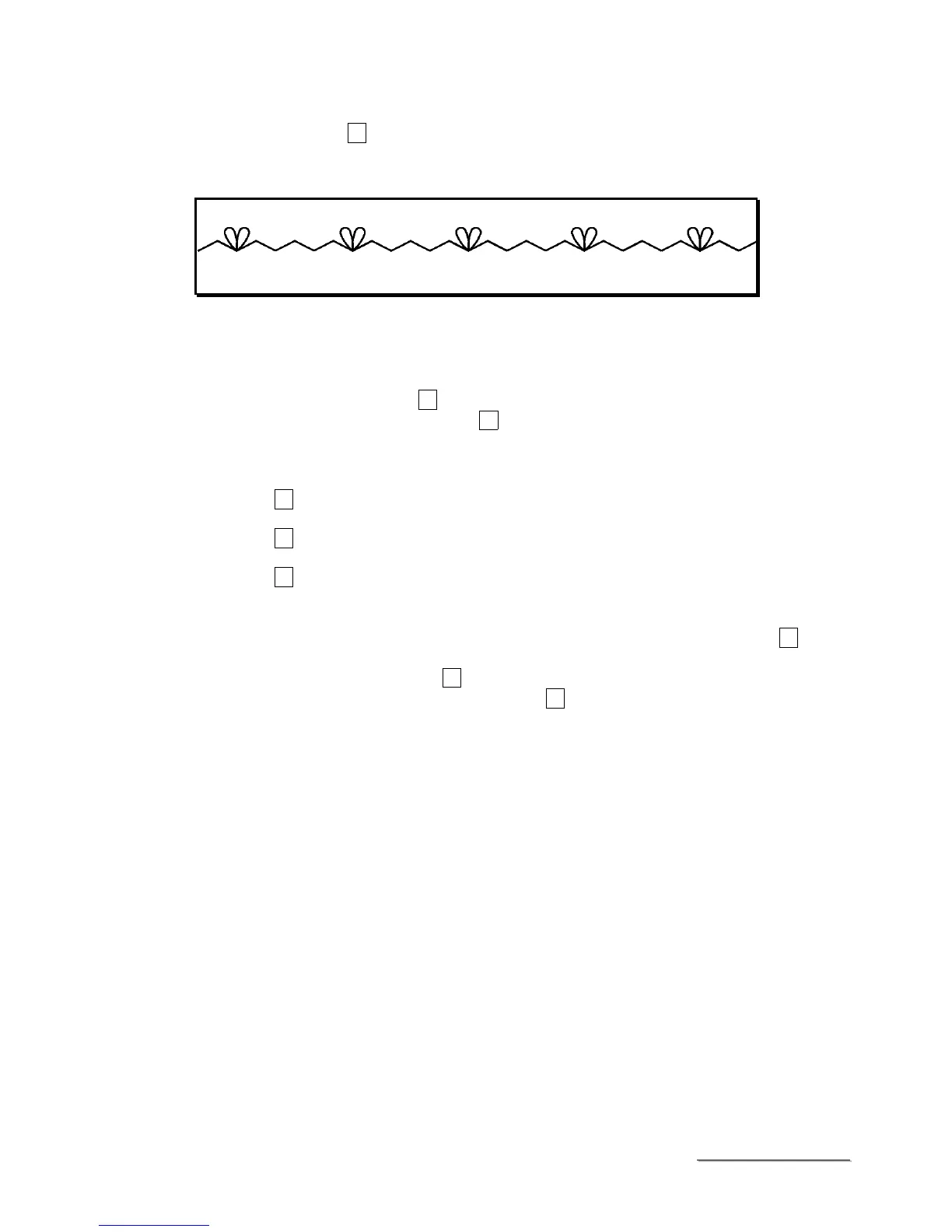
How to program
Condition : PROCESS 06
FLOWER PATTERN
⑨
, No.2 – One time
FEED PATTERN
⑩
, No.2 – Three times
Procedure :
1. Turn off the lamp of (AUTO) key
⑤
by pressing (AUTO) key
⑤
.
2. Set the EDIT mode by pressing the (EDIT) key
⑥
.
3. Display the process number 06 to LED display
①
by using (SETTING) key
③
.
(In this case, LED display
②
shows 01 automatically)
4. Ensure the flashing of the lamp by pressing No.2 of feed pattern key
⑩
once.
5. Enter this pattern by pressing the (WRITE) key
⑧
once.
(After that, the flashing lamp turns ON).
6. Display 02 to LED display
②
by using the (SETTING) key
④
.
7. Repeat the procedure 4. and 5.
8. Display 03 to LED display
②
by using the (SETTING) key
④
.
9. Repeat the procedure 4. and 5.
10. Display 04 to LED display
②
by using the (SETTING) key
④
.
11. Ensure the flashing of the lamp by pressing No.2 of flower pattern key
⑨
once.
12. Enter this pattern by pressing the (WRITE) key
⑧
once.
After that, the flashing lamp turns ON. Next, register this pattern to process 06.
13. Keeping to press the (WRITE) key
⑧
over 2 seconds.
Then, ensure one-time flashing 06 of LED display
①
and
②
.
Then, the programming of the sewing pattern 06 is completed.
14. Turn on the lamp of the bottom dead point
⑫
, by hand-turning of the pulley.
15. After turning on the lamp by pressing of the (AUTO) key
⑤
, start the sewing.



 To Next Page