SmartVision & SmartVision LITE – User Guide (Rev. 2.7) – Version 1943.4105 48
To read your received messages from the home screen, click on "Messaging"
icon or on "New message" from the notification panel.
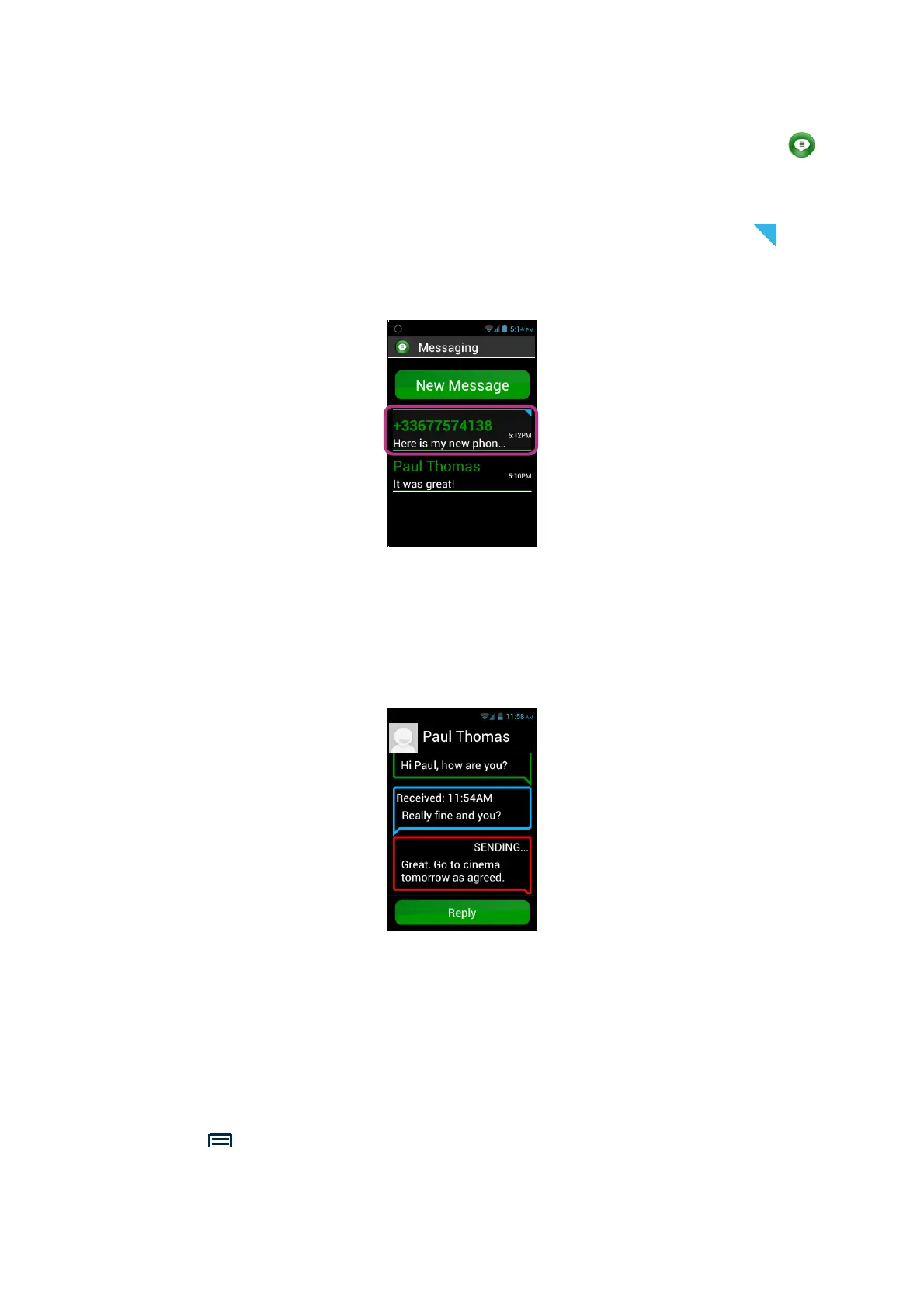
Messages sent or received are listed by recipient or "discussion thread". Discussion
threads with unread messages are placed on top of the list with a blue triangle .
To show the content of the message, click on the discussion thread you wish in the
list.
Sent and received messages are listed in chronological order from newer at the
bottom the list to older going up, and are colour-coded to differentiate them:
- Green messages are messages sent by you.
- Blue messages are messages received by you.
- Red messages are unsent messages or messages being sent.
Deleting an SMS/MMS
To delete a discussion thread or a message, select the item to be deleted, press and
hold the "OK" key on the keypad. A context menu opens, click on "Delete" to remove
the selected item.
You can also access the discussion thread and message related options by pressing
the "Menu" button.



 To Next Page