SmartVision & SmartVision LITE – User Guide (Rev. 2.7) – Version 1943.4105 49
E-Mail
The "E-Mail"
application lets you send and receive emails from your email
account. The "E-Mail" application by SmartVision will not work unless you have an
existing email account with an email service provider. You also need to have an
internet connection (WiFi or 3G) to use the "Email" application.
Email account setup
When opening the "E-Mail" application for the first time, you will need to set up your
email account. You will need to have your email account information handy such as
your email address and password.
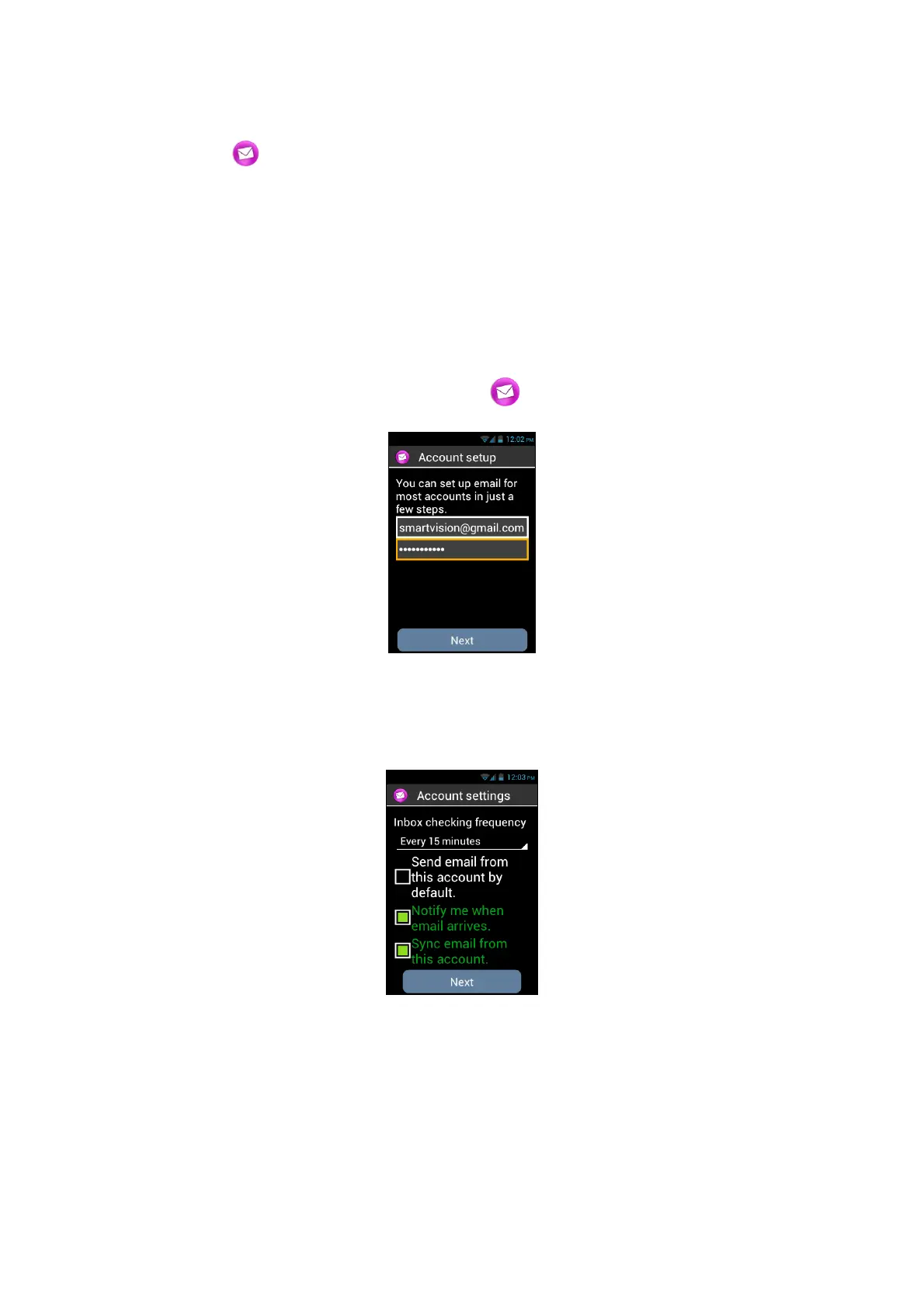
From the home screen, click on "E-Mail" icon. An account set up screen
appears.
1. Please enter your Email address.
2. Enter your password.
3. Click on "Next".
4. Then follow the instructions on the screen to set up your email
account (verification of the incoming and outgoing email servers).
5. SmartVision initiates the verification procedure. You must now configure the
following options for your Email account: Email Fetch frequency, Notification,
Automatic download, etc…,
6. Click on "Next" to end the procedure. Synchronisation of your account is started,
and your inbox appears.



 To Next Page