Karel MS48 Installation & Maintenance Guide
Edition 3.2
52
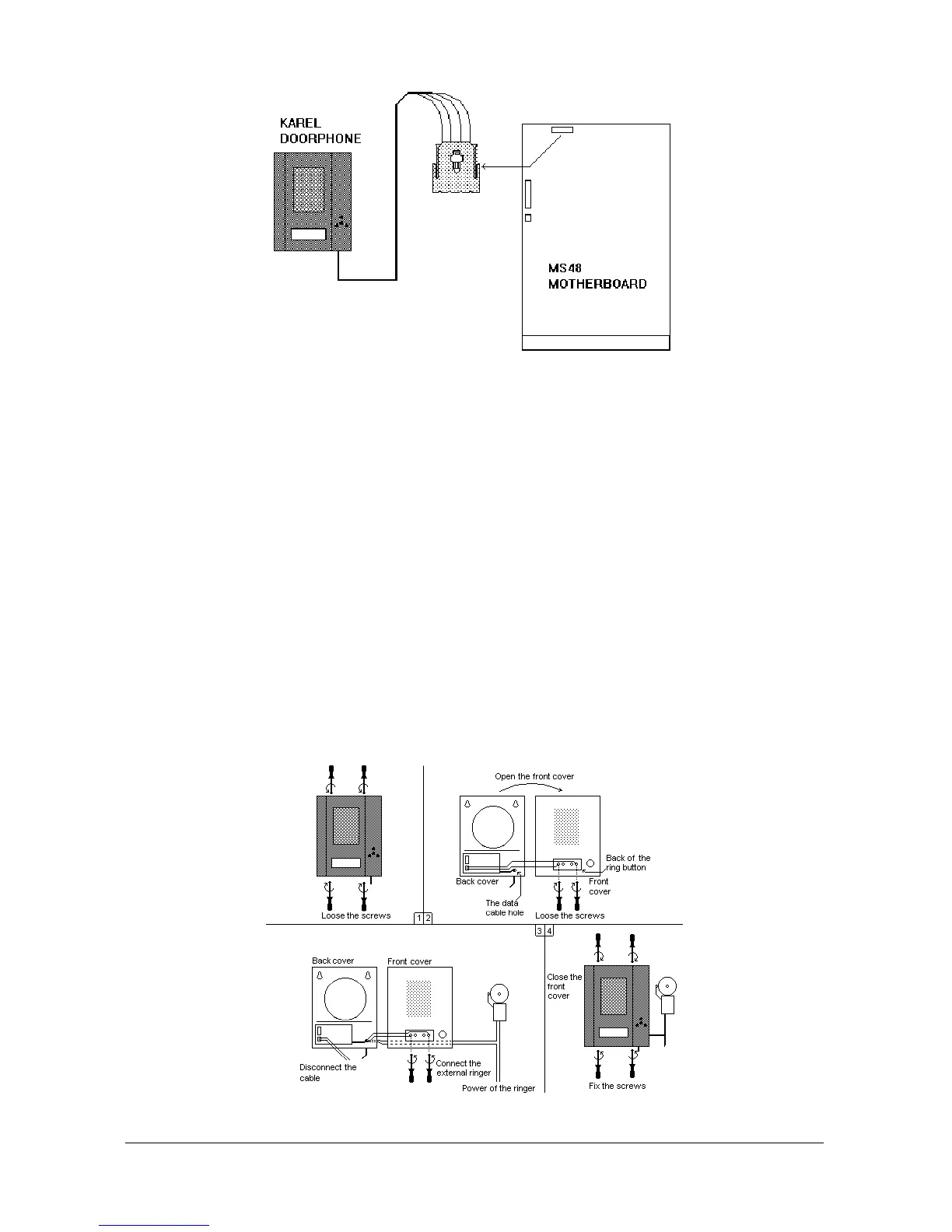
Figure B-19
DY26 doorphone has a ring button on it. When a doorphone user presses this
button the telephone of the operator or the ringing extension rings. But if desired
this facility may be canceled and an external ringer can be connected to the ring
button. For this:
1. Loose the screws at the top and the bottom of the doorphone and open the
front cover.
2. Loose the screws at the back of the ring button and disconnect the two-wire
cable between the doorphone card and the ring button.
3. Pass the power cables of the ringer through the data cable hole at the back
cover of the doorphone box.
4. Connect the power of the external ringer through the ring button.
5. Close the cover of the doorphone.
The following figure illustrates this connection.
Figure B-20



 To Next Page