Karel MS48 Installation & Maintenance Guide
Edition 3.2
55
Figure B-24
III.8. ISDN ADAPTOR
• I
NSTALLATION
IA12 ISDN Adaptor is designed to be mounted on the wall with a couple of
anchor plugs and screws. For this:
1) Drill two holes, which are 17.5 cm apart.
2) Drive the anchor plugs into the holes.
3) Insert the screws into the anchor plugs.
4) Hang the adaptor on the screws.
•
M
OUNTING
The IA12 motherboard comes installed in the cabinet. It stays on the brass card
holders that are attached to itself by screws.
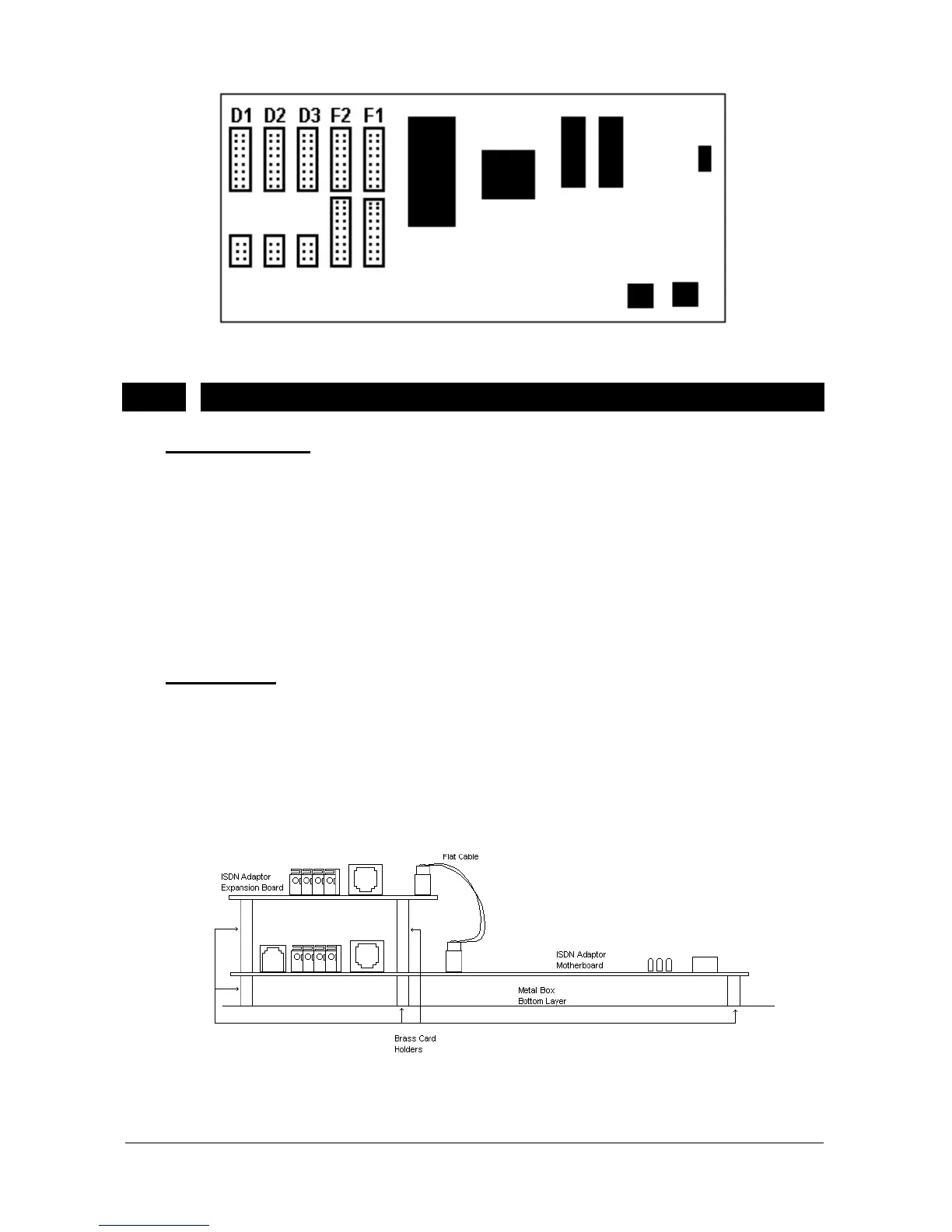
The EXP-IA12 Expansion Board is mounted on the motherboard with brass
card holders and screws. The communication between the IA12 motherboard
and EXP-IA12 card is established by a 20-pin flat cable. The following figure
illustrates this connection .
Figure B-25



 To Next Page