Karel MS48 Installation & Maintenance Guide
Edition 3.2
58
III.9. LOCAL PAGER
• I
NSTALLATION
:
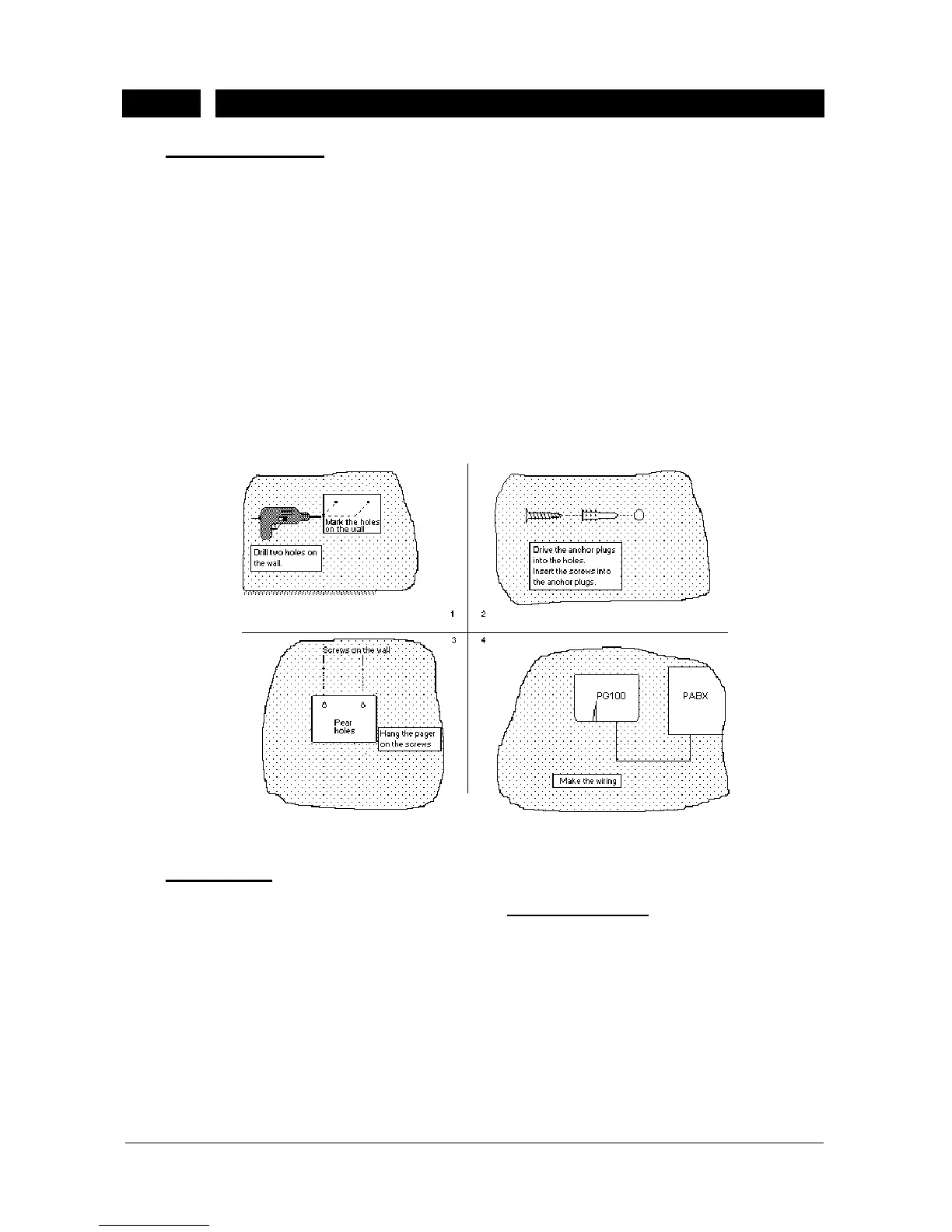
The PG100 Local Pager is designed to be mounted on the wall. Hence, PG100
comes with a template and 2 anchor plugs with screws.
To install PG100 :
1) Place the template on the wall.
2) Drill 2 holes at the points on the template.
3) Drive the anchor plugs into the holes.
4) Insert the screws into the anchor plugs.
5) Hang the pager on the screws.
The following figure illustrates this installation.
Figure B-27
•
C
ABLING
:
The PG100 Local Pager comes with the pager data cable. Like the telephone
data cable of the consoles and feature phones, the pager data cable is formed
up of two parts. One is a cable with a 6-pin RJ plug at both ends and the other
one is a connection box. The connection box has a 6-pin RJ socket at one side
so that one of the free ends of the cable can be fixed to the connection box
easily. The other free end of the cable has also the corresponding RJ socket at
the bottom part of the PG100 cabinet.
The following signals are present on the connection box of PG100 data cable:



 To Next Page